
SushiCraft
Everything From Sushi to Ramen!
Screenshots


About this Mod
SushiCraft is a mod that makes your Minecraft experience significantly more fun by adding sushi, nigiri, ramen, mochi etc. Our mod adds different decorative blocks to make your own sushi restaurant as well!
💡 Key Features:
- New Food (Sushi, Nigiri, Ramen Noodles, Mochi, Rice, Rice Bowl, Egg Fried Rice Bowl, Dango, Sushi Rolls)
- New Blocks (Sushi Meal, Nigiri Meal, Dragon Roll, California Roll, Philadelphia Roll, Futomaki Roll)
- New Decorations (Kanji Banner)
- New Entities (Eel, Shrimp)
- New Effects (Delightful Effect)
📖 Downloading Instructions:
- Download the version you prefer.
- Click the windows button on the bottom left hand corner / middle.
- Type %appdata% into the textbox and then click enter.
- Find and open the folder called ".minecraft".
- Open the mods folder and put the mod in there!
📄 Recipes:
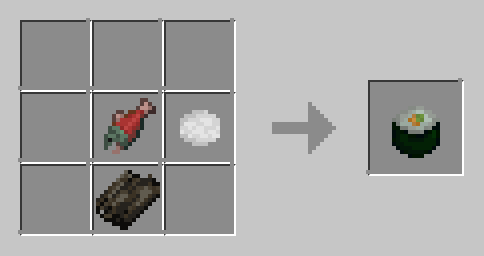
Sushi (Food) Recipe:
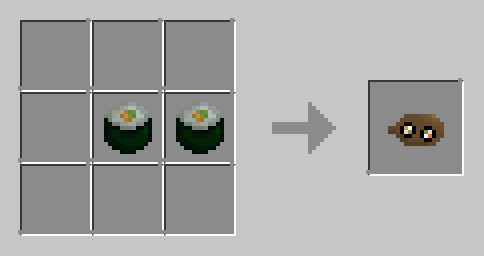
Sushi Meal (Block) Recipe:
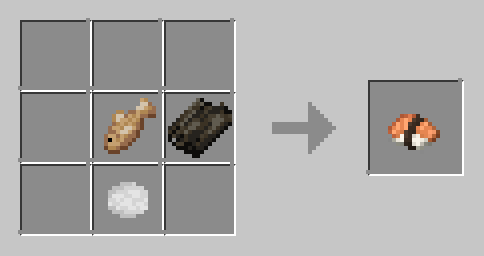
Nigiri (Food) Recipe:
Nigiri Meal (Block) Recipe:
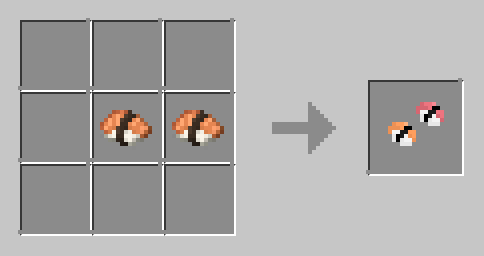
Dragon Roll (Block) Recipe:

Dragon Roll (Food) Recipe:
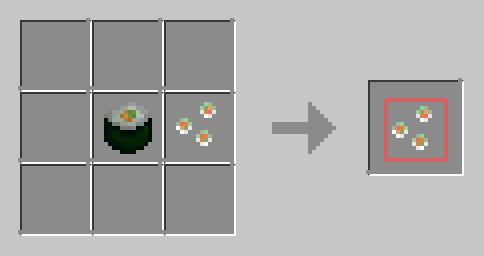
California Roll (Block) Recipe:

California Roll (Food) Recipe:
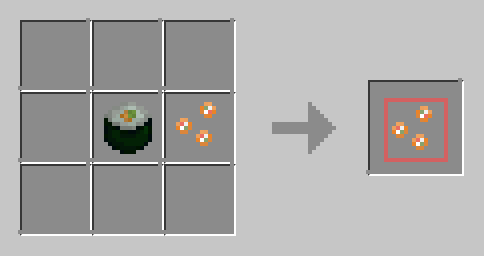
Philadelphia Roll (Block) Recipe:
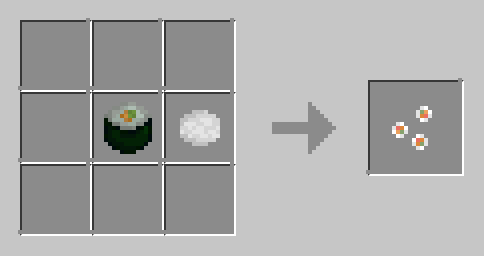
Philadelphia Roll (Food) Recipe:
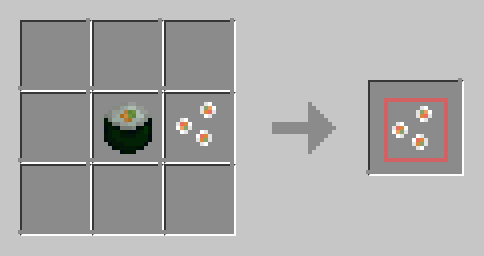
Futomaki Roll (Block) Recipe:
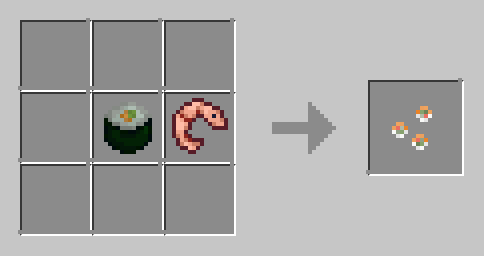
Futomaki Roll (Food) Recipe:

Ramen (Food) Recipe:
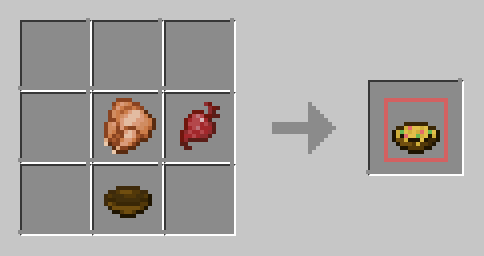
Ramen Noodles (Block) Recipe:
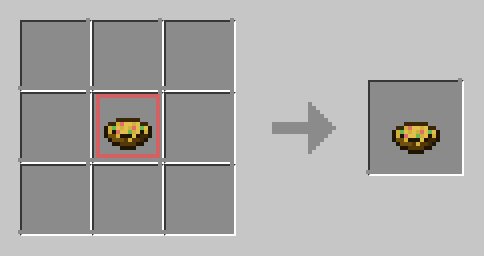
Rice Bowl (Food) Recipe:
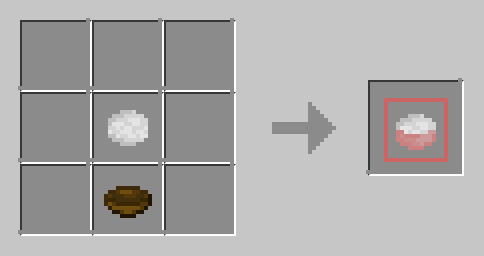
Egg Fried Rice Bowl (Food) Recipe:

Shrimp Fried Rice (Food) Recipe:
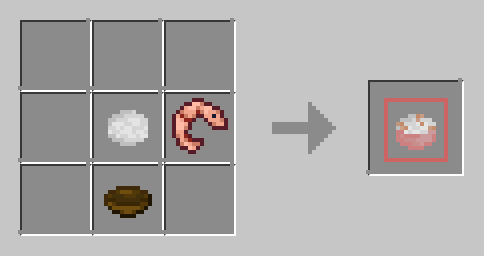
Dango (Food) Recipe:
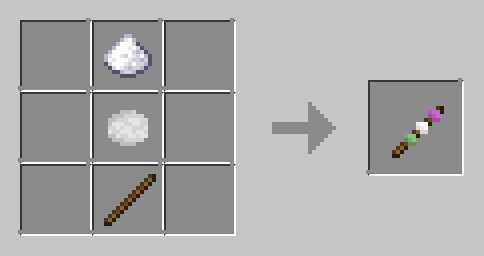
Mochi (Food) Recipe:

Available Versions
How to Install SushiCraft on Your Server
Order Server
Order a Minecraft Java server with at least 3 GB RAM (4 GB recommended).
Set fabric Loader
In the panel under "Egg", select the fabric loader and matching Minecraft version (1.21.8).
Install Mod
Open the mod browser in the dashboard and search for "SushiCraft". Click "Install" – done! Alternatively, upload the .jar via SFTP to the /mods folder.
Compatibility
Mod Loaders
Minecraft Versions
1.21.8, 1.21.1, 1.20.1
Server-side
~ OptionalRecommended RAM
4 GB(min. 3 GB)Frequently Asked Questions
SushiCraft server crashes on startup – what to do?
Most common cause: wrong fabric version or insufficient RAM. Check the server log (latest.log) for "OutOfMemoryError" or "Mixin" errors. With Mado Hosting: ensure at least 3 GB RAM is allocated and the loader matches the mod version (1.21.8). You can switch loaders with one click in the panel.
Is SushiCraft compatible with fabric and forge and neoforge?
SushiCraft officially supports fabric, forge, neoforge for Minecraft 1.21.8, 1.21.1, 1.20.1. Note: Forge and Fabric mods are NOT cross-compatible – pick one loader and stick with it. The Mado dashboard automatically detects incompatible loader combinations.
Server lagging with SushiCraft – how to optimize performance?
Recommended RAM: 4 GB (per 8 players). Use /spark profiler to check if SushiCraft consumes the most tick time. Common fixes: reduce server view-distance to 8-10, install "performant" or "starlight" as supplementary mods on Forge. With Mado Hosting, your server runs on NVMe SSDs with dedicated CPU cores for minimal latency.
Similar Mods




Rent Modded Server
Install SushiCraft with just one click on your server.