
Screenshots
About this Mod
SushiMod

Explore a World of Culinary Delights with SushiMod!
SushiMod transforms your Minecraft experience by introducing a variety of delicious sushi, sashimi, and other food items. Immerse yourself in the art of sushi-making and enjoy the journey from farm to table in your Minecraft world.
Key Features:
🍚 Rice Crops
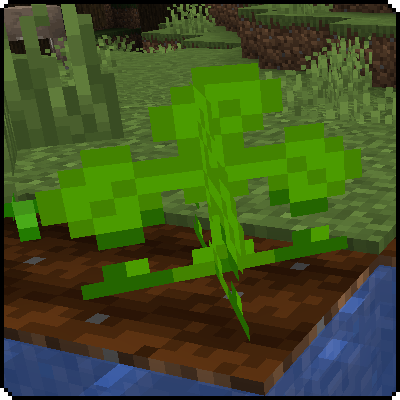
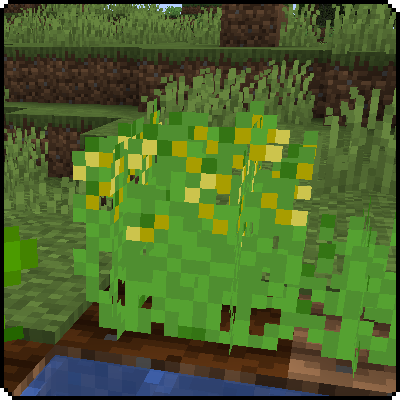
- Find and Grow: Rice seeds can be found in grass patches.
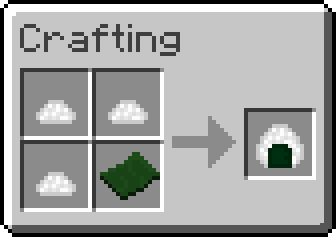
- Cook and Craft: Cook the rice to use it in various sushi recipes.
🥒 Cucumber Crops
- Locate Seeds: Cucumber seeds are found in tall grass.
- Harvest and Use: Cucumbers are essential for crafting tasty sushi rolls.
🦑 Calamari
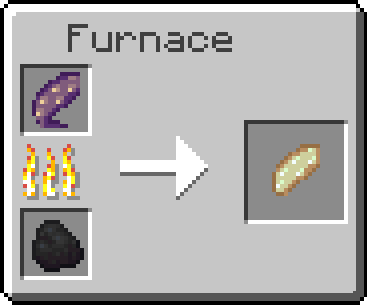
- New Drops: Squid now drop raw calamari, which can be cooked or eaten raw.
- Versatile Ingredient: Use cooked or raw calamari in your sushi creations.
🍣 Wide Range of Sushi and Rolls
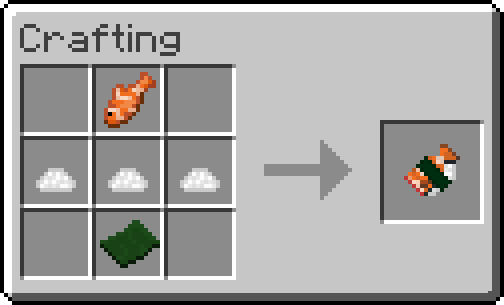
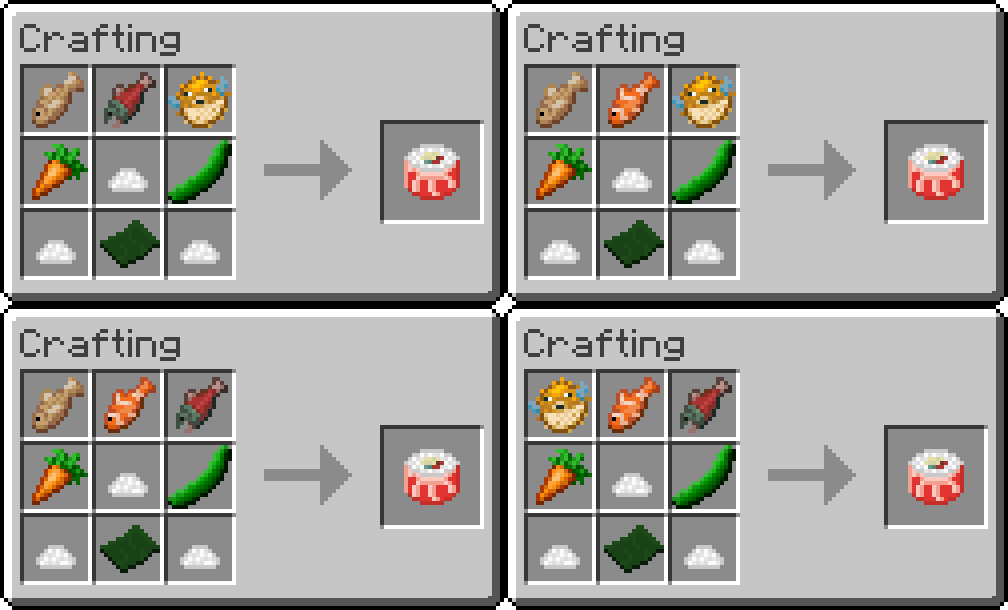
- Variety of Recipes: Craft a diverse menu of sushi, including Cucumber Rolls, Mushroom Rolls, Fish Rolls, and the extravagant Rainbow Roll.
📊 Food Nutrition and Saturation Values
- Rice, Cucumber, Nori: Nutrition 1, Saturation 0.1F
- Rice Ball: Nutrition 4, Saturation 0.4F
- Cucumber Roll: Nutrition 5, Saturation 0.5F
- Mushroom Roll: Nutrition 6, Saturation 0.6F
- Raw Calamari: Nutrition 2, Saturation 0.1F
- Cooked Calamari: Nutrition 4, Saturation 0.2F
- Sashimis: Nutrition 6, Saturation 0.6F
- Fish Rolls: Nutrition 8, Saturation 0.8F
- Pufferfish Roll: Nutrition 10, Saturation 1.0F
- Rainbow Roll: Nutrition 12, Saturation 1.2F
Compatibility:
The Sushi mod is compatible with the following Minecraft versions for Fabric:
These versions for Forge:
Get Started:
- Download and Install: Ensure you have the appropriate Minecraft version and follow our installation guide.
- Gather Ingredients: Start by finding rice and cucumber seeds, and hunt squid for calamari.
- Craft Delicious Sushi: Use the ingredients to create a variety of sushi and sashimi.
- Share Your Creations: Showcase your sushi dishes to friends and the community.
Elevate your Minecraft culinary experience with SushiMod. Download now and become a sushi chef in your Minecraft world!
Thank you for using our mods! For the best experience, visit our official website, Exline Mods.
Why Visit Our Website?
- Early Updates: Get the latest updates faster than other sites.
- Exclusive Tools: Download our mod setup program, also available on Nexus Mods.
- Crafting Recipes: Find detailed crafting recipes for our mods.
- Join the Community: Connect with fellow modders and get support via our Discord server.
- Direct Support and Feedback: Reach out directly for support and share feedback on Discord.
Get Started!
Explore More at ExlineMods!
Visit Exline Mods now and join our Discord Server to be part of our community. We look forward to seeing you there!

Promotional Message:
Why Choose Bisect Hosting?
- Easy Setup: Get your server up and running in minutes.
- 24/7 Support: Reliable assistance whenever you need it.
- Customizable: Tailor your server settings to your liking.
Visit Bisect Hosting now and take your Minecraft adventures to the next level!
Available Versions
How to Install Sushi Mod on Your Server
Order Server
Order a Minecraft Java server with at least 3 GB RAM (4 GB recommended).
Set fabric Loader
In the panel under "Egg", select the fabric loader and matching Minecraft version (1.21).
Install Mod
Open the mod browser in the dashboard and search for "Sushi Mod". Click "Install" – done! Alternatively, upload the .jar via SFTP to the /mods folder.
Compatibility
Mod Loaders
Minecraft Versions
1.21, 1.20.6, 1.20.5 (+7 more)
Server-side
✓ RequiredRecommended RAM
4 GB(min. 3 GB)Frequently Asked Questions
Sushi Mod server crashes on startup – what to do?
Most common cause: wrong fabric version or insufficient RAM. Check the server log (latest.log) for "OutOfMemoryError" or "Mixin" errors. With Mado Hosting: ensure at least 3 GB RAM is allocated and the loader matches the mod version (1.21). You can switch loaders with one click in the panel.
Is Sushi Mod compatible with fabric and forge?
Sushi Mod officially supports fabric, forge for Minecraft 1.21, 1.20.6, 1.20.5. Note: Forge and Fabric mods are NOT cross-compatible – pick one loader and stick with it. The Mado dashboard automatically detects incompatible loader combinations.
Server lagging with Sushi Mod – how to optimize performance?
Recommended RAM: 4 GB (per 8 players). Use /spark profiler to check if Sushi Mod consumes the most tick time. Common fixes: reduce server view-distance to 8-10, install "performant" or "starlight" as supplementary mods on Forge. With Mado Hosting, your server runs on NVMe SSDs with dedicated CPU cores for minimal latency.
Similar Mods



Rent Modded Server
Install Sushi Mod with just one click on your server.