
Screenshots
About this Mod
A general-purpose mod that patches GregTechCEu (GTCEu), shipping bugfixes, tweaks, and additional features for the mod.
Currently contains:
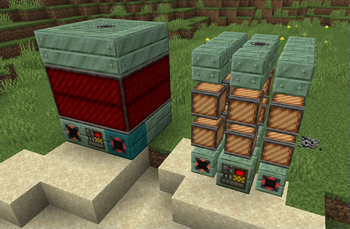
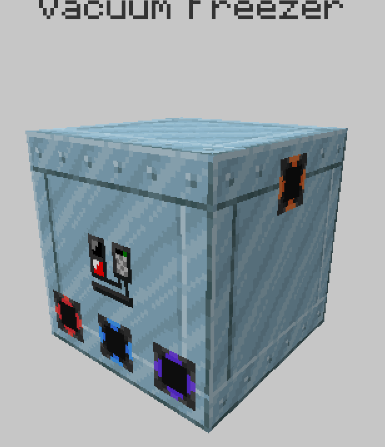
- Supports ConnectedTexturesMod (CTM) features on GTCEu multiblocks.
Spoiler
(Since 0.1.1)
- Fixes GregTech machines lost their animations when "On-Demand Animations" is turned on in CensoredASM.
- Fixes GregTech's DummyWorld crashs with Alfheim v1.6+, which causes all GT recipes to disappear in JEI. (Backported from GregTechCEu#2838)
- Fixes some GT lamps losing their inventory models when both VintageFix and ConnectedTexturesMod are loaded.
- Fixes Fluidlogged API v2 making multiblocks with fluid blocks in the structure failed to render the in-world preview.
(Since 0.2.0)
- Fixes clipboards always rendered at full brightness.
- Fixes facades have weird lighting. A.k.a. different from normal blocks.
(Since 0.3.0)
Implements getItem method for BlockMachine, which fixes mod fail to render GT TileEntities, e.g. XNet. (Note: for RFTools you will need ReFinedTools.)
Fixes MTE Packet Data Memory Leak.
Reverses the data transfer direction correctly. Fixes pipes losing data when adding/removing covers.
Refuses insertion into pipenets w/o specific facing. Fixes crashes with mods like RFTools.
Don't let GTCEu register pipes for empty registrations. Fixes crashes for mods like BetterQuesting.
Fixes various GrS issues, including:
- GrS not respecting the item namespace.
- Fluid amount multiplier duplicates in the copied recipe removal code.
(This could also fix some CrT issues, but I didn't brother testing.)
You can now remove the annoying search bars from GT Creative Tabs
(Since 0.4.0)
- Supports GrS inline icon for
metaitem(...)ObjectMapper. - Uses WeakReference for NeighborCacheTileEntityBase, which may solve unintended JVM garbage collection hindering.
More contents coming soon!
Available Versions
How to Install SussyPatches on Your Server
Order Server
Order a Minecraft Java server with at least 3 GB RAM (4 GB recommended).
Set forge Loader
In the panel under "Egg", select the forge loader and matching Minecraft version (1.12.2).
Install Mod
Open the mod browser in the dashboard and search for "SussyPatches". Click "Install" – done! Alternatively, upload the .jar via SFTP to the /mods folder.
Compatibility
Mod Loaders
Minecraft Versions
1.12.2
Server-side
✓ RequiredRecommended RAM
4 GB(min. 3 GB)Frequently Asked Questions
SussyPatches server crashes on startup – what to do?
Most common cause: wrong forge version or insufficient RAM. Check the server log (latest.log) for "OutOfMemoryError" or "Mixin" errors. With Mado Hosting: ensure at least 3 GB RAM is allocated and the loader matches the mod version (1.12.2). You can switch loaders with one click in the panel.
Is SussyPatches compatible with forge?
SussyPatches officially supports forge for Minecraft 1.12.2. The Mado dashboard automatically detects incompatible loader combinations.
Server lagging with SussyPatches – how to optimize performance?
Recommended RAM: 4 GB (per 8 players). Use /spark profiler to check if SussyPatches consumes the most tick time. Common fixes: reduce server view-distance to 8-10, install "performant" or "starlight" as supplementary mods on Forge. With Mado Hosting, your server runs on NVMe SSDs with dedicated CPU cores for minimal latency.
Rent Modded Server
Install SussyPatches with just one click on your server.