
Swift Wheel
The next generation fast switch mod.
Screenshots
About this Mod

Swift Wheel Mod - Enhanced Inventory Management for Minecraft
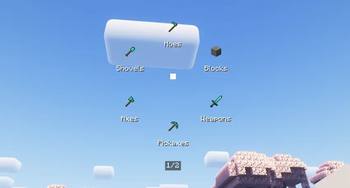
Swift Wheel is a versatile client-side utility mod designed to revolutionize your Minecraft inventory management experience. This innovative mod introduces a dynamic item wheel interface that allows players to quickly access and select items from their inventory without tedious scrolling or hotbar swapping.

Usage
Simply bind a hotkey to activate the item wheel, then hover over your desired category to quickly equip or use items. You are also allowed to right click into the specified item list for every category.Perfect for combat situations, building projects, and any scenario where every second counts!

Keybinds Notice
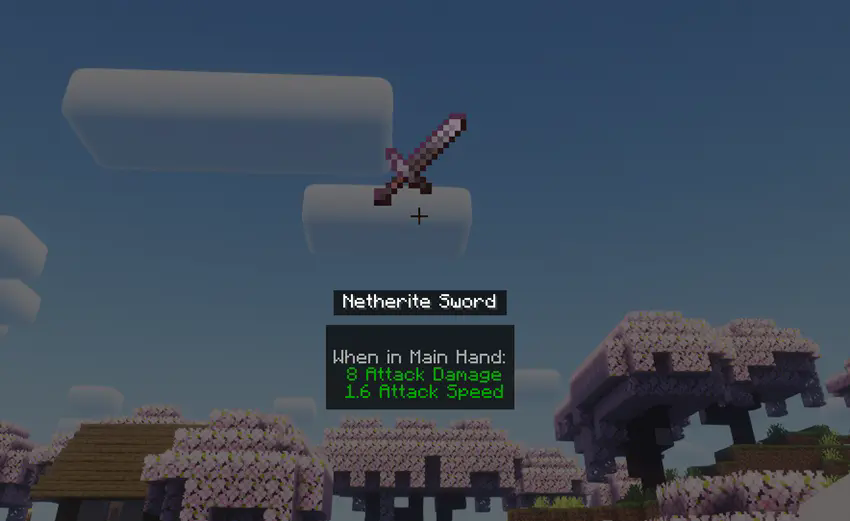
While holding the hotkey (default: "X"), standard mouse interactions are temporarily disabled. Left-click a category or release the hotkey to confirm your selection. Alternatively, right-click any category to enter Item List Mode, displaying all available items within that category. In this mode, middle-clicking an item reveals its detailed information.
Compatibility
Works with Forge only presently. Supports 1.20x game versions.
Configuration
Customize visible categories and rendering preferences through the mod's configuration file located at ".minecraft/config/swiftwheel-client.toml"
Available Versions
How to Install Swift Wheel on Your Server
Order Server
Order a Minecraft Java server with at least 3 GB RAM (4 GB recommended).
Set forge Loader
In the panel under "Egg", select the forge loader and matching Minecraft version (1.20.4).
Install Mod
Open the mod browser in the dashboard and search for "Swift Wheel". Click "Install" – done! Alternatively, upload the .jar via SFTP to the /mods folder.
Compatibility
Mod Loaders
Minecraft Versions
1.20.4, 1.20.2, 1.20.1
Server-side
✗ UnsupportedRecommended RAM
4 GB(min. 3 GB)Frequently Asked Questions
Swift Wheel server crashes on startup – what to do?
Most common cause: wrong forge version or insufficient RAM. Check the server log (latest.log) for "OutOfMemoryError" or "Mixin" errors. With Mado Hosting: ensure at least 3 GB RAM is allocated and the loader matches the mod version (1.20.4). You can switch loaders with one click in the panel.
Is Swift Wheel compatible with forge?
Swift Wheel officially supports forge for Minecraft 1.20.4, 1.20.2, 1.20.1. The Mado dashboard automatically detects incompatible loader combinations.
Server lagging with Swift Wheel – how to optimize performance?
Recommended RAM: 4 GB (per 8 players). Use /spark profiler to check if Swift Wheel consumes the most tick time. Common fixes: reduce server view-distance to 8-10, install "performant" or "starlight" as supplementary mods on Forge. With Mado Hosting, your server runs on NVMe SSDs with dedicated CPU cores for minimal latency.
Similar Mods






Rent Modded Server
Install Swift Wheel with just one click on your server.