
STAR WARS: Project The Force {SWPTF}
A project that will completely immerse you in a Galaxy far, far away;)
Screenshots
About this Mod
D E S C R I P T I O N
''It was a long time ago, in a galaxy far, far away...'' — George Walton Lucas, Jr.
- W H A T _ T H E _ M O D _ A D D S ?
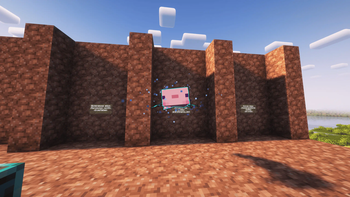
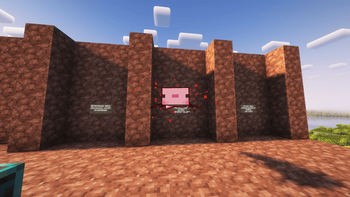
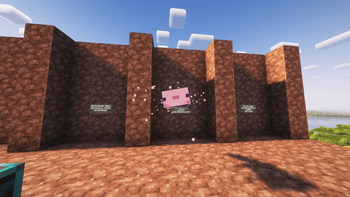
Right now, the mod only adds Jedi force abilities, and that's not all yet, but only telekinesis.
How to use it?
First, you need to become force-sensitive (more details below).
And so if you have the power, then we can move on.To manipulate entities, you need to look at the entity's hitbox and press the 'R' key.
To manipulate blocks and entity blocks, you need to look at the block, hold down the shift and press the 'R' key.
How do I change the key bind?
Game Menu -> Options -> Controls -> Key Binds -> Miscellaneous(tab) -> Telekinesis -> [Press any key]
How to become force-sensitive?
At the moment, there is no vanilla way in fashion to become force-sensitive. But you can try the abilities from the Alpha version of the mod. To do this:
- Download the mod (Obviously),
- Enter the world/ server where you have operator status,
- First we write the command:
/forceuser </entity>/ </true/false>/,- We write the command again, only this one:
/forcechoose </entity>/ </jedi/sith/gray_jedi>/,- Everything!! You can use force just like a real Force User!
- P.S. It is very important to write the selectors as shown in the example with a small letter when choosing the side of the force!
- W H Y _ T H I S _ E X A C T L Y _ M O D ?
- The project is under active development, you can influence the development with your feedback. My personal account and discord are always open to you!
- For fans from fans! I really love this universe and operate outside of commercial interests.
- Even though I'm the only one in the team, I'm an enthusiast, I'm both a coder and an artist. This is my hobby, and I don't get paid and I do it just to finish.
- F U T U R E _ O F _ T H E _ P R O J E C T ?
- I don't want to say anything to spoiler, but I'll just tell you about the names of updates and releases:
- STAR WARS: Project the force (Ilum)
- STAR WARS: Project the force (Revenge Of The Sith)
- STAR WARS: Project the force (Ships)
- STAR WARS: Project the force (Mandalor)
- STAR WARS: Project the force (Bounty Hunters)
- STAR WARS: Project the force (Night Sisters)
- STAR WARS: Project the force (The Clone Wars Atmosphere)
- T E X T U R E _ S T Y L E ?
- In the fashion itself, so far there are no textures other than stamina, so here's an example for you-the concept art of lightsabers. and may there be not only lightsabers, but also fighting styles for them.

Available Versions
How to Install STAR WARS: Project The Force {SWPTF} on Your Server
Order Server
Order a Minecraft Java server with at least 3 GB RAM (4 GB recommended).
Set fabric Loader
In the panel under "Egg", select the fabric loader and matching Minecraft version (1.21.1).
Install Mod
Open the mod browser in the dashboard and search for "STAR WARS: Project The Force {SWPTF}". Click "Install" – done! Alternatively, upload the .jar via SFTP to the /mods folder.
Compatibility
Mod Loaders
Minecraft Versions
1.21.1, 1.20.1
Server-side
✓ RequiredRecommended RAM
4 GB(min. 3 GB)Frequently Asked Questions
STAR WARS: Project The Force {SWPTF} server crashes on startup – what to do?
Most common cause: wrong fabric version or insufficient RAM. Check the server log (latest.log) for "OutOfMemoryError" or "Mixin" errors. With Mado Hosting: ensure at least 3 GB RAM is allocated and the loader matches the mod version (1.21.1). You can switch loaders with one click in the panel.
Is STAR WARS: Project The Force {SWPTF} compatible with fabric and forge?
STAR WARS: Project The Force {SWPTF} officially supports fabric, forge for Minecraft 1.21.1, 1.20.1. Note: Forge and Fabric mods are NOT cross-compatible – pick one loader and stick with it. The Mado dashboard automatically detects incompatible loader combinations.
Server lagging with STAR WARS: Project The Force {SWPTF} – how to optimize performance?
Recommended RAM: 4 GB (per 8 players). Use /spark profiler to check if STAR WARS: Project The Force {SWPTF} consumes the most tick time. Common fixes: reduce server view-distance to 8-10, install "performant" or "starlight" as supplementary mods on Forge. With Mado Hosting, your server runs on NVMe SSDs with dedicated CPU cores for minimal latency.
Similar Mods




Rent Modded Server
Install STAR WARS: Project The Force {SWPTF} with just one click on your server.