
Sync Ported
This mod provides clones, or as we like to call it, “shells”. These shells are basically a new individual, with their own inventory, experience level, and even gamemode.
Screenshots


About this Mod
Sync - Create Multiple Bodies, One Mind
Ever wanted to be in two places at once? Now you can.


What is Sync?
Sync enables you to create shells - physical clones of yourself with independent inventories, experience levels, and gamemodes. Transfer your consciousness between shells instantly across any dimension.
Originally created by iChun, this NeoForge port brings the beloved mod to modern Minecraft while preserving all its unique features.
✨ Features
- Multiple Bodies - Create and maintain several shells across your world
- Cross-Dimensional Travel - Instantly transfer between shells in different dimensions
- Death Insurance - When a shell dies, return to another shell instead of respawning
- Individual Stats - Each shell has its own inventory, XP, and gamemode
- Biometric Lock - Shells are tied to their creator
- Automation Support - Use hoppers for automatic shell equipment management
- Color Coding - Organize shells with dyes
- Energy System - Powered by adorable animals on treadmills (piggawatts!)
- Highly Configurable - Customize every aspect via config
🎮 Quick Start
1. Create a Shell Constructor
Craft a Shell Constructor and right-click it to provide a genetic sample.
⚠️ Warning: Default config costs 20 HP (40 HP in Hardcore). Use golden apples or totems!
2. Generate Energy
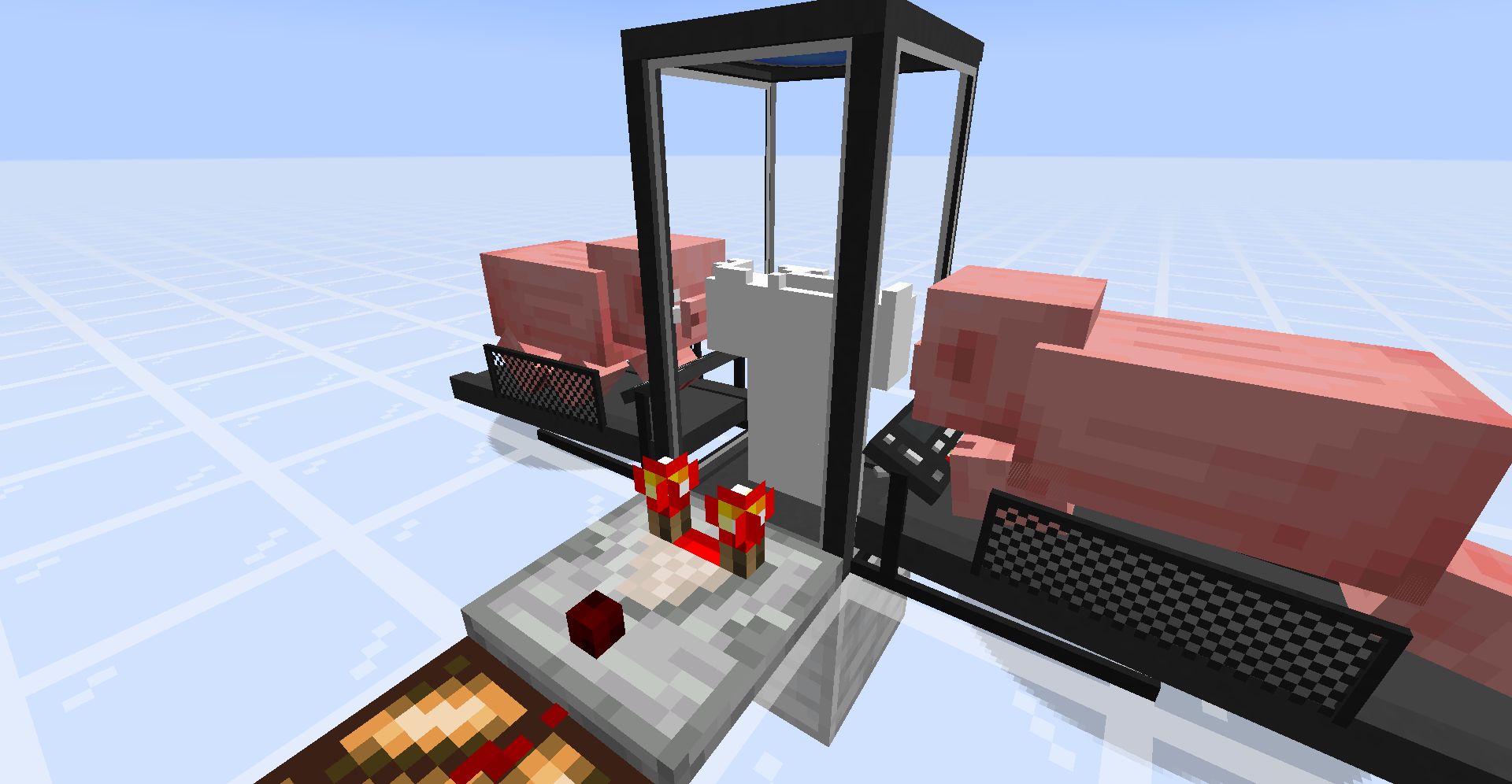
Place a Treadmill adjacent to the Shell Constructor and lure a pig or wolf onto it.
3. Build Shell Storage
Craft a Shell Storage, power it (redstone or energy), and walk inside when doors open.
4. Transfer Minds
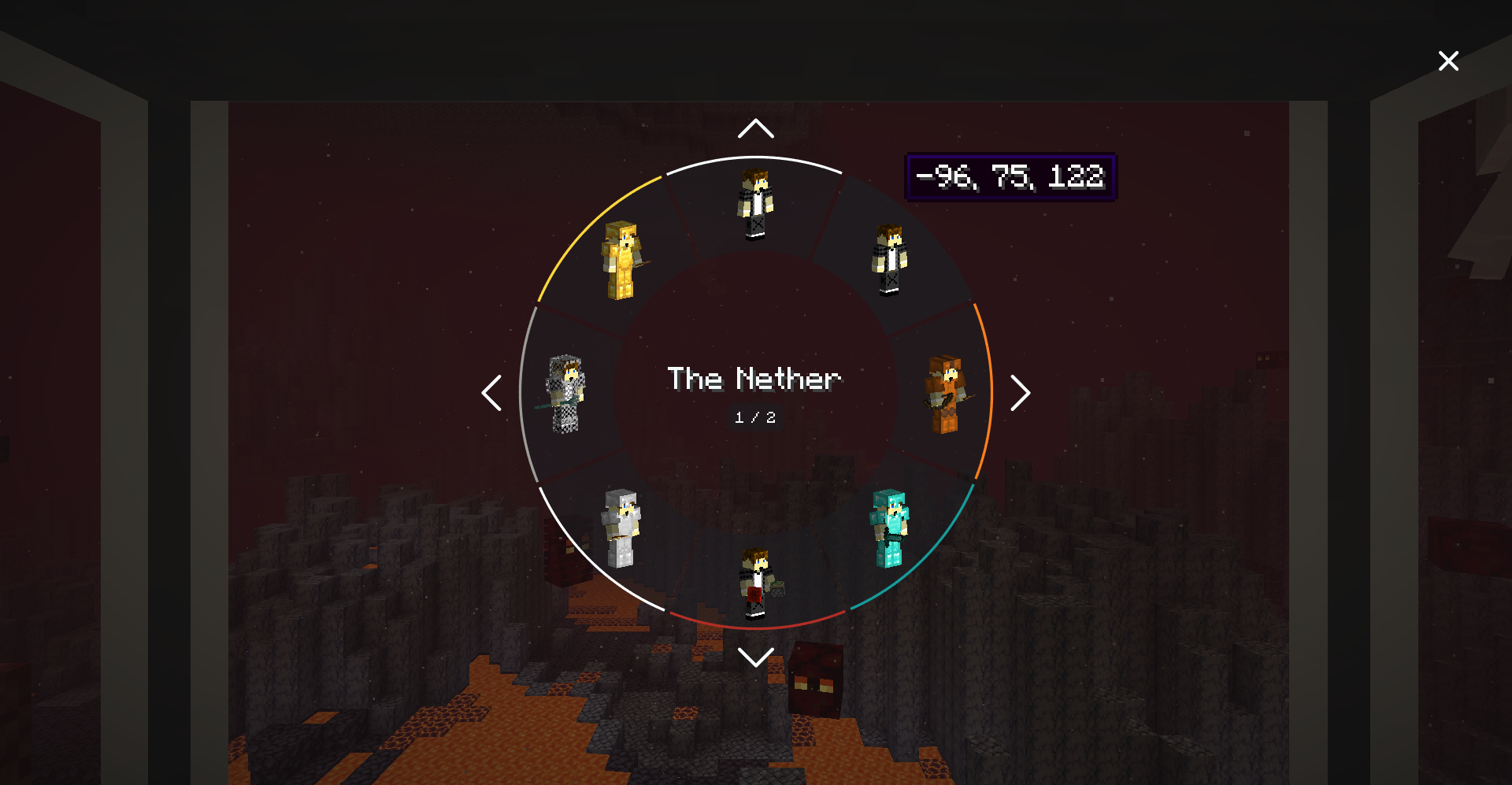
Use the radial menu to select and transfer into your desired shell!
💡 Pro Tips
- Organization: Color-code Shell Storages with dye
- Monitoring: Use comparators to track construction progress
- Safety: Mine Shell blocks with Silk Touch only
- Automation: Connect hoppers to shells for inventory management
- Power: Shell Storages need constant power (configurable)
- Dimensions: Works with custom dimensions!
⚙️ Crafting
All recipes are included in-game via JEI/REI. Key items:
- Sync Core - Central component (requires Lapis Block, Ender Pearl, Redstone Block, etc.)
- Shell Constructor - For creating shells
- Shell Storage - For storing and transferring between shells
- Treadmill - Energy generation (animal-powered!)
View full recipes on GitHub.
🔧 Configuration
Highly customizable via config/sync-common.toml:
- Adjust genetic sample damage
- Configure energy costs and generation
- Set shell death priority (nearest, natural, by color)
- Enable creative instant construction
- Customize shell lifespan settings
- Change required items for shell construction
- And much more!
📋 Requirements
- Minecraft: 1.20.1
- NeoForge: 1.20.1 or higher
🐛 Known Issues
- Dynamic shell texturing doesn't work with Iris shaders
📦 Related
This is a NeoForge port. Other versions:
- Sync (Fabric) - Fabric reimplementation
- Original Sync - By iChun
📜 License
LGPL-3.0 License - Originally by iChun under LGPLv3
💬 Support
Create clones. Transfer consciousness. Conquer worlds.
Available Versions
How to Install Sync Ported on Your Server
Order Server
Order a Minecraft Java server with at least 3 GB RAM (4 GB recommended).
Set neoforge Loader
In the panel under "Egg", select the neoforge loader and matching Minecraft version (1.20.1).
Install Mod
Open the mod browser in the dashboard and search for "Sync Ported". Click "Install" – done! Alternatively, upload the .jar via SFTP to the /mods folder.
Compatibility
Mod Loaders
Minecraft Versions
1.20.1
Server-side
✓ RequiredRecommended RAM
4 GB(min. 3 GB)Frequently Asked Questions
Sync Ported server crashes on startup – what to do?
Most common cause: wrong neoforge version or insufficient RAM. Check the server log (latest.log) for "OutOfMemoryError" or "Mixin" errors. With Mado Hosting: ensure at least 3 GB RAM is allocated and the loader matches the mod version (1.20.1). You can switch loaders with one click in the panel.
Is Sync Ported compatible with neoforge?
Sync Ported officially supports neoforge for Minecraft 1.20.1. The Mado dashboard automatically detects incompatible loader combinations.
Server lagging with Sync Ported – how to optimize performance?
Recommended RAM: 4 GB (per 8 players). Use /spark profiler to check if Sync Ported consumes the most tick time. Common fixes: reduce server view-distance to 8-10, install "performant" or "starlight" as supplementary mods on Forge. With Mado Hosting, your server runs on NVMe SSDs with dedicated CPU cores for minimal latency.
Rent Modded Server
Install Sync Ported with just one click on your server.