
Tannery: Better Leather
Adding Leather Tanning and other Leather work mechanics to Minecraft
Screenshots
About this Mod
Adding Leather Tanning and additional Leather works to Minecraft!
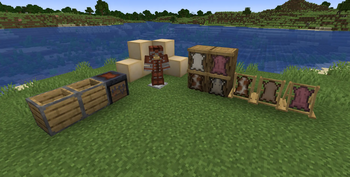
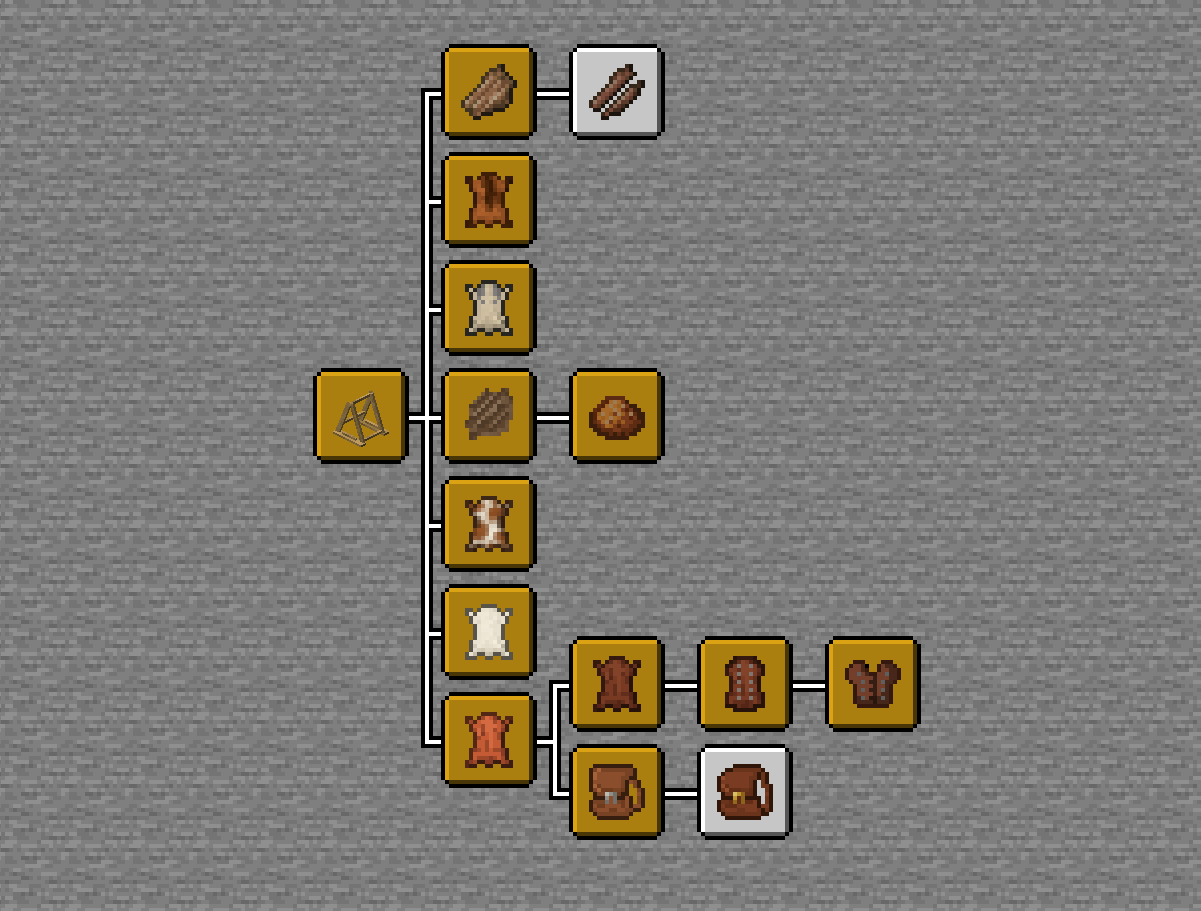
Tannery is a lightweight but powerful mod, aimed at developing the leather item and collection loop in Minecraft. Leather is now no longer dropped by Cows or Horses, but instead, you can collect Cow Hide, Sheep, Goat and Horse Hides. These can be placed onto a new Tanning Rack block to dry out; later using a Tanning Barrel to mix the Dry Animal Hides with Tannic Powder to create Leather.
Beyond this, additional Hardened Leather and Studded Leather have been added, with additional items such as Satchels, Studded Armor Set and much more. Rotten Flesh also gets a new use thanks to this mod, as you can dry it out on a Tanning Rack to create Dry Flesh which has options to be turned into Sinew for a String replacement or Jerky Meat, for a better snack than the original Rotten Flesh.
Full List of Key Additions:
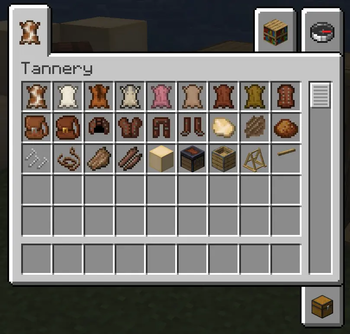
- More than 20 new Items and Blocks
- New Studded Armor Set
- Hides for Cows, Sheep, Goats, Pigs and Horses can become Leather
- Bark Collected from Stripping Wood can be turned to Tannic Powder for Tanning Dry Hide into Leather
- Rotten Flesh to Leather processing via Drying and Tanning
- Small and Large Satchels can be crafted from different Leather types as Storage Backpacks
- Better Tannery Advancement Tree
- JEI Support (Recipes/Information)
- Tag Supported Crafting (Better Modpack/Overall Mod Compatibility)
I hope you enjoy using and playing this mod, please use the Discord link above to inform me of issues, bugs or suggestions.
Thanks!
Available Versions
How to Install Tannery: Better Leather on Your Server
Order Server
Order a Minecraft Java server with at least 3 GB RAM (4 GB recommended).
Set neoforge Loader
In the panel under "Egg", select the neoforge loader and matching Minecraft version (1.21.8).
Install Mod
Open the mod browser in the dashboard and search for "Tannery: Better Leather". Click "Install" – done! Alternatively, upload the .jar via SFTP to the /mods folder.
Compatibility
Mod Loaders
Minecraft Versions
1.21.8, 1.21.1
Server-side
✓ RequiredRecommended RAM
4 GB(min. 3 GB)Frequently Asked Questions
Tannery: Better Leather server crashes on startup – what to do?
Most common cause: wrong neoforge version or insufficient RAM. Check the server log (latest.log) for "OutOfMemoryError" or "Mixin" errors. With Mado Hosting: ensure at least 3 GB RAM is allocated and the loader matches the mod version (1.21.8). You can switch loaders with one click in the panel.
Is Tannery: Better Leather compatible with neoforge?
Tannery: Better Leather officially supports neoforge for Minecraft 1.21.8, 1.21.1. The Mado dashboard automatically detects incompatible loader combinations.
Server lagging with Tannery: Better Leather – how to optimize performance?
Recommended RAM: 4 GB (per 8 players). Use /spark profiler to check if Tannery: Better Leather consumes the most tick time. Common fixes: reduce server view-distance to 8-10, install "performant" or "starlight" as supplementary mods on Forge. With Mado Hosting, your server runs on NVMe SSDs with dedicated CPU cores for minimal latency.
Similar Mods




![[TaCZ] Timeless and Classics Zero](https://cdn.modrinth.com/data/SzzJttH8/fd27766d2bb8390d284696b1dbd358f87e081439_96.webp)

Rent Modded Server
Install Tannery: Better Leather with just one click on your server.