
Taş VE Tahta Zırh (Stone AND Wooden Armor)
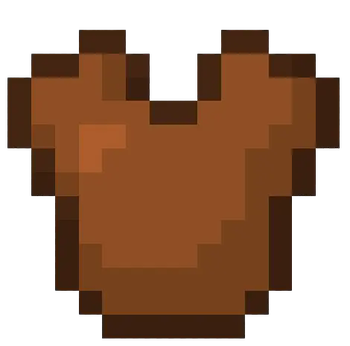
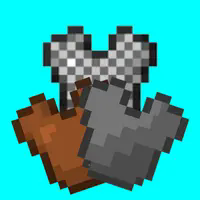
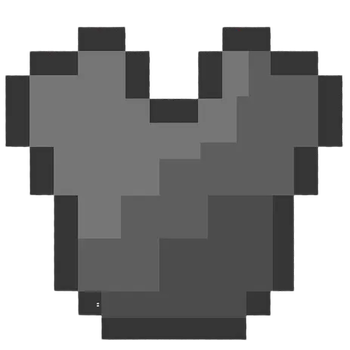
Oyuna taş ve tahta zırhlar ekler. Ayrıca zincir zırh üretimi de eklenmiştir. (Stone and wooden armor have been added to the game. Chain armor production has also been added.)
Screenshots
About this Mod
Oyunda zırh yapmak kolay değil. 24 demir bulmak epey zor iş. Ben de bunu düşünerek tahta ve taş aletler varken neden zırhları yok dedim ve oyuna taş ve tahta zırh ekledim. Demir kadar güçlü olmasa bile gelişene kadar sizi koruyabilecek zırh setleri. Ayrıca oyuna "zırh zinciri" adlı bir item eklenmiştir ve bu item sayesinde normalde üretilemeyen zincir zırhlar üretilebilmektedir.
"Zırh Zinciri" üretimi: Üretim masasında; üst ortaya ve alt ortaya birer demir külçesi, tam ortaya da bir demir parçası ile toplam 4 zırh zinciri üretilir. (Crafting armor in the game isn't easy. Finding 24 irons is quite a challenge. With this in mind, I wondered why armor wasn't available when there were wooden and stone tools available, so I added stone and wooden armor to the game. While not as strong as iron, these armor sets can protect you until you level up. Additionally, an item called "armor chain" has been added to the game, allowing you to craft chain armor that isn't normally craftable.
"Armor Chain" Crafting: At the crafting table, you can craft a total of four armor chains by placing one iron ingot in the top center and one in the bottom center, and one iron piece in the center.)
Available Versions
How to Install Taş VE Tahta Zırh (Stone AND Wooden Armor) on Your Server
Order Server
Order a Minecraft Java server with at least 3 GB RAM (4 GB recommended).
Set neoforge Loader
In the panel under "Egg", select the neoforge loader and matching Minecraft version (1.21.8).
Install Mod
Open the mod browser in the dashboard and search for "Taş VE Tahta Zırh (Stone AND Wooden Armor)". Click "Install" – done! Alternatively, upload the .jar via SFTP to the /mods folder.
Compatibility
Mod Loaders
Minecraft Versions
1.21.8
Server-side
✓ RequiredRecommended RAM
4 GB(min. 3 GB)Frequently Asked Questions
Taş VE Tahta Zırh (Stone AND Wooden Armor) server crashes on startup – what to do?
Most common cause: wrong neoforge version or insufficient RAM. Check the server log (latest.log) for "OutOfMemoryError" or "Mixin" errors. With Mado Hosting: ensure at least 3 GB RAM is allocated and the loader matches the mod version (1.21.8). You can switch loaders with one click in the panel.
Is Taş VE Tahta Zırh (Stone AND Wooden Armor) compatible with neoforge?
Taş VE Tahta Zırh (Stone AND Wooden Armor) officially supports neoforge for Minecraft 1.21.8. The Mado dashboard automatically detects incompatible loader combinations.
Server lagging with Taş VE Tahta Zırh (Stone AND Wooden Armor) – how to optimize performance?
Recommended RAM: 4 GB (per 8 players). Use /spark profiler to check if Taş VE Tahta Zırh (Stone AND Wooden Armor) consumes the most tick time. Common fixes: reduce server view-distance to 8-10, install "performant" or "starlight" as supplementary mods on Forge. With Mado Hosting, your server runs on NVMe SSDs with dedicated CPU cores for minimal latency.
Similar Mods




Rent Modded Server
Install Taş VE Tahta Zırh (Stone AND Wooden Armor) with just one click on your server.