
TeamLink
여러 서버 환경에서 팀 태그 표시와 팀원 상태 확인을 제공하는 팀 연동 전용 클라이언트 모드입니다. | A client-side team integration mod that provides team tag display and real-time member status across multiple servers.
Screenshots
About this Mod
TeamLink – 팀 플레이를 위한 연동 모드
TeamLink는 약탈 서버, 반야생 서버 등
여러 서버를 오가며 팀 단위로 활동하는 플레이어를 위해 제작된 팀 연동 모드입니다.
서버 환경과 관계없이 팀원 간 정보 공유와 팀 가시성을 강화하는 것을 목표로 합니다.
주요 기능
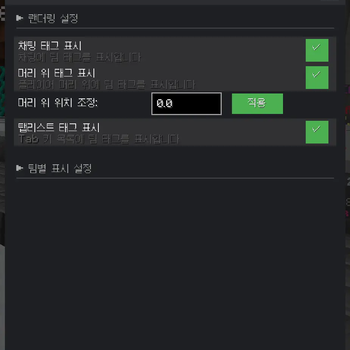
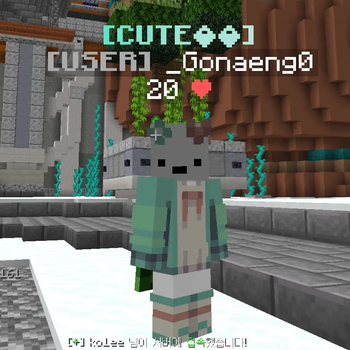
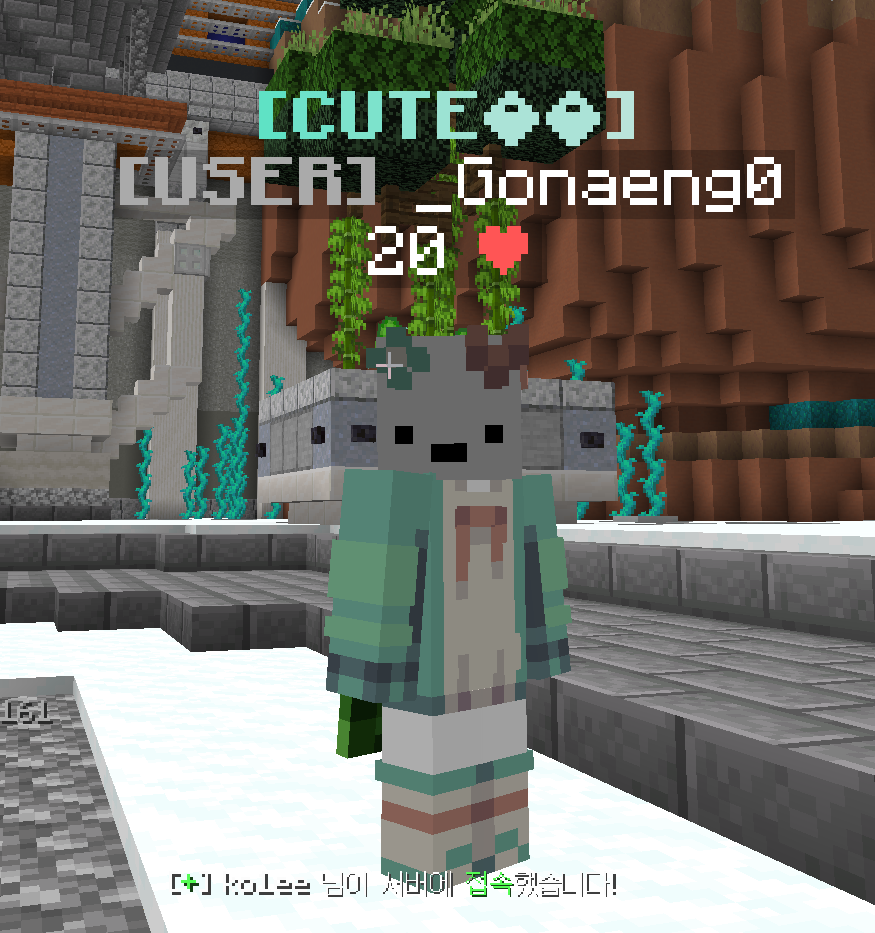
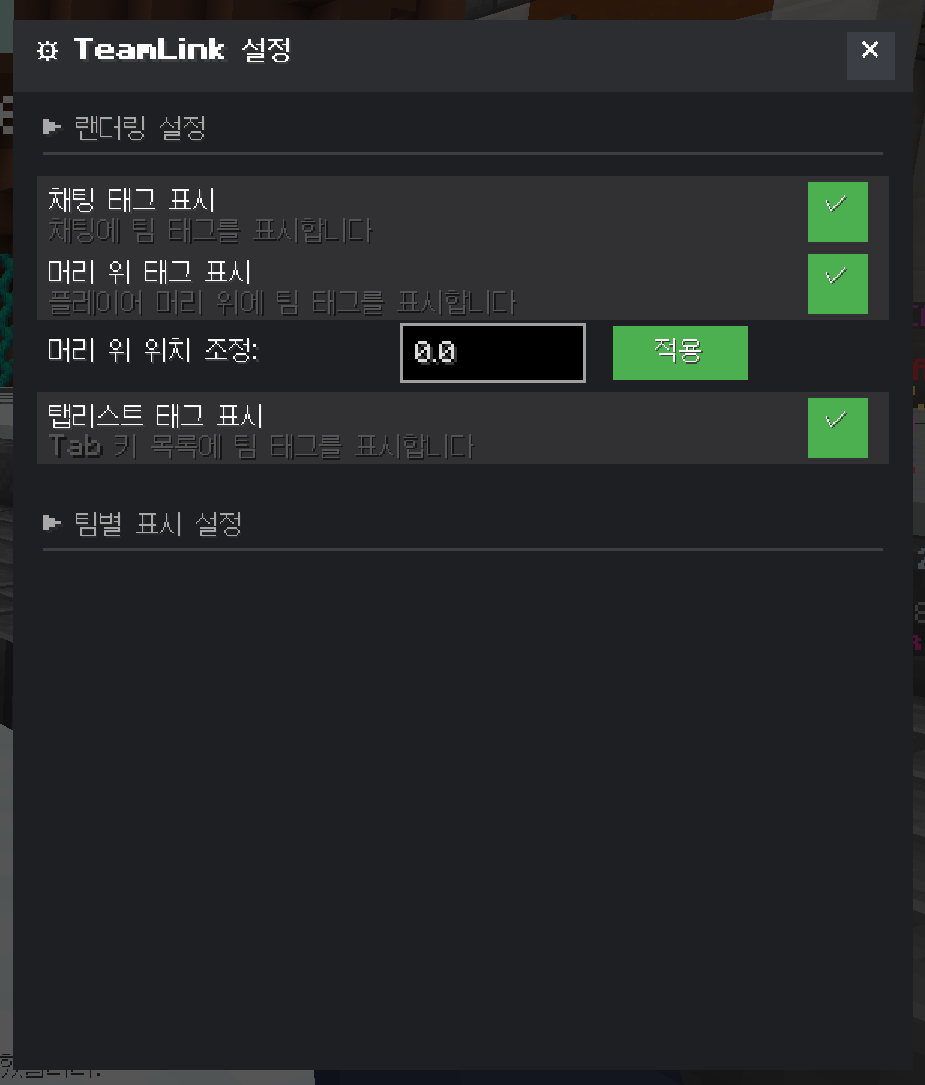
🏷 팀 태그 표시
- 플레이어 머리 위
- 채팅
- 탭 리스트(Tab)
위 모든 영역에 팀 태그가 적용되어
누가 같은 팀인지 한눈에 파악할 수 있습니다.
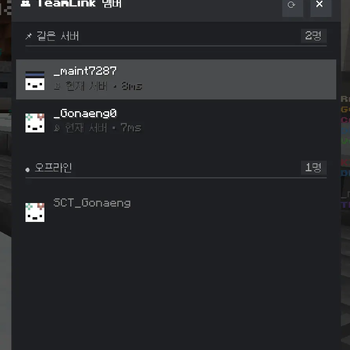
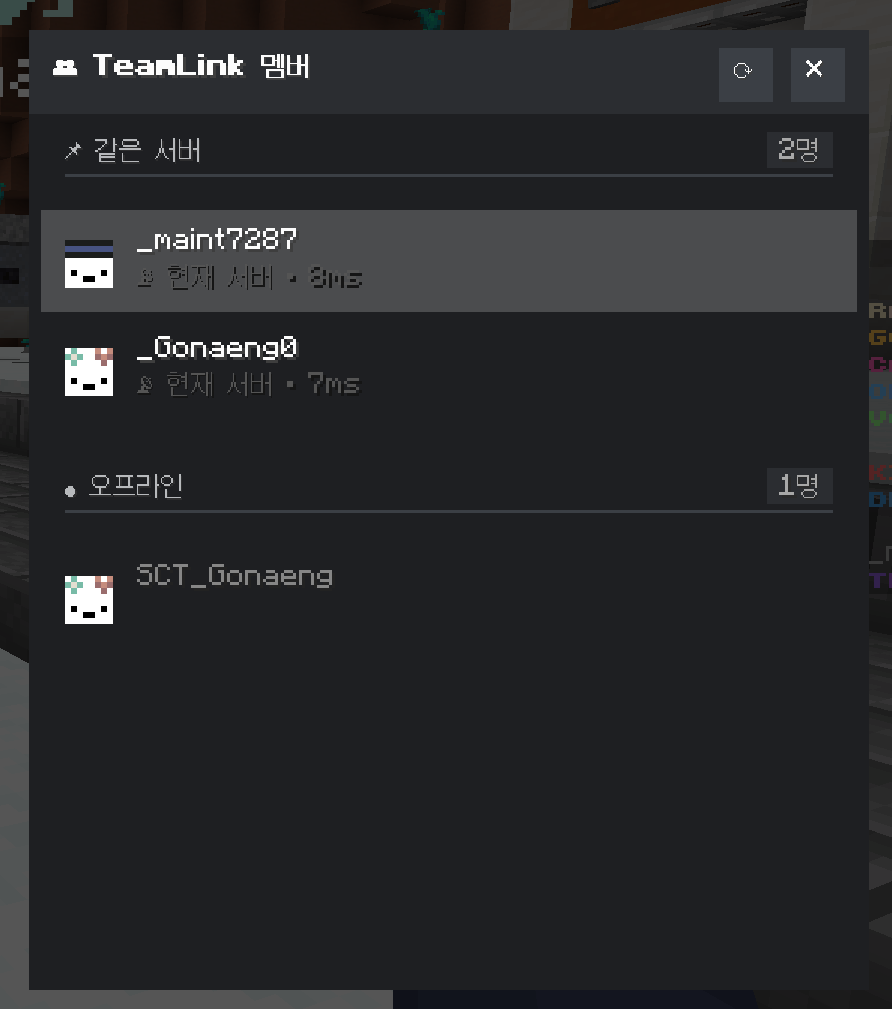
👥 멤버 리스트 (팀 상태 확인)
팀원들의 상태를 실시간으로 확인할 수 있습니다.
- 온라인 / 오프라인 여부
- 현재 접속 중인 서버 정보
- 팀원 전체 상태를 한 화면에서 관리 가능
서버를 이동해도 팀 정보는 유지됩니다.
🔐 안전한 백엔드 연동
- 로그인 코드 + 토큰 방식을 사용
- TeamLink 전용 백엔드 서버와 연동
- 서버 로그에 민감한 정보가 남지 않도록 설계
멀티 서버 환경에서도 안정적으로 동작합니다.
예정된 업데이트
💬 팀 보안 채팅
- 서버 로그에 남지 않는 팀 전용 채팅
- 팀원 간 안전한 커뮤니케이션 제공
(추후 업데이트 예정)
사용 대상
- 약탈 서버 / 반야생 서버
- 여러 서버를 오가며 활동하는 팀
- 팀원 관리와 정보 공유가 중요한 환경
참고 사항
- 클라이언트 모드 기반
- 서버 종류와 무관하게 사용 가능
- 팀 단위 플레이 경험 향상에 초점
TeamLink는
팀 플레이의 가시성, 연결성, 편의성을 개선하는 데 집중한 모드입니다.
TeamLink – A Team Integration Mod for Multiplayer Gameplay
TeamLink is a team integration mod designed for players who operate as a team
across multiple servers such as raiding servers or semi-vanilla servers.
Its goal is to enhance team visibility and information sharing regardless of server environment.
Features
🏷 Team Tag Display
Team tags are displayed in the following areas:
- Above the player’s head
- In chat
- In the tab list
This allows players to instantly identify teammates at a glance.
👥 Member List (Team Status)
You can check your teammates’ status in real time.
- Online / Offline status
- Current server information
- Overview of all team members in one place
Team information is preserved even when switching servers.
🔐 Secure Backend Connection
- Uses a login code + token-based authentication
- Connects to a dedicated TeamLink backend server
- Designed to prevent sensitive information from being logged on servers
Ensures stable operation in multi-server environments.
Planned Features
💬 Secure Team Chat
- Team-only chat that does not appear in server logs
- Enables safe and private communication between teammates
(Planned for a future update)
Recommended For
- Raiding servers / Semi-vanilla servers
- Teams that frequently move between servers
- Players who need efficient team management and information sharing
Notes
- Client-side mod
- Works independently of server type
- Focused on improving the overall team gameplay experience
TeamLink focuses on improving
visibility, connectivity, and convenience for team-based gameplay.
Available Versions
How to Install TeamLink on Your Server
Order Server
Order a Minecraft Java server with at least 3 GB RAM (4 GB recommended).
Set fabric Loader
In the panel under "Egg", select the fabric loader and matching Minecraft version (1.21.11).
Install Mod
Open the mod browser in the dashboard and search for "TeamLink". Click "Install" – done! Alternatively, upload the .jar via SFTP to the /mods folder.
Compatibility
Mod Loaders
Minecraft Versions
1.21.11, 1.21.10, 1.21.9 (+10 more)
Server-side
✗ UnsupportedRecommended RAM
4 GB(min. 3 GB)Frequently Asked Questions
TeamLink server crashes on startup – what to do?
Most common cause: wrong fabric version or insufficient RAM. Check the server log (latest.log) for "OutOfMemoryError" or "Mixin" errors. With Mado Hosting: ensure at least 3 GB RAM is allocated and the loader matches the mod version (1.21.11). You can switch loaders with one click in the panel.
Is TeamLink compatible with fabric?
TeamLink officially supports fabric for Minecraft 1.21.11, 1.21.10, 1.21.9. The Mado dashboard automatically detects incompatible loader combinations.
Server lagging with TeamLink – how to optimize performance?
Recommended RAM: 4 GB (per 8 players). Use /spark profiler to check if TeamLink consumes the most tick time. Common fixes: reduce server view-distance to 8-10, install "performant" or "starlight" as supplementary mods on Forge. With Mado Hosting, your server runs on NVMe SSDs with dedicated CPU cores for minimal latency.
Similar Mods




Rent Modded Server
Install TeamLink with just one click on your server.