
Teams spawn points
Players can use special blocks to teleport to special spawn, depending on their team
About this Mod
Description
Did you want to make a CS GO type build or something like that? But I want to!) And I was missing several mods to implement the build, so I created my own!!!
About
My mod provides the player with 6 types of blocks in the creative. Here are all of them:
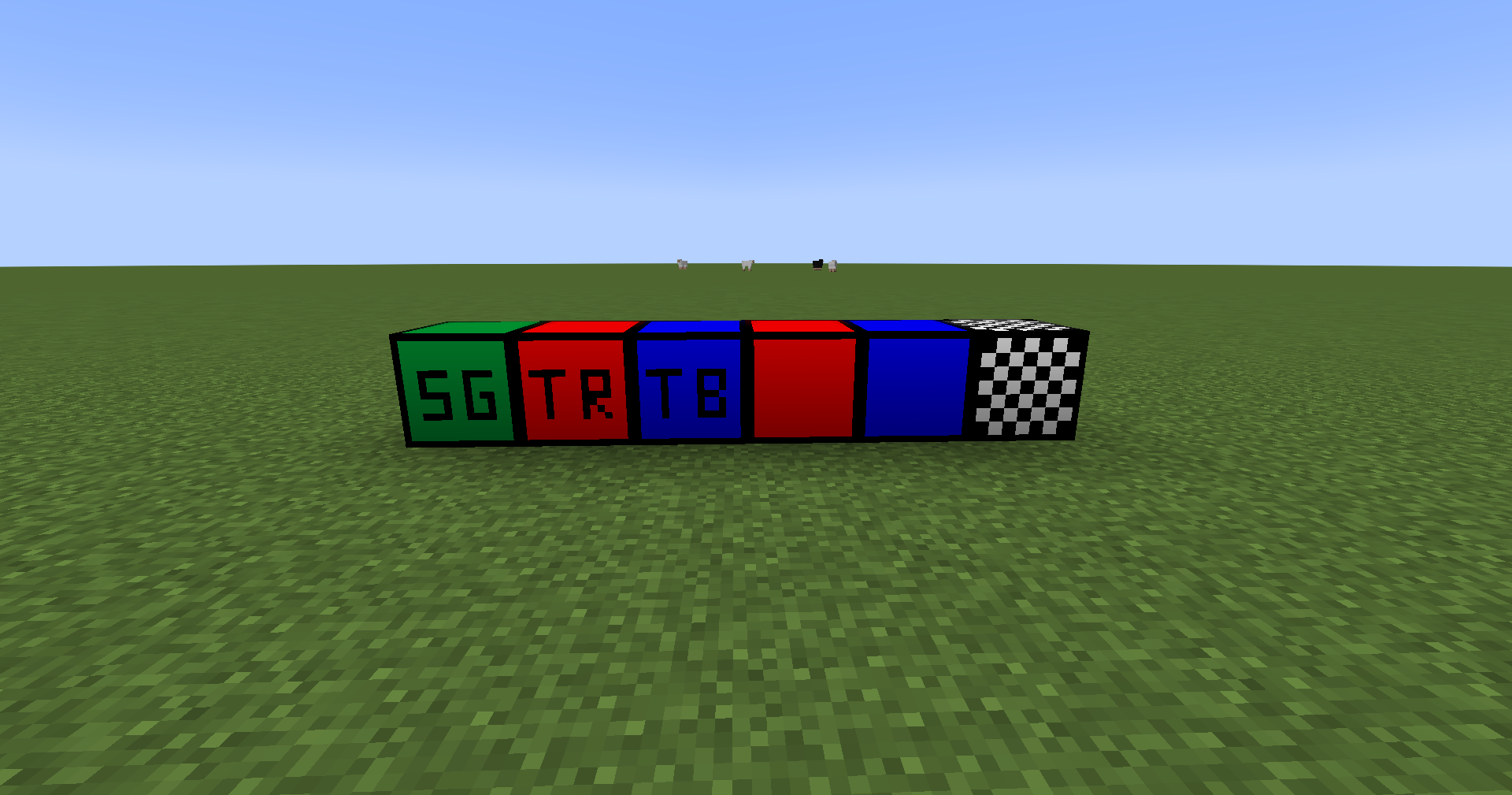
- 1 block is the beginning of the game, all players are selected in it and, depending on the team, teleport to the desired spawn
- 2 - the red team chooses the red team
- 3 - the blue team chooses the blue team
- 4 - red team spawn
- 5 - blue team spawn
- 6 - end game spawn (when all team player was dead)
In order for everything to work, you need to place spawn blocks (4, 5, 6) in the world, and also select a team (2, 3) use right mouse button. Then click right mouse button on start game block (1). When all team players died, all players teleported on end game block (6) an game is ended. (game end functional was added above 1.0.4 version)
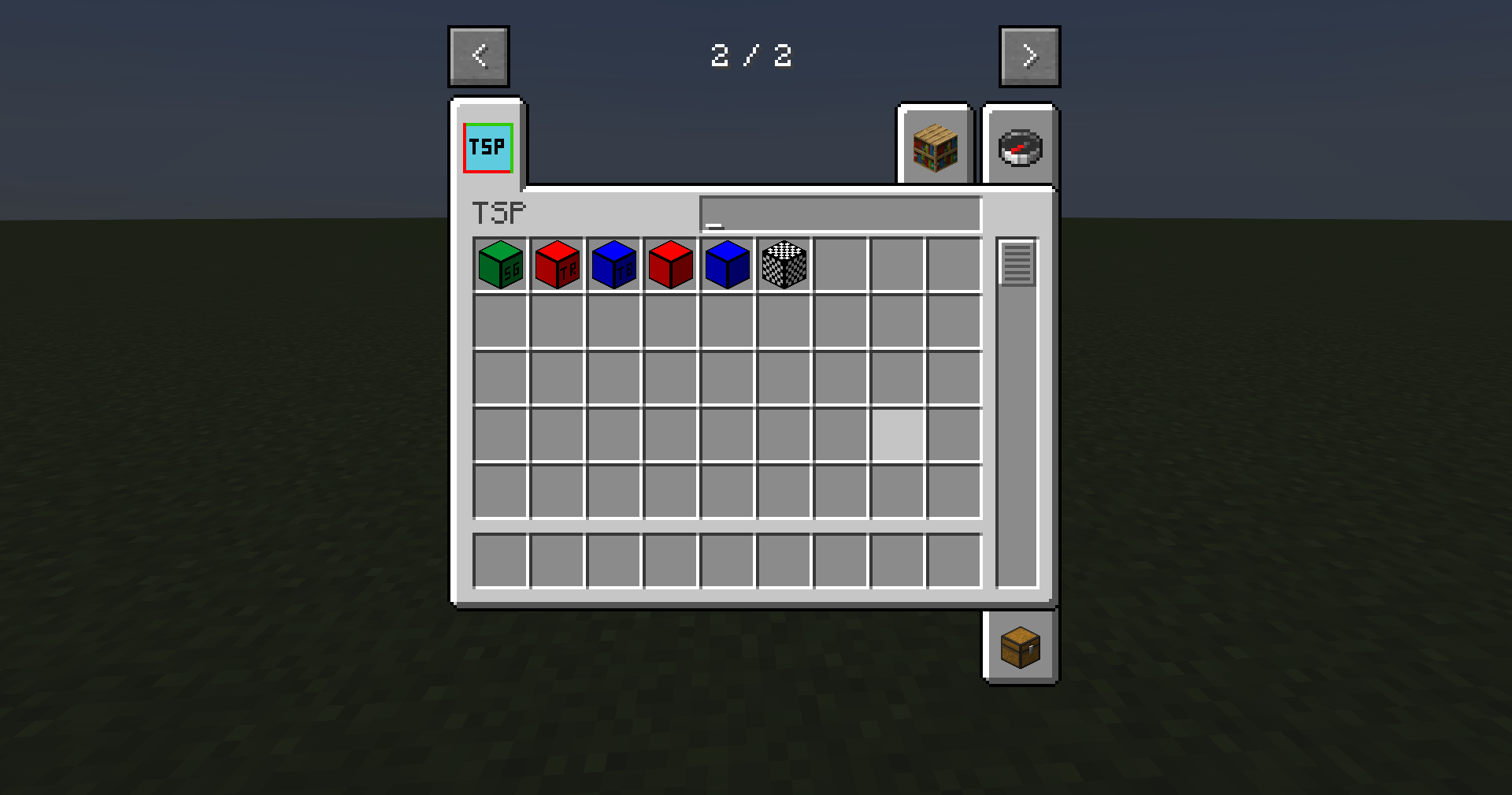
In the creative, the blocks can be taken from the "TSP" section (before 1.0.3 on "Functional blocks")
This work only play with friends (start game work when any team have player) (need installation mod on server and client)
Attention! Spawn points are saved at the moment when the block is placed, and are deleted when any of them is destroyed. I not recommended use command/team ... (to delete, add players and delete teams), this crashed all mod logic
If you accidentally used the /team... command incorrectly, then give yourself a test_block using /give, put it on and break it, then everything will be fixed. If you right-click on this block, it will display the debugging information of the mod. Or use /TSPreload and /TSPtestInfo.
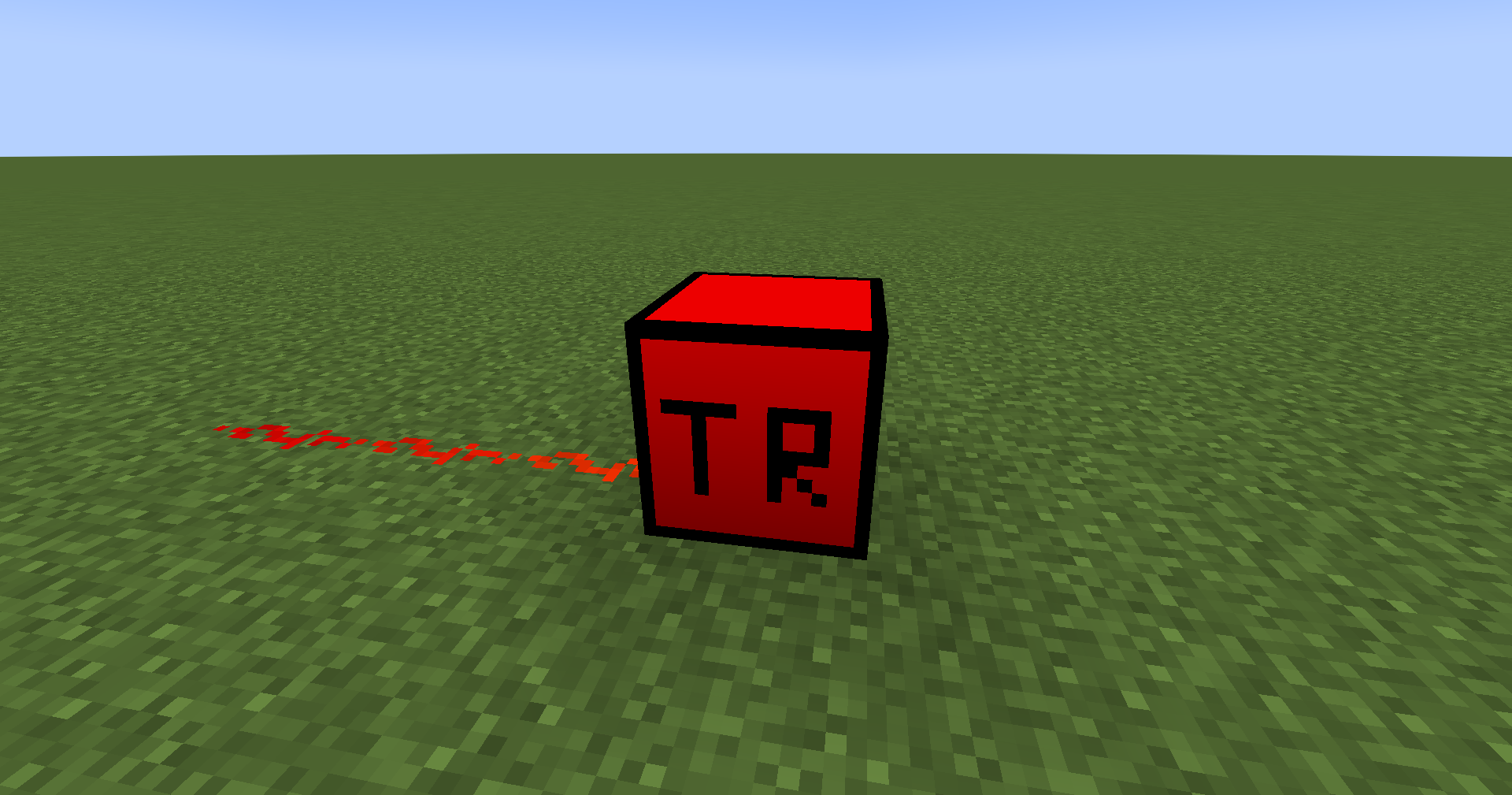
Team red, team blue blocks out redstone signal if click right mouse button on its. Start game block out redstone signal if game start. (above 1.0.22) End game block out redstone signal if game end. (above 1.0.28)
Commands
- (above 1.0.6):
/TSPstartGameGiveItem1and/TSPstartGameGiveItem2. You can set 2 items and it count, which will be issued at the start of the game - (above 1.0.7)
/TSPclearItems12EndGame- clear items, which were giving at the beginning of the game by commands/TSPstartGameGiveItem1and/TSPstartGameGiveItem2 - (above 1.0.10)
/TSPdropPlayerItem rule item count- you can enable (rule) and set item and it's count, this item drops during player death - (above 1.0.12)
/TSPstartGameAlone- a test function for the ability to start the game if one of the teams is empty - (above 1.0.13)
/TSPendGameClearItemsOnGround- clears all items on ground before game ending - (above 1.0.14)
/TSPstartGame,/TSPgoToTeamRed,/TSPgoToTeamBlue- simulate right mouse button click on relevant blocks. Commands/TSPtestInfo,/TSPreload- simulate test_block - (above 1.0.16)
/TSPtestInfohave@entityparametr. It's do for command blocks in world with disable cheats - (above 1.0.15)
/TSPsetDeadPlayersSpectrator- set dead players spectrator. Then, after the end of the game, it transfers them to the previous game mod - (above 1.0.18)
/TSPteamPlayersNickVisible: 0 - always, 1 - hide for other teams, 2 - never - (above 1.0.19)
/TSPsetTeamsFriendlyFire: set team friendly fire in start game - (above 1.0.21)
/TSPendGameSetHealthAndFoodLevelMax: set team players max health and food level in end game - (above 1.0.25)
/TSPendGameClearEffects- clear all effects all team players before end game - (above 1.0.27)
/TSPstartGameSetHealthAndFoodLevelMax: set team players max health and food level in start game - (above 1.0.27)
/TSPstartGameClearEffects- clear all effects all team players in start game - (above 1.0.27)
/TSPstartGameOnlyAllPlayersInTeams- start game only all players in world have a team
Other
- The mod was created for the CS Mine modpack, which I made, if you are interested, you can find it on Modrinth or Curseforge
- I allow everyone to distribute and improve the mod :)
- Made with MCreator
- If you need help: Git issue
- If you want to support me: Donate
- This mod on Modrinth and Curseforge
Available Versions
How to Install Teams spawn points on Your Server
Order Server
Order a Minecraft Java server with at least 3 GB RAM (4 GB recommended).
Set forge Loader
In the panel under "Egg", select the forge loader and matching Minecraft version (1.20.1).
Install Mod
Open the mod browser in the dashboard and search for "Teams spawn points". Click "Install" – done! Alternatively, upload the .jar via SFTP to the /mods folder.
Compatibility
Mod Loaders
Minecraft Versions
1.20.1
Server-side
✓ RequiredRecommended RAM
4 GB(min. 3 GB)Frequently Asked Questions
Teams spawn points server crashes on startup – what to do?
Most common cause: wrong forge version or insufficient RAM. Check the server log (latest.log) for "OutOfMemoryError" or "Mixin" errors. With Mado Hosting: ensure at least 3 GB RAM is allocated and the loader matches the mod version (1.20.1). You can switch loaders with one click in the panel.
Is Teams spawn points compatible with forge?
Teams spawn points officially supports forge for Minecraft 1.20.1. The Mado dashboard automatically detects incompatible loader combinations.
Server lagging with Teams spawn points – how to optimize performance?
Recommended RAM: 4 GB (per 8 players). Use /spark profiler to check if Teams spawn points consumes the most tick time. Common fixes: reduce server view-distance to 8-10, install "performant" or "starlight" as supplementary mods on Forge. With Mado Hosting, your server runs on NVMe SSDs with dedicated CPU cores for minimal latency.
Similar Mods






Rent Modded Server
Install Teams spawn points with just one click on your server.