
Teamviewer
Hoplite compatible TeamViewer!
Screenshots

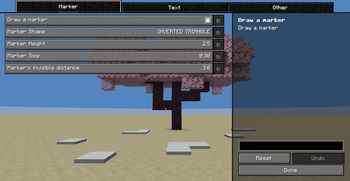
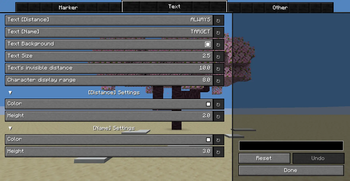
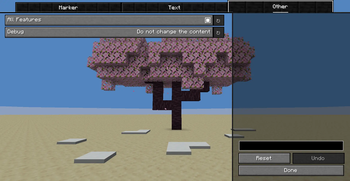
About this Mod
🧭 Teamviewer
Make your team members easy to understand!
Hoplite-compatible Teamviewer
Teamviewer is a lightweight client-side mod that enhances team visibility and coordination.
Perfect for PvP, UHC, Hoplite, and competitive team-based gameplay.
✨ Features
- 🏷️ Clear visual markers for teammates
- 📍 Easy-to-read text displayed directly in the Minecraft world
- 🧭 Directional awareness at a glance
- 🎨 Customizable colors
- 📏 Adjustable size
- ⚙️ Custom display styles
- 🛡️ Hoplite-compatible
🚀 Why Teamviewer?
Unlike Lunar Client and SorkoPiko's Teammate Mod,
Teamviewer offers:
- Full color customization
- Adjustable size
- Flexible display styles
- Improved stability and bug fixes
Cleaner. More customizable. More reliable.
🌍 How It Works
Teamviewer displays clear markers and readable text directly inside the Minecraft world,
making it easy to instantly recognize and track your teammates during gameplay.
🔌 Supported Servers
Works on Apollo API-supported servers (such as Hoplite).
Additionally, by using the custom companion plugin Teamshow, you can enable TeamViewer support on your own server.
🔧 Requirements
- Fabric Loader
- Fabric API
- YetAnotherConfigLib (YACL) v3
- Mod Menu
🧭 Teamviewer
チームメンバーをわかりやすく!
Hoplite対応 Teamviewer
Teamviewer は、チーム戦をより快適にする軽量クライアントMODです。
PvP・UHC・Hopliteなどの競技系サーバーで特に効果を発揮します。
✨ 主な機能
- 🏷️ チームメンバーをわかりやすいマーカーで表示
- 📍 マインクラフトの世界内に見やすいテキストを表示
- 🧭 一目で方向を把握
- 🎨 色変更可能
- 📏 サイズ調整可能
- ⚙️ 表示方法カスタマイズ可能
- 🛡️ Hoplite対応
🚀 他MODとの違い
Lunar ClientやSorkoPikoのTeammates Modと比べ、
Teamviewerは
- 色変更
- サイズ調整
- 表示方法カスタマイズ
- 安定性向上・バグ修正
に対応しています。
より自由に、より安定して使えます。
🌍 仕組み
Teamviewerはマインクラフトの世界内に
マーカーとテキストを表示し、味方の位置を直感的に把握できます。
🔌 対応サーバー
ApolloAPI対応のサーバー(Hopliteなど)で動作します。
さらに、カスタムプラグイン Teamshow を併用することで、自身のサーバーでもTeamviewerのサポートを有効にすることができます。
🔧 必要環境
- Fabric Loader
- Fabric API
- YetAnotherConfigLib (YACL) v3
- Mod Menu
🪐 INSPIRATION

I am deeply grateful to the developers of this mod, which served as the foundation for Teamviewer.
Available Versions
How to Install Teamviewer on Your Server
Order Server
Order a Minecraft Java server with at least 3 GB RAM (4 GB recommended).
Set fabric Loader
In the panel under "Egg", select the fabric loader and matching Minecraft version (1.21.11).
Install Mod
Open the mod browser in the dashboard and search for "Teamviewer". Click "Install" – done! Alternatively, upload the .jar via SFTP to the /mods folder.
Compatibility
Mod Loaders
Minecraft Versions
1.21.11, 1.21.8, 1.21.7 (+1 more)
Server-side
✗ UnsupportedRecommended RAM
4 GB(min. 3 GB)Frequently Asked Questions
Teamviewer server crashes on startup – what to do?
Most common cause: wrong fabric version or insufficient RAM. Check the server log (latest.log) for "OutOfMemoryError" or "Mixin" errors. With Mado Hosting: ensure at least 3 GB RAM is allocated and the loader matches the mod version (1.21.11). You can switch loaders with one click in the panel.
Is Teamviewer compatible with fabric?
Teamviewer officially supports fabric for Minecraft 1.21.11, 1.21.8, 1.21.7. The Mado dashboard automatically detects incompatible loader combinations.
Server lagging with Teamviewer – how to optimize performance?
Recommended RAM: 4 GB (per 8 players). Use /spark profiler to check if Teamviewer consumes the most tick time. Common fixes: reduce server view-distance to 8-10, install "performant" or "starlight" as supplementary mods on Forge. With Mado Hosting, your server runs on NVMe SSDs with dedicated CPU cores for minimal latency.
Similar Mods




![[TaCZ] Timeless and Classics Zero](https://cdn.modrinth.com/data/SzzJttH8/fd27766d2bb8390d284696b1dbd358f87e081439_96.webp)

Rent Modded Server
Install Teamviewer with just one click on your server.