
Tech Horizon
Tech Horizon is an old Minecraft styled simple tech mod aimed to provide a similar experience to classic mods like IndustrialCraft 2 and GregTech.
Screenshots
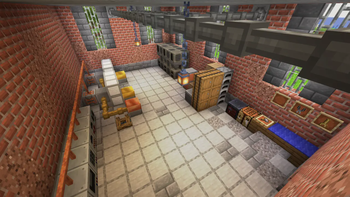
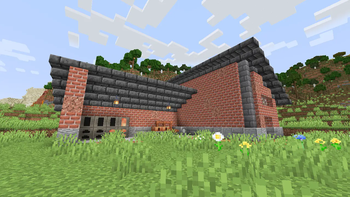

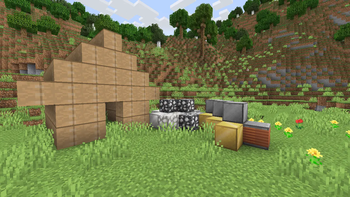
About this Mod
Tech Horizon is an old Minecraft styled simple tech mod aimed to provide a similar experience to classic mods like IndustrialCraft 2 and GregTech.
WARNING! This mod is in ALPHA version! Bugs and imperfections in the gameplay like poor balancing and exploits are to expect!
It is very recommended to install Just Enough Items (JEI).
Tech Horizon is all about adding an expansive and practical progression tree featuring all the sorts of fancy machinery you might need in your Minecraft world. It must be said though, this progression tree isn't one that you can easily climb. This mod is moderately resource-heavy. You will want to consider what to make and when to make it. But if you're willing to carry out the challenge you will get:
- FULL JEI support showing you all the possible recipes including fluid crafting and more
- An energy tier system that complicates things, but can be used to your advantage
- A variety of other mechanics like rotation speed to provide a deeper and more explorable experience
- New ways to use and produce all sorts of resources
- Possibility of automation of various resources and actions
- Everything necessary to build your own world full of technology, bit by bit
I hope for your support and I will make sure to constantly update the mod adding new features for you to play with as well as fix things to improve your experience. Hope you enjoy! :D
MCreator link: https://mcreator.net/modification/114169/tech-horizon
Available Versions
How to Install Tech Horizon on Your Server
Order Server
Order a Minecraft Java server with at least 3 GB RAM (4 GB recommended).
Set forge Loader
In the panel under "Egg", select the forge loader and matching Minecraft version (1.20.1).
Install Mod
Open the mod browser in the dashboard and search for "Tech Horizon". Click "Install" – done! Alternatively, upload the .jar via SFTP to the /mods folder.
Compatibility
Mod Loaders
Minecraft Versions
1.20.1
Server-side
✓ RequiredRecommended RAM
4 GB(min. 3 GB)Frequently Asked Questions
Tech Horizon server crashes on startup – what to do?
Most common cause: wrong forge version or insufficient RAM. Check the server log (latest.log) for "OutOfMemoryError" or "Mixin" errors. With Mado Hosting: ensure at least 3 GB RAM is allocated and the loader matches the mod version (1.20.1). You can switch loaders with one click in the panel.
Is Tech Horizon compatible with forge?
Tech Horizon officially supports forge for Minecraft 1.20.1. The Mado dashboard automatically detects incompatible loader combinations.
Server lagging with Tech Horizon – how to optimize performance?
Recommended RAM: 4 GB (per 8 players). Use /spark profiler to check if Tech Horizon consumes the most tick time. Common fixes: reduce server view-distance to 8-10, install "performant" or "starlight" as supplementary mods on Forge. With Mado Hosting, your server runs on NVMe SSDs with dedicated CPU cores for minimal latency.
Similar Mods




![[TaCZ] Timeless and Classics Zero](https://cdn.modrinth.com/data/SzzJttH8/fd27766d2bb8390d284696b1dbd358f87e081439_96.webp)

Rent Modded Server
Install Tech Horizon with just one click on your server.