
Techless
A Mod that adds 3 new bosses with unique phases Fight them to craft Legendary weapons in this Vanilla+ progression mod Made using Mcreator
Screenshots
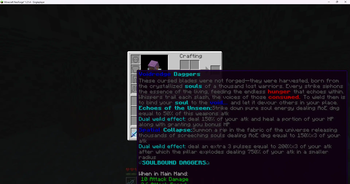
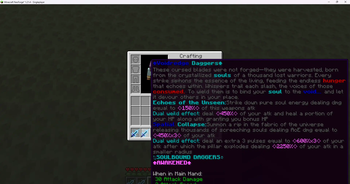
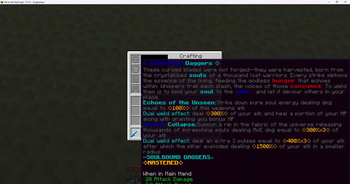
About this Mod
DISCLAMER ALL LOREBOOKS HAVE BEEN WRITTEN BY AI AND ITEM DESCRIPTIONS HAVE BEEN ENHANCED BY AI
thank you.
This mod adds to the vanilla progression by adding new bosses and weapons I suggest you play this mod on singleplayer for the best experince
this mod adds a whole lot of content including an Overarching storyline following you the player it delves deep into the lore of redstone and AEGIS a Mechanical god who once ruled minecraft along with smaller stories regarding many deities
adds 5 new armour sets each providing buffs to the player
armour sets
-tessellation
-AEGIS MK1
-overfluxed AEGIS
-TIMESPACE
-cleric
additionally adds 10+ weapons each with their own unique abilities which you'll have to try! these weapons include!
-Aqua's end a katana which deals % dmg
-the Aegis Cannons
-dawnbreaker/voidrend
-and many more!
this mod adds over 20 new materials some of which are required to craft these weapons some of these materials are dropped from difficult bosses such as AEGIS who has 3 unique phaseses!
this was my first ever big project i would love for you to try I've poured hours of time trying to make this the best experience you'll ever have!
If you encounter any bugs please Report them here
email:[email protected]
This was made Using Mcreator!
Available Versions
How to Install Techless on Your Server
Order Server
Order a Minecraft Java server with at least 3 GB RAM (4 GB recommended).
Set neoforge Loader
In the panel under "Egg", select the neoforge loader and matching Minecraft version (1.21.9).
Install Mod
Open the mod browser in the dashboard and search for "Techless". Click "Install" – done! Alternatively, upload the .jar via SFTP to the /mods folder.
Compatibility
Mod Loaders
Minecraft Versions
1.21.9, 1.21.8, 1.21.7 (+3 more)
Server-side
✓ RequiredRecommended RAM
4 GB(min. 3 GB)Frequently Asked Questions
Techless server crashes on startup – what to do?
Most common cause: wrong neoforge version or insufficient RAM. Check the server log (latest.log) for "OutOfMemoryError" or "Mixin" errors. With Mado Hosting: ensure at least 3 GB RAM is allocated and the loader matches the mod version (1.21.9). You can switch loaders with one click in the panel.
Is Techless compatible with neoforge?
Techless officially supports neoforge for Minecraft 1.21.9, 1.21.8, 1.21.7. The Mado dashboard automatically detects incompatible loader combinations.
Server lagging with Techless – how to optimize performance?
Recommended RAM: 4 GB (per 8 players). Use /spark profiler to check if Techless consumes the most tick time. Common fixes: reduce server view-distance to 8-10, install "performant" or "starlight" as supplementary mods on Forge. With Mado Hosting, your server runs on NVMe SSDs with dedicated CPU cores for minimal latency.
Similar Mods




Rent Modded Server
Install Techless with just one click on your server.