
Telona Origin Addon
Addon to origins mod (balans of official origins, and add new origins)
Screenshots
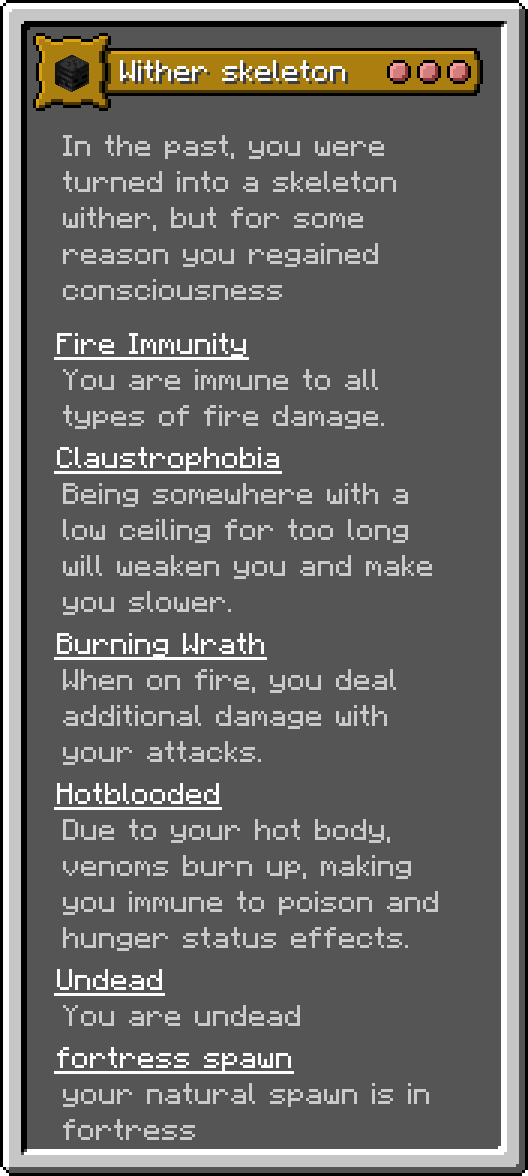
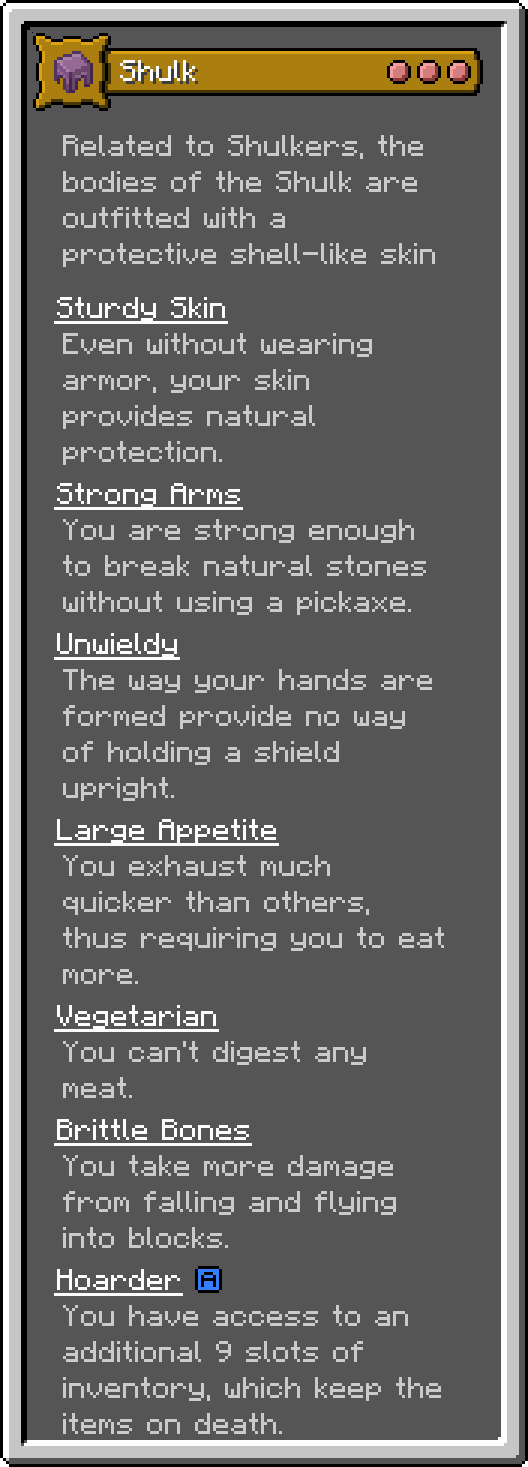

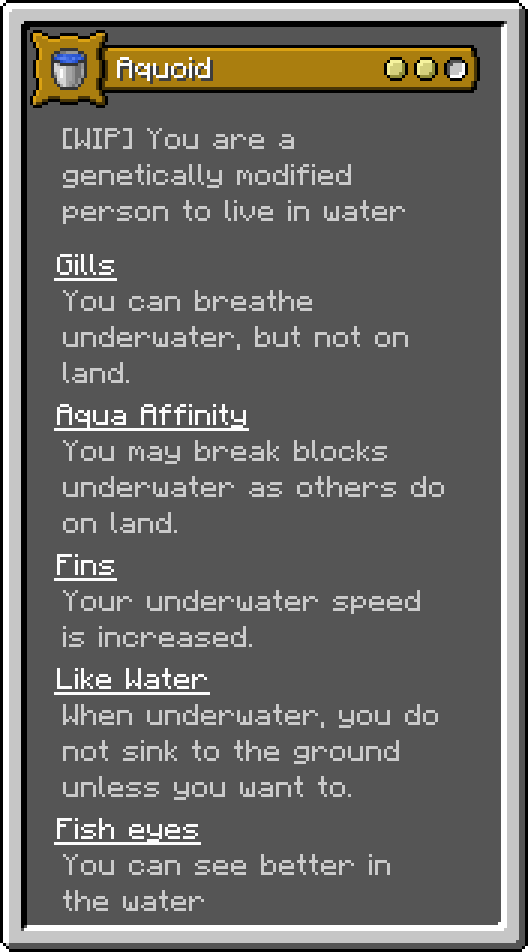
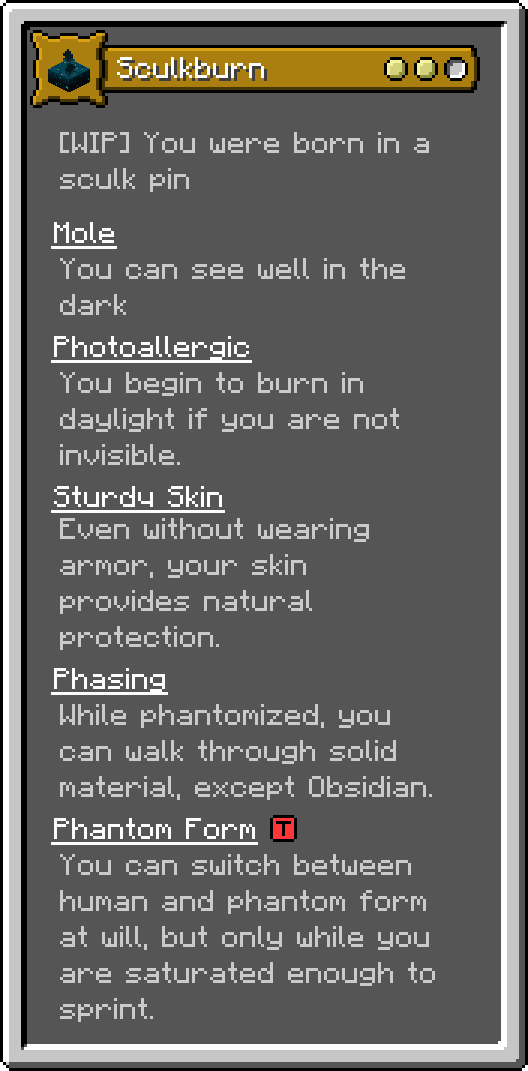
About this Mod
And download:
Pehkui - for 1.20.+
Russia
Этот аддон сбалансирует ванильные происхождения мода origins, а так же добавит некоторые новые. С этим аддоном станет интереснее и сложнее играть
(До полного баланса основныйх происхождений, аддон официально поддерживает только версию 1.20.1, но теоретически, может запускаться с версии 1.13 и выше)
Аддон создаётся с использованием конструктора MGZ
English
This addon will balance vanilla origins of the origins mod, and also add some new ones. With this addon it will become more interesting and difficult to play
(Until the main origins are fully balanced, the addon officially supports only version 1.20.1, but theoretically, it can be launched with version 1.13 and higher)
The addon is created using the constructor MGZ
New origins
Ready:
- Elf
- Shulked elf
- Aquoid
- Amphibian
- Wither skeleton
In progress:
- Sculk burn (balancing)
Redacted origins
Ready:
- Arachnid (hes small, and other arachnids hes new neutral)
- Avian (hes small)
- Enderian (hes height)
- Shulk (is balanced)
- Elytrian (unic texture for elytra)
- Phantom (dont transparent)
- Blazeburn (get lava vision, and blazes its hes neutral)
In progress:
- Felin (hes small)
Dont redacted:
Deleted:
- Merlin
Available Versions
How to Install Telona Origin Addon on Your Server
Order Server
Order a Minecraft Java server with at least 3 GB RAM (4 GB recommended).
Set datapack Loader
In the panel under "Egg", select the datapack loader and matching Minecraft version (1.21.5).
Install Mod
Open the mod browser in the dashboard and search for "Telona Origin Addon". Click "Install" – done! Alternatively, upload the .jar via SFTP to the /mods folder.
Compatibility
Mod Loaders
Minecraft Versions
1.21.5, 1.21.4, 1.21.3 (+4 more)
Server-side
✓ RequiredRecommended RAM
4 GB(min. 3 GB)Frequently Asked Questions
Telona Origin Addon server crashes on startup – what to do?
Most common cause: wrong datapack version or insufficient RAM. Check the server log (latest.log) for "OutOfMemoryError" or "Mixin" errors. With Mado Hosting: ensure at least 3 GB RAM is allocated and the loader matches the mod version (1.21.5). You can switch loaders with one click in the panel.
Is Telona Origin Addon compatible with datapack and fabric and forge?
Telona Origin Addon officially supports datapack, fabric, forge for Minecraft 1.21.5, 1.21.4, 1.21.3. Note: Forge and Fabric mods are NOT cross-compatible – pick one loader and stick with it. The Mado dashboard automatically detects incompatible loader combinations.
Server lagging with Telona Origin Addon – how to optimize performance?
Recommended RAM: 4 GB (per 8 players). Use /spark profiler to check if Telona Origin Addon consumes the most tick time. Common fixes: reduce server view-distance to 8-10, install "performant" or "starlight" as supplementary mods on Forge. With Mado Hosting, your server runs on NVMe SSDs with dedicated CPU cores for minimal latency.
Similar Mods




Rent Modded Server
Install Telona Origin Addon with just one click on your server.