
TFTH
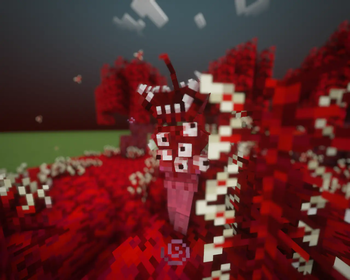
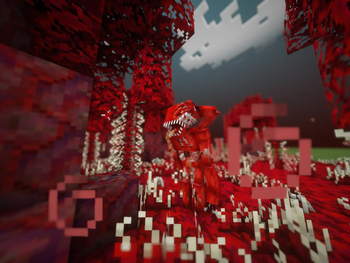
This modification adds an infection to the world that spreads aggressive flesh.
Screenshots
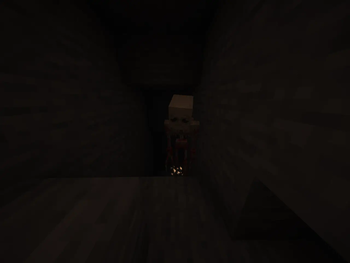
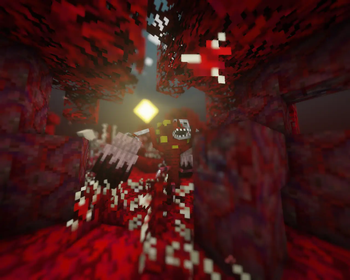
About this Mod
The Flesh That Hates
Experience the true horror behind an assimilating infection!
Face the unstoppable carnage that has been awakened in the world of Minecraft. You don't know exactly what it is, you don't know how strong it is, you don't even know if you'll be able to fight it back. But one thing is sure: THE FLESH MUST DIE!
Infect your world!
The Flesh That Hates will infect your world. As soon as you hear a terrifying hum, it indicates the birth of a new Incubator. The longer an Incubator exists, the stronger the infection and the Incubator itself become. Fear will not save you, escape will not help, they will find you anyway.
Incubators!
Incubators are the beginning and the end of the entire infection. Incubators are capable of evolving, creating armies of flesh creatures, and much more unpleasantness.
Biomass
Biomass is a dynamic difficulty system which will affect the entire infection, punishes the players who ignore the infection and rewards the one who fight it. The Flesh will gain Biomass by doing different activities. Biomass enhances the flesh creatures in various ways, and it's up to you to find out how!
The Flesh has many ways to acquire biomass, at least through the killing of mobs.
Fight it back!
However, the Flesh will lose Biomass by destroying it: Breaking blocks, killing flesh creatures or killing Incubators. Each action will vary differently in how much Biomass you take fron the Flesh. There's also a way to fight the Flesh back, but you'll need to find it. Don't worry, it is actually quite obvious
DISCORD LINK:https://discord.gg/QryK7xkZqW
Available Versions
How to Install TFTH on Your Server
Order Server
Order a Minecraft Java server with at least 3 GB RAM (4 GB recommended).
Set forge Loader
In the panel under "Egg", select the forge loader and matching Minecraft version (1.20.1).
Install Mod
Open the mod browser in the dashboard and search for "TFTH". Click "Install" – done! Alternatively, upload the .jar via SFTP to the /mods folder.
Compatibility
Mod Loaders
Minecraft Versions
1.20.1
Server-side
✓ RequiredRecommended RAM
4 GB(min. 3 GB)Frequently Asked Questions
TFTH server crashes on startup – what to do?
Most common cause: wrong forge version or insufficient RAM. Check the server log (latest.log) for "OutOfMemoryError" or "Mixin" errors. With Mado Hosting: ensure at least 3 GB RAM is allocated and the loader matches the mod version (1.20.1). You can switch loaders with one click in the panel.
Is TFTH compatible with forge?
TFTH officially supports forge for Minecraft 1.20.1. The Mado dashboard automatically detects incompatible loader combinations.
Server lagging with TFTH – how to optimize performance?
Recommended RAM: 4 GB (per 8 players). Use /spark profiler to check if TFTH consumes the most tick time. Common fixes: reduce server view-distance to 8-10, install "performant" or "starlight" as supplementary mods on Forge. With Mado Hosting, your server runs on NVMe SSDs with dedicated CPU cores for minimal latency.
Similar Mods




![[TaCZ] Timeless and Classics Zero](https://cdn.modrinth.com/data/SzzJttH8/fd27766d2bb8390d284696b1dbd358f87e081439_96.webp)

Rent Modded Server
Install TFTH with just one click on your server.
Details
- License
- LicenseRef-Creative-Commons-Attribution-NonCommercial-3.0
- Server-side
- Required