
The After
New Dimension That Is Somewhat A Afterlife
Screenshots
About this Mod
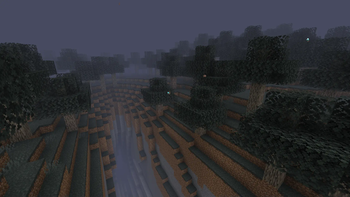
This mod adds an afterlife-like dimension with a liminal atmosphere for you to get immersed and lost in — a calm yet subtly off-putting world.
Later in development, more special items with unique mechanics will be introduced to deepen gameplay.
Please note: This is an early development version. I’d really appreciate it if you report any glitches you encounter while playing.
Currently Included:
- 3 Events
- 4 Biomes
- 1 Mob found in The After
- 1 Dimension
- 3 Structures — first 2 currently identical, but located in different dimensions and subject to change. One structure is used to exit The After and can be found roughly near (0 ~ 0), though this may be updated.
- New trades for the Wandering Trader and Cartographer
How To Get To The After:
Currently to get to the after you need to find a scroll traded by a cartographer or wandering trader, then you will be able to go to the coordinates where you then need to activate the ritual circle there by lighting the candles and interacting with the main block with a Totem of Undying.
Shader Note:
If you're playing with shaders, I recommend Hysteria or Insanity, as most other shaders reduce fog density. This can make The After feel too open and less atmospheric.
Update Early Access:
You can get access to upcoming updates to the mod a week prior to public release by supporting me on my patreon (which is linked here on the mod page), you obviously don't have to, as the update will always come out a week after unless some gamebreaking bug is found.
CURRENT EARLY ACCESS UPDATE:
NONE
Available Versions
How to Install The After on Your Server
Order Server
Order a Minecraft Java server with at least 4 GB RAM (6 GB recommended).
Set forge Loader
In the panel under "Egg", select the forge loader and matching Minecraft version (1.20.1).
Install Mod
Open the mod browser in the dashboard and search for "The After". Click "Install" – done! Alternatively, upload the .jar via SFTP to the /mods folder.
Compatibility
Mod Loaders
Minecraft Versions
1.20.1
Server-side
✓ RequiredRecommended RAM
6 GB(min. 4 GB)Frequently Asked Questions
The After server crashes on startup – what to do?
Most common cause: wrong forge version or insufficient RAM. Check the server log (latest.log) for "OutOfMemoryError" or "Mixin" errors. With Mado Hosting: ensure at least 4 GB RAM is allocated and the loader matches the mod version (1.20.1). You can switch loaders with one click in the panel.
Is The After compatible with forge?
The After officially supports forge for Minecraft 1.20.1. The Mado dashboard automatically detects incompatible loader combinations.
Server lagging with The After – how to optimize performance?
Recommended RAM: 6 GB (per 5 players). Use /spark profiler to check if The After consumes the most tick time. Common fixes: reduce server view-distance to 8-10, install "performant" or "starlight" as supplementary mods on Forge. With Mado Hosting, your server runs on NVMe SSDs with dedicated CPU cores for minimal latency.
Similar Mods




Rent Modded Server
Install The After with just one click on your server.