
The Backrooms Mod (OUTDATED)
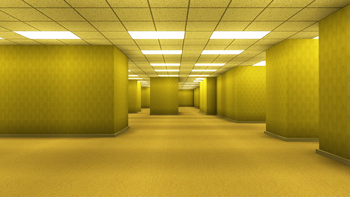
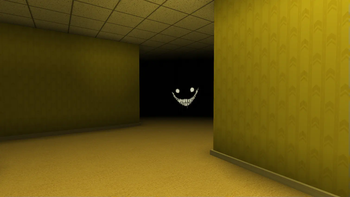
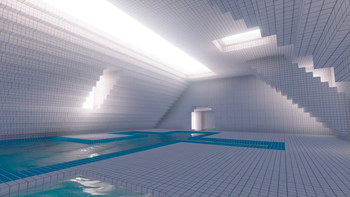
Explore THREE different levels as you fall deeper into madness. Watch out for what lurks in the darkness...
Screenshots
About this Mod
THIS IS NOT THE FOUND FOOTAGE MOD. IF YOU'RE LOOKING FOR MINECRAFT FOUND FOOTAGE CHECK HERE
Read the instructions CAREFULLY. DO NOT USE THIS MOD IN AN EXISTING WORLD. It can cause irreversible damage. Good Luck
This is my first ever Mod for Java Edition. THERE WILL LIKELY BE A LOT OF BUGS. Don't expect a masterpiece :D
This Mod adds in 3 Levels for you and your friends to explore, with a few entities sprinkled in. Grab your lantern, head into the darkness, and try not to go insane!
The shaders and their settings are found on the Discord Modding Channel! (check the pinned comments)
Requires:
Sodium
Iris
Cloth Config
Entity Texture Features
Additional Mods (For performance):
Additional Mods (For gameplay):
Dynamic Lights Especially for multiplayer
Camera Overhaul Needs to be enabled with mod menu
Mod Menu For changing some Backrooms game settings
and their dependencies.
DO NOT ADD SOUND PHYSICS REMASTERED
It will mess with the sounds of the game, making them too quiet. You can download it only if you're ok with messing around with the settings
DO NOT LEAVE THE WORLD WHILE PLAYING
It will reset your progress and cause a TON of issues. If you leave accidentally, start a new world.
This mod also disables the experience bar, the crosshair, and the F3 Menu which can be disabled using Mod Menu
If you are playing with friends, try to generally stick together, as splitting up can cause a lot of bugs.
Tip: If you are playing multiplayer, standing near another player that is holding a lantern will prevent the darkness from damaging you. So only one person needs a lantern for everyone to continue.
Setup
Create a new super flat world WITH THE REDSTONE READY PRESET (if the world isn't made of sandstone, you didn't use the preset) and generate structures turned OFF. Other settings will be set automatically
When you're in the world, type /reload and you'll see a menu appear in the chat.
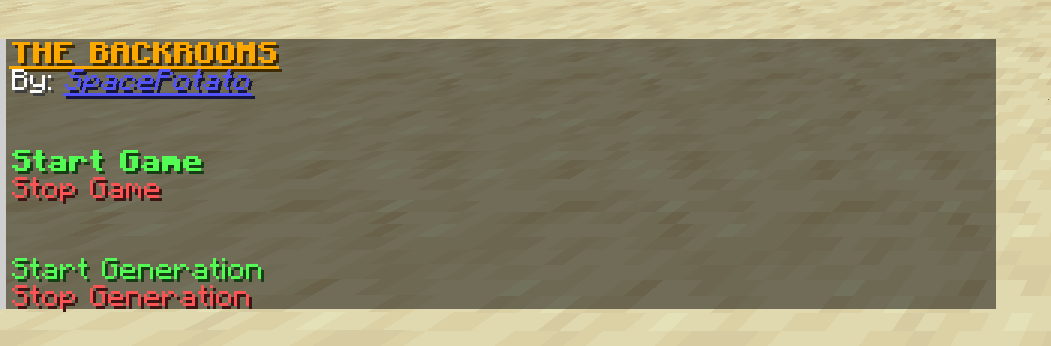
Click on Start Game to start the entire game. Clicking it again after the game has already started DOES NOT RESET THE GAME
Click on Stop Game to stop the entire game and generation. This will NOT get rid of the structures
Click on Start Generation to ONLY generate the rooms
Click on Stop Generation to ONLY stop generating the rooms
You will also see some extra options:
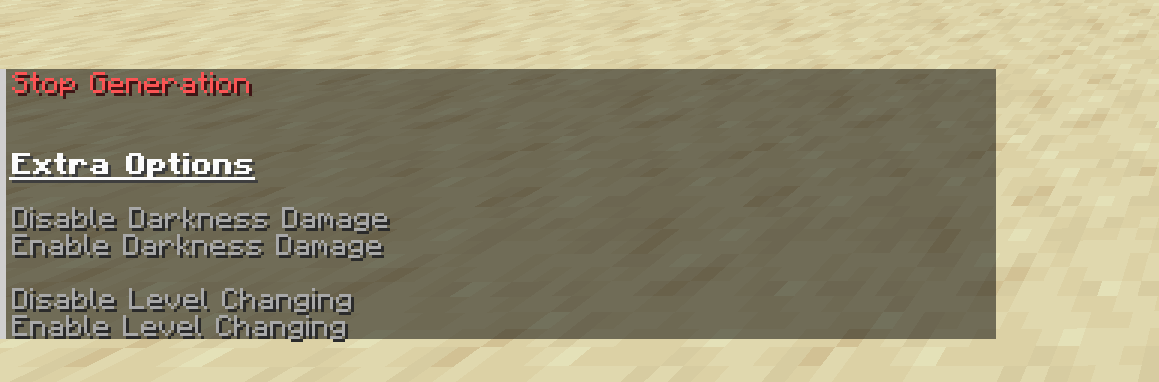
Hover over them for more info
Settings
- Render Distance of 16+
- Simulation Distance same as render distance
- Smooth Lighting
Some Notes:
Besides fixing a few bugs (see changelog), the mod is given as seen in the video, minus the ending. No additional features, items, monsters, herobrines, or events were added...
I will not be updating this specific mod further unless there are some absolutely game breaking bugs (This includes porting to other loaders or versions).
Although with the Sinytra Connector and Forgified Api, you may be able to play this on Forge. Haven't tested it yet.
I will however be creating a completely revamped backrooms mod in the future. So keep an eye out for that :D
You can use this mod in a video, as long as you credit my channel and this mod page.
Good luck >:D
Available Versions
How to Install The Backrooms Mod (OUTDATED) on Your Server
Order Server
Order a Minecraft Java server with at least 4 GB RAM (6 GB recommended).
Set fabric Loader
In the panel under "Egg", select the fabric loader and matching Minecraft version (1.20.1).
Install Mod
Open the mod browser in the dashboard and search for "The Backrooms Mod (OUTDATED)". Click "Install" – done! Alternatively, upload the .jar via SFTP to the /mods folder.
Compatibility
Mod Loaders
Minecraft Versions
1.20.1
Server-side
✓ RequiredRecommended RAM
6 GB(min. 4 GB)Frequently Asked Questions
The Backrooms Mod (OUTDATED) server crashes on startup – what to do?
Most common cause: wrong fabric version or insufficient RAM. Check the server log (latest.log) for "OutOfMemoryError" or "Mixin" errors. With Mado Hosting: ensure at least 4 GB RAM is allocated and the loader matches the mod version (1.20.1). You can switch loaders with one click in the panel.
Is The Backrooms Mod (OUTDATED) compatible with fabric?
The Backrooms Mod (OUTDATED) officially supports fabric for Minecraft 1.20.1. The Mado dashboard automatically detects incompatible loader combinations.
Server lagging with The Backrooms Mod (OUTDATED) – how to optimize performance?
Recommended RAM: 6 GB (per 5 players). Use /spark profiler to check if The Backrooms Mod (OUTDATED) consumes the most tick time. Common fixes: reduce server view-distance to 8-10, install "performant" or "starlight" as supplementary mods on Forge. With Mado Hosting, your server runs on NVMe SSDs with dedicated CPU cores for minimal latency.
Similar Mods




Rent Modded Server
Install The Backrooms Mod (OUTDATED) with just one click on your server.