
The Crysis Mod
A world of features inspired by the 'Crysis' franchise.
Screenshots
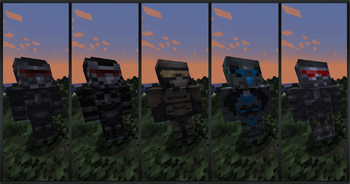
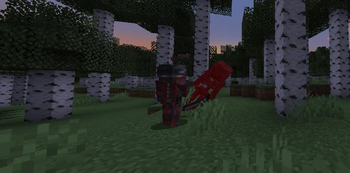
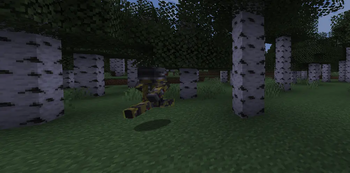
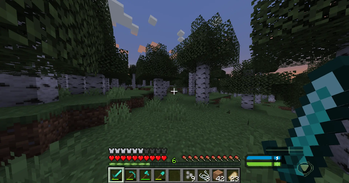
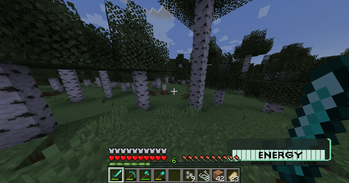
About this Mod
The Crysis Mod is a Minecraft mod that adds Items & Armors from the fps game 'Crysis' by 'Crytek.'
The main feature of the mod is the Nanosuit a set of armor which allows the player to switch between 4 major modes:
- Armor Mode: Invincibility.
- Strength Mode: Jump and attack damage boost
- Speed Mode: Running and swimming super fast
- Cloak Mode: Invisibility.
All of these features only last as long as your energy supply which recharges quickly when not in use.
How to play:
Crafting The Suit:
    To craft a suit you must mine for the new: "Mysterious Fossil."
    There are two kinds of mysterious fossil.
    There is a small fossil that is 1x1 block.
    There is also a large fossil that is made up of multiple "Mysterious Fossil Block"s

    Once you have your mysterious fossils you can smelt them to obtain "Nano Catalyst"
    Combine "Nano Catalyst" with leather to obtain "Nano Fibers"
    And Combine a specific amount of "Nano Fibers" with specific vanilla armors to obtain the "Nano Suits"

The Suit Mode Switcher:
    Once you have a suit, press and hold the "Suit Mode Switcher" key (Default: 'V') to open a menu
    from which you can switch your suits mode by moving your mouse in the direction of the mode you want.
    Once the arrow is pointing at the desired mode, release the "Suit Mode Switcher" key.

The Visor:
    The visor is activated by key press (Default: 'B'). This is a form of binoculars, but is entirely avaliable within your suit.
    - You can use the visor to scan mobs giving them an outline like unto the 'Glowing' effect, only you can see the mob's outline though

Upgrades:
    Your suit can be upgraded with more "Nano Catalyst" items through the upgrade menu.
    To access the upgrade menu, you can press the "Upgrade Menu" key (Default: 'H').
    In this menu you can unlock, disable, and reenable upgrades at will.

Have Fun.
Available Versions
How to Install The Crysis Mod on Your Server
Order Server
Order a Minecraft Java server with at least 3 GB RAM (4 GB recommended).
Set forge Loader
In the panel under "Egg", select the forge loader and matching Minecraft version (1.20.6).
Install Mod
Open the mod browser in the dashboard and search for "The Crysis Mod". Click "Install" – done! Alternatively, upload the .jar via SFTP to the /mods folder.
Compatibility
Mod Loaders
Minecraft Versions
1.20.6, 1.20.5, 1.20.4 (+4 more)
Server-side
✓ RequiredRecommended RAM
4 GB(min. 3 GB)Frequently Asked Questions
The Crysis Mod server crashes on startup – what to do?
Most common cause: wrong forge version or insufficient RAM. Check the server log (latest.log) for "OutOfMemoryError" or "Mixin" errors. With Mado Hosting: ensure at least 3 GB RAM is allocated and the loader matches the mod version (1.20.6). You can switch loaders with one click in the panel.
Is The Crysis Mod compatible with forge?
The Crysis Mod officially supports forge for Minecraft 1.20.6, 1.20.5, 1.20.4. The Mado dashboard automatically detects incompatible loader combinations.
Server lagging with The Crysis Mod – how to optimize performance?
Recommended RAM: 4 GB (per 8 players). Use /spark profiler to check if The Crysis Mod consumes the most tick time. Common fixes: reduce server view-distance to 8-10, install "performant" or "starlight" as supplementary mods on Forge. With Mado Hosting, your server runs on NVMe SSDs with dedicated CPU cores for minimal latency.
Similar Mods




![[TaCZ] Timeless and Classics Zero](https://cdn.modrinth.com/data/SzzJttH8/fd27766d2bb8390d284696b1dbd358f87e081439_96.webp)

Rent Modded Server
Install The Crysis Mod with just one click on your server.