
The Ghoul Remastered
Get yourself some good equipment for fighting the new "Ghoul" but this is not all, because after this battle you have a new dimension to discover.
Screenshots
About this Mod
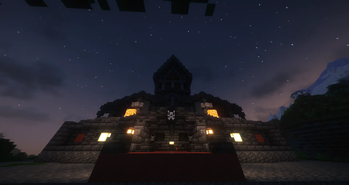
In this mod you will have a "final battle" with a creature called The Ghoul, you will need to spawn him in his demonic church by using wither skulls and a nether star, this will be a tough fight that will need the greatest equipment, after the battle you will get a new material and weapons, with this material you will be capable of creating a portal for a new and dangerous dimension. This place is called Dark Aether and it will make you start from "zero" since your tools and armors from the overworld will get corrupted in this dimension, for surviving here you will have to find new materials and ores while escaping the different evil creatures. In this dimension you will find from shadows that will follow you removing your light and having a possibility of jumpscaring you, to friendly survivors of the dimension that you will be able to trade with them for new items. This dimension will also add new bosses, like a spider that spawns underground and the king of this lands, The Devil.
This mod is a remastered version of an other mod called the same, The Ghoul, but I remake all 3d models and textures, create the new dimension and create new enemys so I think is more a remaster rather than just an update.
Mod is still W.I.P but is allready usable.
Available Versions
How to Install The Ghoul Remastered on Your Server
Order Server
Order a Minecraft Java server with at least 3 GB RAM (4 GB recommended).
Set forge Loader
In the panel under "Egg", select the forge loader and matching Minecraft version (1.20.1).
Install Mod
Open the mod browser in the dashboard and search for "The Ghoul Remastered". Click "Install" – done! Alternatively, upload the .jar via SFTP to the /mods folder.
Compatibility
Mod Loaders
Minecraft Versions
1.20.1, 1.19.2
Server-side
✓ RequiredRecommended RAM
4 GB(min. 3 GB)Frequently Asked Questions
The Ghoul Remastered server crashes on startup – what to do?
Most common cause: wrong forge version or insufficient RAM. Check the server log (latest.log) for "OutOfMemoryError" or "Mixin" errors. With Mado Hosting: ensure at least 3 GB RAM is allocated and the loader matches the mod version (1.20.1). You can switch loaders with one click in the panel.
Is The Ghoul Remastered compatible with forge?
The Ghoul Remastered officially supports forge for Minecraft 1.20.1, 1.19.2. The Mado dashboard automatically detects incompatible loader combinations.
Server lagging with The Ghoul Remastered – how to optimize performance?
Recommended RAM: 4 GB (per 8 players). Use /spark profiler to check if The Ghoul Remastered consumes the most tick time. Common fixes: reduce server view-distance to 8-10, install "performant" or "starlight" as supplementary mods on Forge. With Mado Hosting, your server runs on NVMe SSDs with dedicated CPU cores for minimal latency.
Similar Mods




Rent Modded Server
Install The Ghoul Remastered with just one click on your server.