
The Legendary Sword: Excalibur II
This mod adds most powerful sword ever.
Screenshots
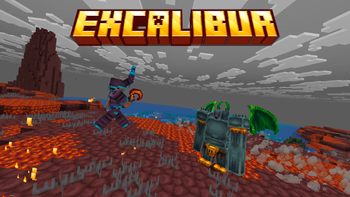
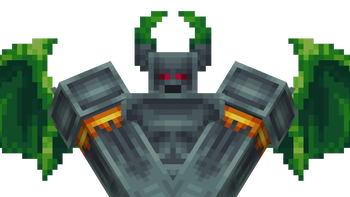
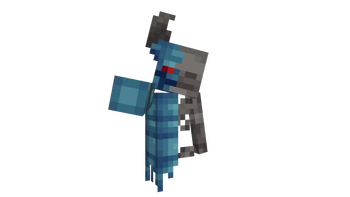
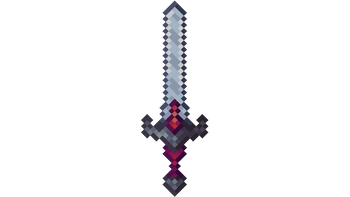
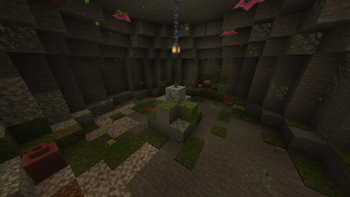
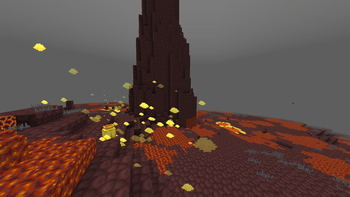
About this Mod

This mod introduces a new progression path focused on powerful bosses, unique items, and handcrafted mechanics.
Face off against two major bosses: the Forgebound Colossus, a relentless construct forged in fire and steel, and the Primordial Guardian, an ancient entity tied to the origins of the world. Each encounter is designed to challenge the player with distinct mechanics and intense combat.
Along the way, you will discover new items, including magical tools, mana-based systems, and rare relics. Gather powerful materials to create the Relic of Reforging, a key item required to restore the Legendary Excalibur.
The mod also features custom structures, unique mobs, and new environments such as volcanic and hostile biomes, expanding the exploration experience.
⚠️ This mod is still in development and is not 100% complete. More content, bosses, and features will be added over time.
Available Versions
How to Install The Legendary Sword: Excalibur II on Your Server
Order Server
Order a Minecraft Java server with at least 4 GB RAM (6 GB recommended).
Set neoforge Loader
In the panel under "Egg", select the neoforge loader and matching Minecraft version (26.1.2).
Install Mod
Open the mod browser in the dashboard and search for "The Legendary Sword: Excalibur II". Click "Install" – done! Alternatively, upload the .jar via SFTP to the /mods folder.
Compatibility
Mod Loaders
Minecraft Versions
26.1.2, 26.1.1, 26.1 (+4 more)
Server-side
~ OptionalRecommended RAM
6 GB(min. 4 GB)Frequently Asked Questions
The Legendary Sword: Excalibur II server crashes on startup – what to do?
Most common cause: wrong neoforge version or insufficient RAM. Check the server log (latest.log) for "OutOfMemoryError" or "Mixin" errors. With Mado Hosting: ensure at least 4 GB RAM is allocated and the loader matches the mod version (26.1.2). You can switch loaders with one click in the panel.
Is The Legendary Sword: Excalibur II compatible with neoforge?
The Legendary Sword: Excalibur II officially supports neoforge for Minecraft 26.1.2, 26.1.1, 26.1. The Mado dashboard automatically detects incompatible loader combinations.
Server lagging with The Legendary Sword: Excalibur II – how to optimize performance?
Recommended RAM: 6 GB (per 5 players). Use /spark profiler to check if The Legendary Sword: Excalibur II consumes the most tick time. Common fixes: reduce server view-distance to 8-10, install "performant" or "starlight" as supplementary mods on Forge. With Mado Hosting, your server runs on NVMe SSDs with dedicated CPU cores for minimal latency.
Similar Mods




![[TaCZ] Timeless and Classics Zero](https://cdn.modrinth.com/data/SzzJttH8/fd27766d2bb8390d284696b1dbd358f87e081439_96.webp)

Rent Modded Server
Install The Legendary Sword: Excalibur II with just one click on your server.