
The Paranoia Effect
The more you notice it… the more it notices you.
Screenshots
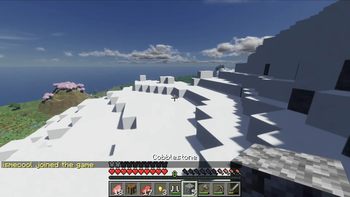

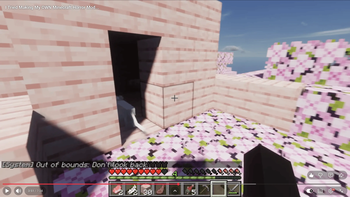
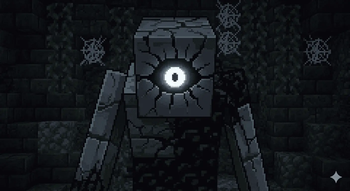
About this Mod
WATCH MY VIDEO ON IT:
Something is wrong with your world.
You might notice strange messages.
You might see something behind you.
Or maybe nothing will happen at all.
The more you notice it… the more it notices you.
The Paranoia Effect is a singleplayer psychological horror mod that slowly introduces unsettling anomalies into normal Minecraft gameplay. At first everything seems normal, but over time strange events begin appearing throughout your world.
Unusual system-like messages may appear in chat.
Items may behave strangely.
Mysterious figures might appear where they shouldn’t be.
Most of the time nothing happens.
But occasionally something will make you question what you just saw.
This mod focuses on atmosphere, tension, and psychological horror rather than constant action. Many events are rare and unpredictable so that the world always feels uncertain and unsettling.
The longer you survive in your world, the more frequently these anomalies may occur.
Features
Spoilers / Gameplay Features
• Stalker Entities
Mysterious entities may appear behind the player or in the distance.
• Chase Encounters
If a stalker is seen, it may begin chasing the player before suddenly vanishing.
• Glitch Messages
Strange system-style messages can appear in chat, resembling corrupted game logs.
• Fake Advancement Notifications
Rarely, the player may receive an advancement message they never actually earned.
• Item Corruption
Items held by the player may occasionally change their name into distorted or glitched text.
• Mysterious Structures
Small houses may appear in the world unexpectedly, sometimes containing something inside.
• Escalating Anomalies
The longer you play, the more likely strange events become.
• Rare Horror Encounters
Unexpected moments designed to create tension and paranoia.
For the best experience:
• Play alone in singleplayer
• Use headphones
• Avoid spoilers
Environment
This mod is designed primarily for singleplayer gameplay, where its unpredictable events and atmosphere can be experienced without outside interference.
Available Versions
How to Install The Paranoia Effect on Your Server
Order Server
Order a Minecraft Java server with at least 3 GB RAM (4 GB recommended).
Set fabric Loader
In the panel under "Egg", select the fabric loader and matching Minecraft version (1.21.8).
Install Mod
Open the mod browser in the dashboard and search for "The Paranoia Effect". Click "Install" – done! Alternatively, upload the .jar via SFTP to the /mods folder.
Compatibility
Mod Loaders
Minecraft Versions
1.21.8
Server-side
✓ RequiredRecommended RAM
4 GB(min. 3 GB)Frequently Asked Questions
The Paranoia Effect server crashes on startup – what to do?
Most common cause: wrong fabric version or insufficient RAM. Check the server log (latest.log) for "OutOfMemoryError" or "Mixin" errors. With Mado Hosting: ensure at least 3 GB RAM is allocated and the loader matches the mod version (1.21.8). You can switch loaders with one click in the panel.
Is The Paranoia Effect compatible with fabric?
The Paranoia Effect officially supports fabric for Minecraft 1.21.8. The Mado dashboard automatically detects incompatible loader combinations.
Server lagging with The Paranoia Effect – how to optimize performance?
Recommended RAM: 4 GB (per 8 players). Use /spark profiler to check if The Paranoia Effect consumes the most tick time. Common fixes: reduce server view-distance to 8-10, install "performant" or "starlight" as supplementary mods on Forge. With Mado Hosting, your server runs on NVMe SSDs with dedicated CPU cores for minimal latency.
Similar Mods




Rent Modded Server
Install The Paranoia Effect with just one click on your server.