
Screenshots

About this Mod




📘 Description
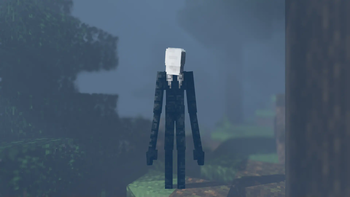
The Infected Slenders have spread across the globe, exterminating the entire human race. You are the last human survivor in a world overrun by these horrifying creatures. The Slenders, with their unnaturally long, thin bodies and distorted, blurred faces, are drawn to humans and any sounds they make. How long can you last their terrifying chase and survive in this desolate world?
This mod also features a multiplayer map that will have you and your buddies working together to outsmart and escape the ever-present threat of the Slenderman.
Custom map: Map Image, Map Download

📚 FAQ
Q: Does this mod have any dependency?
A: Yes, this mod requires Fabric-API, GeckoLib, LambDynamicLights, YACL, and Satin-API.
Q: Can I use this mod in my modpack?
A: Yes, feel free to use this mod in your modpack.
Q: I have an inquiry about something. Can you help?
A: Ask away in the comments or on the Discord server, and we will try our best to respond.
🛠 Contributing
If anyone would like to add the remaining features to the game, feel free to check out the Trello board: Mod Trello Board, Map Trello Board. Just make sure to contact me through my discord server for any help.
The concept of this particular mod is to survive for 100 days. If anyone feels interested in doing so, you're more than welcome to give it a try here.
🙎♂️ Additional Credits
- ChumasY: Artist
- JacktheDevel0per: Contributor
- kelvin285: Former Author
Available Versions
How to Install The Slenderman Mod on Your Server
Order Server
Order a Minecraft Java server with at least 3 GB RAM (4 GB recommended).
Set fabric Loader
In the panel under "Egg", select the fabric loader and matching Minecraft version (1.19.3).
Install Mod
Open the mod browser in the dashboard and search for "The Slenderman Mod". Click "Install" – done! Alternatively, upload the .jar via SFTP to the /mods folder.
Compatibility
Mod Loaders
Minecraft Versions
1.19.3
Server-side
✓ RequiredRecommended RAM
4 GB(min. 3 GB)Frequently Asked Questions
The Slenderman Mod server crashes on startup – what to do?
Most common cause: wrong fabric version or insufficient RAM. Check the server log (latest.log) for "OutOfMemoryError" or "Mixin" errors. With Mado Hosting: ensure at least 3 GB RAM is allocated and the loader matches the mod version (1.19.3). You can switch loaders with one click in the panel.
Is The Slenderman Mod compatible with fabric?
The Slenderman Mod officially supports fabric for Minecraft 1.19.3. The Mado dashboard automatically detects incompatible loader combinations.
Server lagging with The Slenderman Mod – how to optimize performance?
Recommended RAM: 4 GB (per 8 players). Use /spark profiler to check if The Slenderman Mod consumes the most tick time. Common fixes: reduce server view-distance to 8-10, install "performant" or "starlight" as supplementary mods on Forge. With Mado Hosting, your server runs on NVMe SSDs with dedicated CPU cores for minimal latency.
Similar Mods





Rent Modded Server
Install The Slenderman Mod with just one click on your server.