
The znibis
This mod adds a creature that lurks in your world...
Screenshots
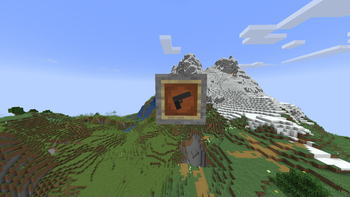
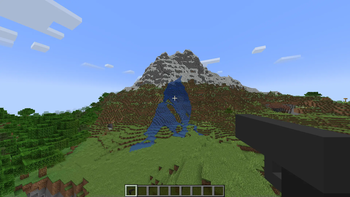
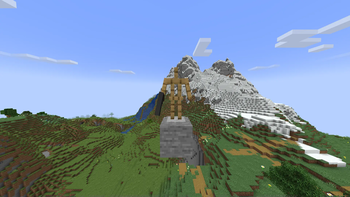
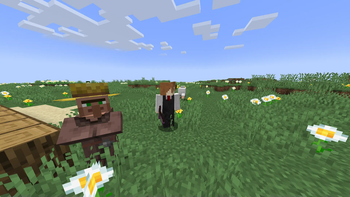
About this Mod
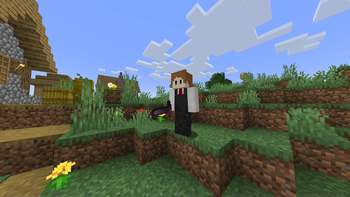
This mod basically adds me. Or does it? The mod adds a creature called znibsss that lurks in your world. When will it show up? How strong is it? Is it friendly? Nobody knows...
This mod IS INCOMPLETE!! I have many more features to add later on. Like really.
For now, this mod just add znibsss and a gun that is dropped from znibsss. Check changelogs to see what has been added in the newest version since I won't change the description unless I add a lot of content in one update.
This mod is supposed to be in between of a joke mod and a serious mod. If znibsss doesn't spawn in within the third and the tenth day then it is a bug.
Also for some reasons one of the craft doesn't show up in JEI so to craft the gun core which is either used to repare or duplicate guns, you just place your gun in a smithing table next to a netherite ingot and you'll get one gun core. To repare the Broken Gun Core, just place it next to a netherite ingot in a smithing table and you'll get one Gun Core.
My discord server: https://discord.gg/prQDTTMuxe
Curseforge page of the mod: https://curseforge.com/minecraft/mc-mods/the-znibis
If you use this mod in your modpack or video just credit me :)
Available Versions
How to Install The znibis on Your Server
Order Server
Order a Minecraft Java server with at least 3 GB RAM (4 GB recommended).
Set forge Loader
In the panel under "Egg", select the forge loader and matching Minecraft version (1.21.1).
Install Mod
Open the mod browser in the dashboard and search for "The znibis". Click "Install" – done! Alternatively, upload the .jar via SFTP to the /mods folder.
Compatibility
Mod Loaders
Minecraft Versions
1.21.1, 1.20.1
Server-side
✓ RequiredRecommended RAM
4 GB(min. 3 GB)Frequently Asked Questions
The znibis server crashes on startup – what to do?
Most common cause: wrong forge version or insufficient RAM. Check the server log (latest.log) for "OutOfMemoryError" or "Mixin" errors. With Mado Hosting: ensure at least 3 GB RAM is allocated and the loader matches the mod version (1.21.1). You can switch loaders with one click in the panel.
Is The znibis compatible with forge and neoforge?
The znibis officially supports forge, neoforge for Minecraft 1.21.1, 1.20.1. The Mado dashboard automatically detects incompatible loader combinations.
Server lagging with The znibis – how to optimize performance?
Recommended RAM: 4 GB (per 8 players). Use /spark profiler to check if The znibis consumes the most tick time. Common fixes: reduce server view-distance to 8-10, install "performant" or "starlight" as supplementary mods on Forge. With Mado Hosting, your server runs on NVMe SSDs with dedicated CPU cores for minimal latency.
Similar Mods





Rent Modded Server
Install The znibis with just one click on your server.