
Thermal Conversion
Universal Energy Translation using basic Furnace mechanics
About this Mod
Thermal Conversion allows you to take any energy system that supports smelting and convert into solid fuel, allowing you to move it into any other typical coal type generator.
Start out by crafting a Thermal Cell.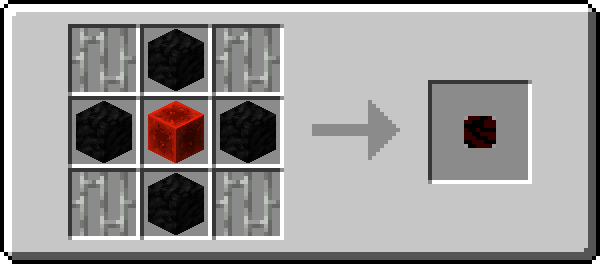
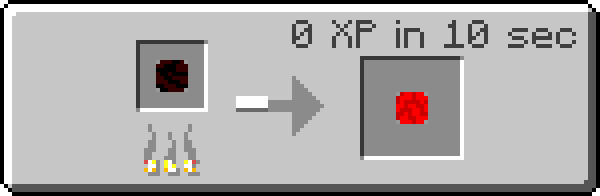
Once you pick up enough thermal cells, you may compress them using the same formation as with a chest or furnace.
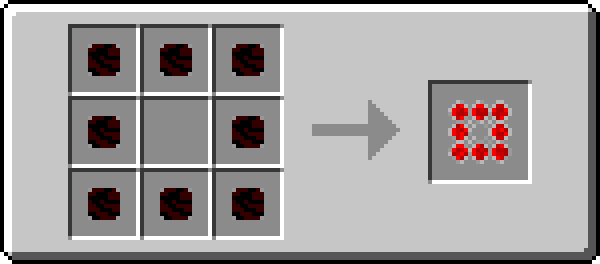
All of these can be used to smelt items, equal to the amount of fuel put in.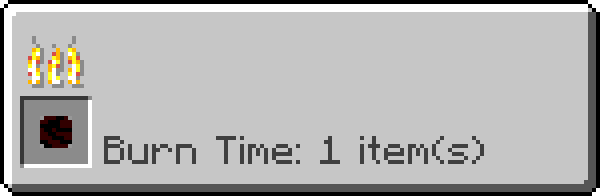
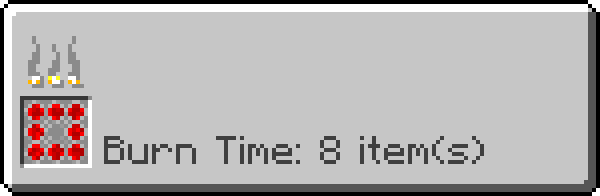
You can even get lava.
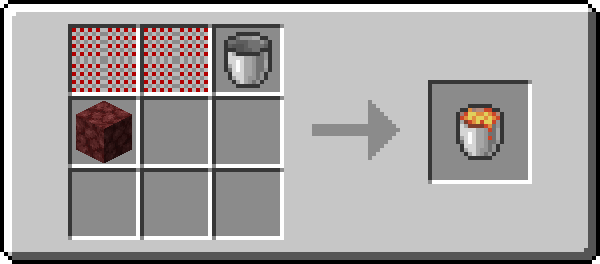
You lose some energy, (lava only smelts 100,) but for many applications it is well worth it.
From Botania, to Thermal Expansion, and now to Tinkers Construct. Thermal Conversion has it covered.
I hope you enjoy. (All images generated using the Roughly Enough Items export tool).
Available Versions
How to Install Thermal Conversion on Your Server
Order Server
Order a Minecraft Java server with at least 4 GB RAM (6 GB recommended).
Set fabric Loader
In the panel under "Egg", select the fabric loader and matching Minecraft version (1.17.1).
Install Mod
Open the mod browser in the dashboard and search for "Thermal Conversion". Click "Install" – done! Alternatively, upload the .jar via SFTP to the /mods folder.
Compatibility
Mod Loaders
Minecraft Versions
1.17.1
Server-side
✓ RequiredRecommended RAM
6 GB(min. 4 GB)Frequently Asked Questions
Thermal Conversion server crashes on startup – what to do?
Most common cause: wrong fabric version or insufficient RAM. Check the server log (latest.log) for "OutOfMemoryError" or "Mixin" errors. With Mado Hosting: ensure at least 4 GB RAM is allocated and the loader matches the mod version (1.17.1). You can switch loaders with one click in the panel.
Is Thermal Conversion compatible with fabric?
Thermal Conversion officially supports fabric for Minecraft 1.17.1. The Mado dashboard automatically detects incompatible loader combinations.
Server lagging with Thermal Conversion – how to optimize performance?
Recommended RAM: 6 GB (per 5 players). Use /spark profiler to check if Thermal Conversion consumes the most tick time. Common fixes: reduce server view-distance to 8-10, install "performant" or "starlight" as supplementary mods on Forge. With Mado Hosting, your server runs on NVMe SSDs with dedicated CPU cores for minimal latency.
Similar Mods





Rent Modded Server
Install Thermal Conversion with just one click on your server.