
Thermia
An in-depth, dynamic temperature system for all creatures!
Screenshots
About this Mod
Thermia



Thermia is an in-depth, dynamic temperature system with heavy integrations
into vanilla content and features and a big focus on being fun for the player,
rather than being unnecessarily difficult. The mod was mainly created as an alternative
to famous temperature systems like Tough as Nails, and takes some inspiration from games like
Don't Starve Together and Legend of Zelda: Breath of the Wild.
Required Dependencies
Main Features
Temperature is a new core mechanic that the player will have to interact with at every turn.
Most mechanics in the base game interact with temperature in some way, Here are some examples
of factors that influence your temperature:
- Climate; your biome, the sun's current position, and the surrounding blocks.
- Inventory; your held items, equipment items, and active enchantments.
- Certain damage types can even push mobs closer to freezing or burning!
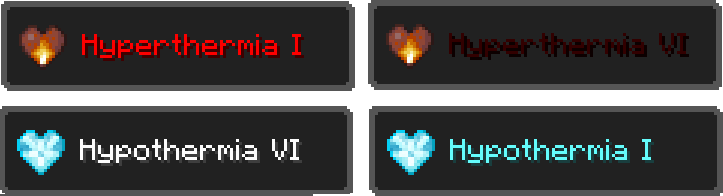
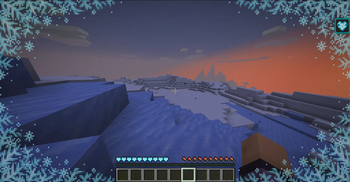
Be careful not to let your temperature get too low. Lower temperatures can result in hypothermia,
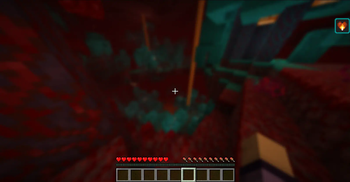
slowing you down and damaging you over time. Similarly, higher temperatures may result in hyperthermia,
which damages you and removes your ability to sprint. You must use suitable blocks, items, and
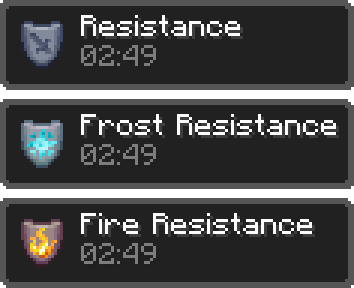
equipment to combat extreme climates like the Nether!
Similarly to my other mod Unbreakable, this mod is highly customizable.
Currently, customization is only supported through datapacks and resource packs, but a config is planned.
Available Versions
How to Install Thermia on Your Server
Order Server
Order a Minecraft Java server with at least 3 GB RAM (4 GB recommended).
Set fabric Loader
In the panel under "Egg", select the fabric loader and matching Minecraft version (1.21.4).
Install Mod
Open the mod browser in the dashboard and search for "Thermia". Click "Install" – done! Alternatively, upload the .jar via SFTP to the /mods folder.
Compatibility
Mod Loaders
Minecraft Versions
1.21.4
Server-side
✓ RequiredRecommended RAM
4 GB(min. 3 GB)Frequently Asked Questions
Thermia server crashes on startup – what to do?
Most common cause: wrong fabric version or insufficient RAM. Check the server log (latest.log) for "OutOfMemoryError" or "Mixin" errors. With Mado Hosting: ensure at least 3 GB RAM is allocated and the loader matches the mod version (1.21.4). You can switch loaders with one click in the panel.
Is Thermia compatible with fabric?
Thermia officially supports fabric for Minecraft 1.21.4. The Mado dashboard automatically detects incompatible loader combinations.
Server lagging with Thermia – how to optimize performance?
Recommended RAM: 4 GB (per 8 players). Use /spark profiler to check if Thermia consumes the most tick time. Common fixes: reduce server view-distance to 8-10, install "performant" or "starlight" as supplementary mods on Forge. With Mado Hosting, your server runs on NVMe SSDs with dedicated CPU cores for minimal latency.
Similar Mods




Rent Modded Server
Install Thermia with just one click on your server.