
Thirst Exhaustion
Rework of the base game's exhaustion system to integrate it with a new thirst system.
Screenshots
About this Mod
Thirst Exhaustion
Thirst Exhaustion introduces a thirst mechanic while reworking one of Minecraft's most overlooked systems: exhaustion.
Exhaustion is now split into 4 levels, each tied to a thirst bar of 20 points, mirroring the food system. The lower your thirst drops, the faster your saturation and hunger will deplete, so staying hydrated is just as important as staying fed.
Restoring Thirst
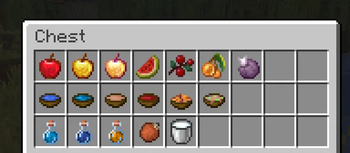
You can regain thirst points by eating or drinking :
- Fruits
- Soups and stews
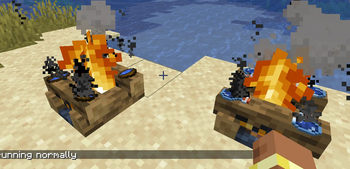
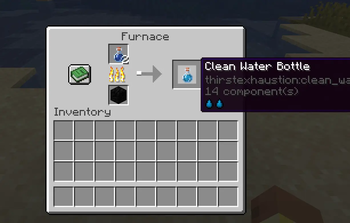
- Water Bowls and Water Bottles
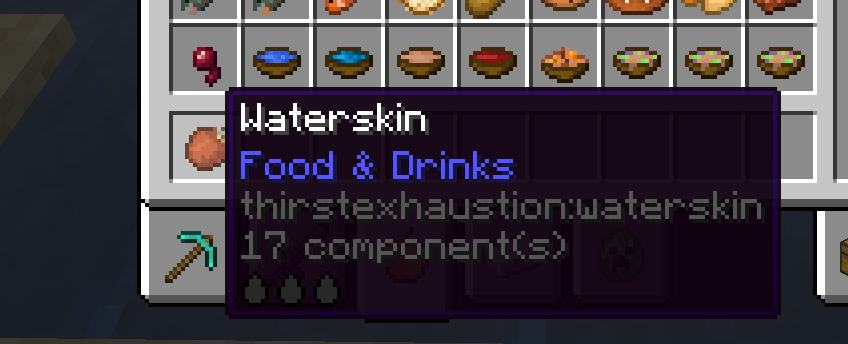
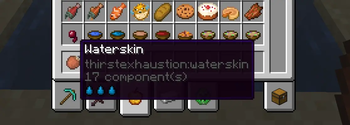
- Waterskins — refillable and reusable
You can also drink with an empty hand in certain conditions :
- During rain or thunderstorms
- While standing in or near water — but beware of still water…
Fully Configurable & Data-Driven
Every aspect of the mod can be tuned to your needs. Items are registered via datapack, making it easy to add or modify thirst values without touching the mod itself.
data/thirstexhaustion/data_maps/item/thirst_registry_data.json
{
  "values": {
    "minecraft:apple": {
      "context": "CLEAN",
      "level": 1
    }
  }
}
The context field determines the water quality of the drink :
| Context | Description | Hunger Chance (%) |
|---|---|---|
CLEAN |
Pure, safe water | 0 |
DIRTY |
Contaminated | 25 |
RIVER |
Freshwater source | 10 |
OCEAN |
Saltwater | 100 |
FLOWING_WATER |
Running water | 0 |
STILL_WATER |
Stagnant water | 50 |
Available Versions
How to Install Thirst Exhaustion on Your Server
Order Server
Order a Minecraft Java server with at least 3 GB RAM (4 GB recommended).
Set neoforge Loader
In the panel under "Egg", select the neoforge loader and matching Minecraft version (26.1.2).
Install Mod
Open the mod browser in the dashboard and search for "Thirst Exhaustion". Click "Install" – done! Alternatively, upload the .jar via SFTP to the /mods folder.
Compatibility
Mod Loaders
Minecraft Versions
26.1.2
Server-side
✓ RequiredRecommended RAM
4 GB(min. 3 GB)Frequently Asked Questions
Thirst Exhaustion server crashes on startup – what to do?
Most common cause: wrong neoforge version or insufficient RAM. Check the server log (latest.log) for "OutOfMemoryError" or "Mixin" errors. With Mado Hosting: ensure at least 3 GB RAM is allocated and the loader matches the mod version (26.1.2). You can switch loaders with one click in the panel.
Is Thirst Exhaustion compatible with neoforge?
Thirst Exhaustion officially supports neoforge for Minecraft 26.1.2. The Mado dashboard automatically detects incompatible loader combinations.
Server lagging with Thirst Exhaustion – how to optimize performance?
Recommended RAM: 4 GB (per 8 players). Use /spark profiler to check if Thirst Exhaustion consumes the most tick time. Common fixes: reduce server view-distance to 8-10, install "performant" or "starlight" as supplementary mods on Forge. With Mado Hosting, your server runs on NVMe SSDs with dedicated CPU cores for minimal latency.
Similar Mods




Rent Modded Server
Install Thirst Exhaustion with just one click on your server.