
Time Loop
Creates a time loop using the Motion Capture Mod by mt1006.
Screenshots
About this Mod
Time Loop


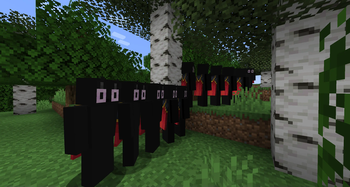
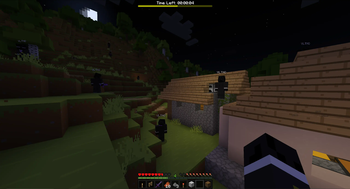
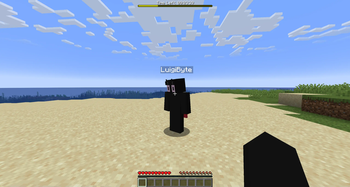
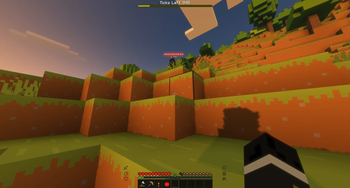
A mod that 'loops' time by using the Motion Capture Mod.
Motion Capture mod by mt1006. Inspired by this Tombino video. Original datapack by Penguin Mafia.
Installation
Requires Motion Capture Mod 1.4-alpha-10
The mod works in singleplayer and multiplayer.
Usage
Simply use commands to configure the loop.
/loop
start- Start the loop.skip- Skip the loop and advance to the next iteration.stop- Stop the loop.reset- Reset the loop and go back to the first recording. This doesn't delete the recordings as of yet but it's being worked on.status- Shows the status of the loop in chat.- settings
maxLoops [disabled]- Sets the maximum amount of loops.loopType [ticks] [6000]- Sets the type of loop.modifyPlayer [target_player] [nickname] [skin_from_file|skin_from_name|skin_from_mineskin] [skin]- Changes a looped player's nickname and skin.setRewindType [none]- Sets the rewind type.- toggles
trackTimeOfDay [false]- Toggles tracking the time of day during loops.trackItems [true]- Toggles tracking dropped items during loops.trackInventory [false]- Toggles tracking the player's inventory during loops.showLoopInfo [true]- Toggles a bar at the top of the screen showing the amount of ticks/time left until the next loop.displayTimeInTicks [false]- Displays the ticks instead of HH:MM:SS on the info bar.trackChat [true]- Toggles tracking chat during loops.hurtLoopedPlayers [false]- Toggles being able to hit looped players.
Loop Types
manual➔ Only loops when you use theskipcommandticks x➔ Loops every x ticks. Defaults to 6000 ticks (5 minutes)time_of_day x➔ Loops when the time reaches the set time of day, x. Defaults to 13000sleep➔ Loops when a player sleepsdeath➔ Loops when a player dies
Rewind Types
none➔ Doesn't rewindstart_position➔ Rewinds players to their position when the loop startedjoin_position➔ Rewinds players to their position when they joinedspawn_position➔ Rewinds players to the world's spawn position
Max Loops Types
disabled➔ Disables the settingstop_loop➔ Stops the loop after x loopskeep_newest➔ Keeps the newest x loopskeep_newest_delete➔ Keeps the newest x loops and deletes their recording files
Skin Types
skin_from_name [x]➔ Sets the skin from the given name, x. If no name is given, it defaults to the player's name.skin_from_mineskin x➔ Sets the skin from the given url, xskin_from_file x➔ Sets the skin from the file x. Skin location is:saves/<World name here>/mocap_files/skins/
Support
If you need help or encounter an issue, don't hesitate to ask someone in the discord: https://discord.gg/nzDETZhqur
Available Versions
How to Install Time Loop on Your Server
Order Server
Order a Minecraft Java server with at least 3 GB RAM (4 GB recommended).
Set fabric Loader
In the panel under "Egg", select the fabric loader and matching Minecraft version (1.21.11).
Install Mod
Open the mod browser in the dashboard and search for "Time Loop". Click "Install" – done! Alternatively, upload the .jar via SFTP to the /mods folder.
Compatibility
Mod Loaders
Minecraft Versions
1.21.11, 1.21.10, 1.21.8 (+3 more)
Server-side
✓ RequiredRecommended RAM
4 GB(min. 3 GB)Frequently Asked Questions
Time Loop server crashes on startup – what to do?
Most common cause: wrong fabric version or insufficient RAM. Check the server log (latest.log) for "OutOfMemoryError" or "Mixin" errors. With Mado Hosting: ensure at least 3 GB RAM is allocated and the loader matches the mod version (1.21.11). You can switch loaders with one click in the panel.
Is Time Loop compatible with fabric and neoforge?
Time Loop officially supports fabric, neoforge for Minecraft 1.21.11, 1.21.10, 1.21.8. The Mado dashboard automatically detects incompatible loader combinations.
Server lagging with Time Loop – how to optimize performance?
Recommended RAM: 4 GB (per 8 players). Use /spark profiler to check if Time Loop consumes the most tick time. Common fixes: reduce server view-distance to 8-10, install "performant" or "starlight" as supplementary mods on Forge. With Mado Hosting, your server runs on NVMe SSDs with dedicated CPU cores for minimal latency.
Similar Mods





Rent Modded Server
Install Time Loop with just one click on your server.