
Timewarp
A Minecraft mod that revives classic Minecraft mechanics, adding areas with customizable old features, random challenges, and old-school gameplay elements for a unique nostalgic experience.
Screenshots
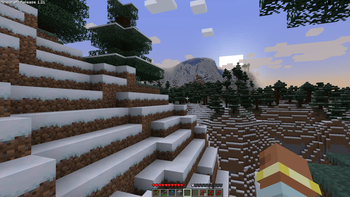
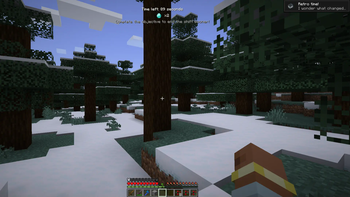
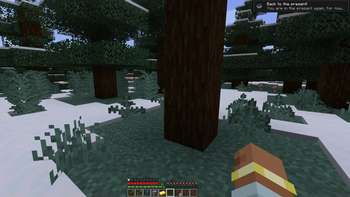
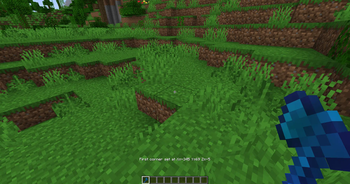
About this Mod
Timewarp

Requires Fabric API. Also compatible with NeoForge, using Sinytra Connector, requires Forgified Fabric API.
Timewarp is a Minecraft mod that brings back classic game mechanics with a fun twist! It adds random challenges with old gameplay and lets you create areas where old-school mechanics can be enabled. Customize everything to bring back the feel of older Minecraft versions.
The mod’s data is saved in the world’s root folder as timewarp_data.json. This includes all configuration settings, timewarp areas, and shift settings, making your Timewarp setup world-specific.
Usage
To set up a Timewarp area:
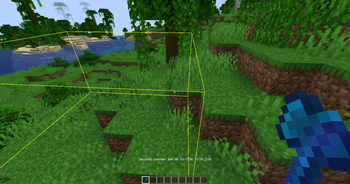
- Use the Timewarp Axe to select corners:
- Left-click on a block to set the first corner.
- Right-click on a block to set the second corner.
- Run
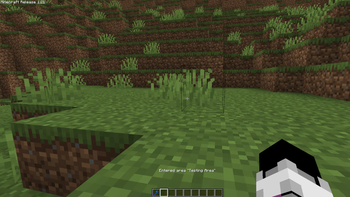
/timewarp create [name]to create the area using the selected corners. Replace[name]with a custom name for your area, e.g.,/timewarp create "Minecraft Alpha".
If you hold the Timewarp Axe, you will visually see areas that are within your render distance.
Old Mechanics
Overview
allowStacking: Prevents stacking of food items.oldMinecart: The player’s head moves according to the minecart's direction.oldAnimalBehavior: Sheep, chickens, and cows don’t drop food. Punching sheep drops wool.allowSprinting: Toggles whether sprinting is allowed, as in early Minecraft versions.versionText: Displays classic version text on the screen.oldGUI: Mimics the classic player HUD. Enables the old eating system where food replenishes health directly (no hunger bar) and removes the eating animation.noFrontView: Disables the front-facing player view, as in early versions.noSneaking: Disables sneaking.noSwimming: Disables swimming, as in pre-1.13 versions.oldCombat: Reverts combat mechanics to earlier versions, removing the attack cooldown.noTrading: Disables trading with villagers.oldLook: Uses old textures.noSmoothLighting: Disables smooth lighting.
Commands
/timewarp - General command to access Timewarp functions
- Grants the player a Timewarp Axe, allowing manipulation of Timewarp areas.
/timewarp create [name] - Create a Timewarp Area
- Creates a Timewarp area using two selected corners.
- Parameters:
name- the name of the area. - Example:
/timewarp create "Minecraft Alpha"
/timewarp edit [id] [feature] [enabled] - Edit a feature in a Timewarp Area
- Edits specific features of an area by ID.
- Parameters:
id: ID of the area.feature: Name of the feature to edit.enabled: true/false to enable or disable the feature.
- Features:
allowStacking,oldMinecart,oldAnimalBehavior,allowSprinting,versionText,oldGUI,noFrontView,noSneaking,noSwimming,oldCombat,noTrading,oldLook,noSmoothLighting
- Example:
/timewarp edit 1 oldCombat true
/timewarp delete [id] - Delete a Timewarp Area
- Deletes a Timewarp area by its ID.
- Example:
/timewarp delete 2
/timewarp trigger [player] - Trigger a Time Shift
- Forces a time shift on a specified player, applying random old mechanics.
- Example:
/timewarp trigger Player1
/timewarp tp [id] - Teleport to a Timewarp Area
- Teleports the player to the specified area by ID.
- Example:
/timewarp tp 2
/timewarp config [reload|edit] - Manage Timewarp Configuration
- reload: Reloads all configuration settings from the data file.
- edit: Modify specific config variables.
- Parameters for
edit:variable: Setting to edit (shiftDurationMin,shiftDurationMax,timeUntilShiftMin,timeUntilShiftMax,saveInterval,opCommandLevel,enableTriggering,debugMode)value: New value for the variable.
- Example:
/timewarp config edit shiftDurationMax 300
Configuration
Customization options are available to change how the time shifts work. Use these configurations in the config command or edit directly in the timewarp_data.json file in the world folder.
Shift Duration
shiftDurationMin- Minimum duration of a time shift.shiftDurationMax- Maximum duration of a time shift.
Time Until Shift
timeUntilShiftMin- Minimum time before a new shift starts.timeUntilShiftMax- Maximum time before a new shift starts.
Save Interval
saveInterval- Frequency to save data automatically.
Permissions and Triggers
opCommandLevel- Minimum permission level for commands.enableTriggering- Enable or disable automatic time shift triggers for players.
Available Versions
How to Install Timewarp on Your Server
Order Server
Order a Minecraft Java server with at least 3 GB RAM (4 GB recommended).
Set fabric Loader
In the panel under "Egg", select the fabric loader and matching Minecraft version (1.21.1).
Install Mod
Open the mod browser in the dashboard and search for "Timewarp". Click "Install" – done! Alternatively, upload the .jar via SFTP to the /mods folder.
Compatibility
Mod Loaders
Minecraft Versions
1.21.1, 1.21
Server-side
✓ RequiredRecommended RAM
4 GB(min. 3 GB)Frequently Asked Questions
Timewarp server crashes on startup – what to do?
Most common cause: wrong fabric version or insufficient RAM. Check the server log (latest.log) for "OutOfMemoryError" or "Mixin" errors. With Mado Hosting: ensure at least 3 GB RAM is allocated and the loader matches the mod version (1.21.1). You can switch loaders with one click in the panel.
Is Timewarp compatible with fabric?
Timewarp officially supports fabric for Minecraft 1.21.1, 1.21. The Mado dashboard automatically detects incompatible loader combinations.
Server lagging with Timewarp – how to optimize performance?
Recommended RAM: 4 GB (per 8 players). Use /spark profiler to check if Timewarp consumes the most tick time. Common fixes: reduce server view-distance to 8-10, install "performant" or "starlight" as supplementary mods on Forge. With Mado Hosting, your server runs on NVMe SSDs with dedicated CPU cores for minimal latency.
Similar Mods




Rent Modded Server
Install Timewarp with just one click on your server.