
Timless' Simple Zombie Infection
A simple zombie infection mod.
Screenshots
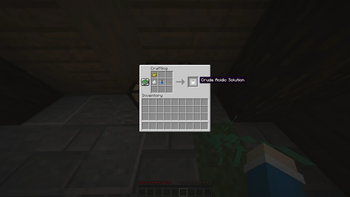
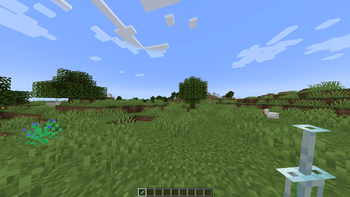
About this Mod
Timeless Simple Zombie Infection adds a slow, deadly infection system to Minecraft. Getting hit by a zombie isn't just a minor inconvenience anymore — it could be a death sentence. The infection spreads through multiple stages over time, getting worse the longer you ignore it. Penalties stack up, your options narrow, and if you wait too long, you die and come back as one of them. The good news? Everything you were carrying comes back with you. Your items sit inside the zombie until someone kills it and picks them up. No item loss, ever.
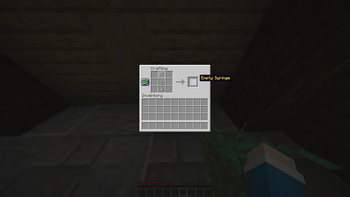
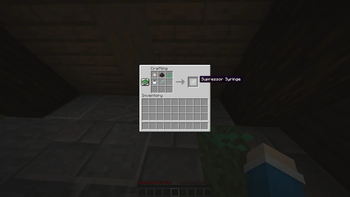
The mod comes with suppressor and antidote syringes to give you a fighting chance, a HUD indicator so you always know how bad things are, and infection commands for server admins or modpack makers who want more control. The zombification system handles full inventories, Curios slots, and Sophisticated Backpacks without breaking a sweat — all stored safely and dropped when the zombie goes down.
It's designed to make survival feel genuinely threatening. If you're building or playing in a zombie apocalypse, wasteland, horror, or hardcore modpack, this fits right in.
Features
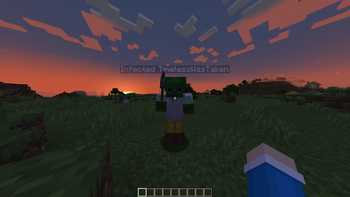
- Zombie-type mobs can infect players
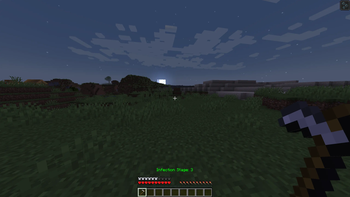
- Three-stage timed infection progression
- Visual infection timer
- Configurable infection duration and infection chance
- Suppressor and antidote syringes
- Infection HUD indicator
- Commands for infecting, clearing, and controlling infection
- Death by infection transforms the player into an infected zombie
- Full item preservation — inventory, armor, offhand, and Curios slots all saved and dropped on kill
- Works even with completely full inventories
- Forge config support
- Compatibility with The Lost Cities, Corpse, Corpse x Curios API Compat, Sophisticated Backpacks & Hardcore Revival when using v1.0.5 or up
Modpacks & Videos
Want to throw this in your modpack? Go for it — I'd actually love to see it in more packs. Same goes for YouTube videos, streams, or any kind of content. You don't need to ask permission, just drop a credit and a link back to this page somewhere visible. It doesn't have to be anything fancy — a mention in the description or the modpack listing is more than enough. It helps the mod get found by people who might enjoy it, and honestly it's just nice to know where it ends up.
Requires Geckolib & Epic Core API
Available Versions
How to Install Timless' Simple Zombie Infection on Your Server
Order Server
Order a Minecraft Java server with at least 3 GB RAM (4 GB recommended).
Set forge Loader
In the panel under "Egg", select the forge loader and matching Minecraft version (1.20.1).
Install Mod
Open the mod browser in the dashboard and search for "Timless' Simple Zombie Infection". Click "Install" – done! Alternatively, upload the .jar via SFTP to the /mods folder.
Compatibility
Mod Loaders
Minecraft Versions
1.20.1
Server-side
✓ RequiredRecommended RAM
4 GB(min. 3 GB)Frequently Asked Questions
Timless' Simple Zombie Infection server crashes on startup – what to do?
Most common cause: wrong forge version or insufficient RAM. Check the server log (latest.log) for "OutOfMemoryError" or "Mixin" errors. With Mado Hosting: ensure at least 3 GB RAM is allocated and the loader matches the mod version (1.20.1). You can switch loaders with one click in the panel.
Is Timless' Simple Zombie Infection compatible with forge?
Timless' Simple Zombie Infection officially supports forge for Minecraft 1.20.1. The Mado dashboard automatically detects incompatible loader combinations.
Server lagging with Timless' Simple Zombie Infection – how to optimize performance?
Recommended RAM: 4 GB (per 8 players). Use /spark profiler to check if Timless' Simple Zombie Infection consumes the most tick time. Common fixes: reduce server view-distance to 8-10, install "performant" or "starlight" as supplementary mods on Forge. With Mado Hosting, your server runs on NVMe SSDs with dedicated CPU cores for minimal latency.
Rent Modded Server
Install Timless' Simple Zombie Infection with just one click on your server.