
TIS3D: Renewed
Low-tech computing for Minecraft, ported to later version(s)
Screenshots
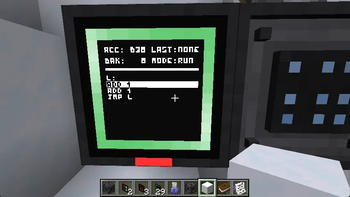
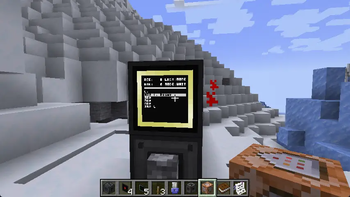
About this Mod
TIS-3D: Low-tech Computing for Minecraft
TIS-3D is a Minecraft mod inspired by the brilliant game TIS-100 (do buy it, seriously). TIS-3D Renewed is the port to later version(s).
It takes the concept of minimal, programmable nodes (called "modules" in the mod) and expands it to the third dimension. This allows building multi-block computers from different modules in a super-flexible manner. Some generally useful modules include the executable module, which can be programmed in an ASM dialect (as introduced by TIS-100 but with a few more quality-of-life instructions), and the redstone module, which allows reading and writing redstone signals, enabling basic interaction with the world. More specialized modules include the stack module, providing a small data storage, the infrared module, allowing for wireless transmission of data between TIS-3D computers, and the terminal module, providing rudimentary text in- and output. And there's plenty more.
Programming TIS-3D Computers
To program a TIS-3D computer, you can either use a vanilla Book & Quill or the TIS-3D Code Bible. To install a program from one of the two onto an execution module, simply use the book on the installed module (i.e. right-click it while holding the book in hand). When using the Book & Quill, each book will be treated as one long program, i.e. all pages will be concatenated when the program is installed on an execution module. When using the Code Bible, each page is treated as an individual program, and the program on the currently selected page will be installed on the module. You can also copy programs from execution modules back into the Code Bible by using it on an execution module while sneaking.
What now?
So what do you actually do with the mod? Have fun with it! Use it as a means of automating things you'd otherwise automate using complicated redstone circuitry. Create a music machine. Design a machine-code interpreter and run even larger programs (programmed into a ROM module). Go nuts!
Available Versions
How to Install TIS3D: Renewed on Your Server
Order Server
Order a Minecraft Java server with at least 3 GB RAM (4 GB recommended).
Set neoforge Loader
In the panel under "Egg", select the neoforge loader and matching Minecraft version (1.21.1).
Install Mod
Open the mod browser in the dashboard and search for "TIS3D: Renewed". Click "Install" – done! Alternatively, upload the .jar via SFTP to the /mods folder.
Compatibility
Mod Loaders
Minecraft Versions
1.21.1
Server-side
✓ RequiredRecommended RAM
4 GB(min. 3 GB)Frequently Asked Questions
TIS3D: Renewed server crashes on startup – what to do?
Most common cause: wrong neoforge version or insufficient RAM. Check the server log (latest.log) for "OutOfMemoryError" or "Mixin" errors. With Mado Hosting: ensure at least 3 GB RAM is allocated and the loader matches the mod version (1.21.1). You can switch loaders with one click in the panel.
Is TIS3D: Renewed compatible with neoforge?
TIS3D: Renewed officially supports neoforge for Minecraft 1.21.1. The Mado dashboard automatically detects incompatible loader combinations.
Server lagging with TIS3D: Renewed – how to optimize performance?
Recommended RAM: 4 GB (per 8 players). Use /spark profiler to check if TIS3D: Renewed consumes the most tick time. Common fixes: reduce server view-distance to 8-10, install "performant" or "starlight" as supplementary mods on Forge. With Mado Hosting, your server runs on NVMe SSDs with dedicated CPU cores for minimal latency.
Similar Mods





Rent Modded Server
Install TIS3D: Renewed with just one click on your server.