
TNT Damage Booster
Increases TNT damage
Screenshots

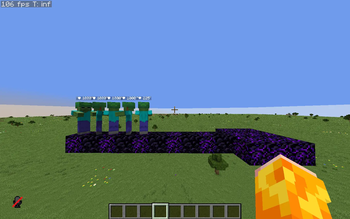

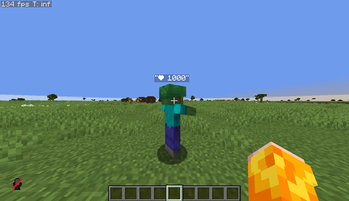
About this Mod
💥 TNT Damage Multiplier
A customizable datapack for Minecraft that allows you to change TNT damage in real time!
✨ Features
- 🎯 Customizable Damage - Change the TNT damage multiplier with a simple command
- 💥 Realistic Damage - Damage falls off over distance, just like real TNT
- ❤️ Armor-Aware - Armor and enchantments (including Explosion Protection) work correctly
- ⚡ Lightweight and Fast - Optimized for minimal performance impact
🎮 Usage
Changing TNT Damage
/trigger tnt_damage set <value>
Examples:
/trigger tnt_damage set 100- standard damage (100%)/trigger tnt_damage set 200- double damage (200%)/trigger tnt_damage set 500- five times the damage (500%)/trigger tnt_damage set 50- half the damage (50%)
📐 How Damage Works
TNT damage depends on the distance to the explosion:
| Distance | Base Damage | With a 200% multiplier |
|---|---|---|
| 0-1 block | 65 HP | 130 HP |
| 1-2 blocks | 55 HP | 110 HP |
| 2-3 blocks | 45 HP | 90 HP |
| 3-4 blocks | 35 HP | 70 HP |
| 4-5 blocks | 25 HP | 50 HP |
| 5-6 blocks | 18 HP | 36 HP |
| 6-7 blocks | 12 HP | 24 HP |
| 7-8 blocks | 8 HP | 16 HP |
Damage includes armor and defense enchantments
🔧 Installation
- Download the datapack
- Place it in the
saves/<your_world>/datapacks/folder - Reload the world or run
/reload - Done! Use
/trigger tnt_damage set <value>to configure the settings.
🗑️ Uninstall
To completely remove the datapack, run:
/function tnt_damage:uninstall
Then delete the datapack files from the datapacks folder.
📋 Requirements
- Minecraft 1.21+ (pack_format 48)
- Cheats enabled
🎯 Ideal for
- PvP arenas with TNT
- Explosive minigames
- Hardcore survival
- Custom adventure maps
- Servers with unique gameplay
💡 Technical Details
- Uses scoreboard for damage tracking
- Uses explosion damage to properly handle armor
- Minimal performance impact
Created for the Minecraft community ❤️
Available Versions
How to Install TNT Damage Booster on Your Server
Order Server
Order a Minecraft Java server with at least 3 GB RAM (4 GB recommended).
Set datapack Loader
In the panel under "Egg", select the datapack loader and matching Minecraft version (1.21.11).
Install Mod
Open the mod browser in the dashboard and search for "TNT Damage Booster". Click "Install" – done! Alternatively, upload the .jar via SFTP to the /mods folder.
Compatibility
Mod Loaders
Minecraft Versions
1.21.11, 1.21.10, 1.21.9 (+15 more)
Server-side
✓ RequiredRecommended RAM
4 GB(min. 3 GB)Frequently Asked Questions
TNT Damage Booster server crashes on startup – what to do?
Most common cause: wrong datapack version or insufficient RAM. Check the server log (latest.log) for "OutOfMemoryError" or "Mixin" errors. With Mado Hosting: ensure at least 3 GB RAM is allocated and the loader matches the mod version (1.21.11). You can switch loaders with one click in the panel.
Is TNT Damage Booster compatible with datapack and fabric and forge and neoforge and quilt?
TNT Damage Booster officially supports datapack, fabric, forge, neoforge, quilt for Minecraft 1.21.11, 1.21.10, 1.21.9. Note: Forge and Fabric mods are NOT cross-compatible – pick one loader and stick with it. The Mado dashboard automatically detects incompatible loader combinations.
Server lagging with TNT Damage Booster – how to optimize performance?
Recommended RAM: 4 GB (per 8 players). Use /spark profiler to check if TNT Damage Booster consumes the most tick time. Common fixes: reduce server view-distance to 8-10, install "performant" or "starlight" as supplementary mods on Forge. With Mado Hosting, your server runs on NVMe SSDs with dedicated CPU cores for minimal latency.
Rent Modded Server
Install TNT Damage Booster with just one click on your server.