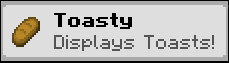
Toasty
Display toasts to players after certain events happen
About this Mod
Toasty
Toasty is a Minecraft Mod that allows you to display toasts after certain events happen in game.

Toasty is fully clientside.
Adding custom toasts
A custom toast can be added using a resourcepack and placing a JSON file under assets/<namespace>/toasts.
A toast file looks like this:
{
  "toast": {
    "factory": {
      //optional, defaults to true
      "display_once": true,
      //optional, defaults to 5000, or 5 secs
      "display_time_in_milliseconds" : 5000,
      //The item to display on the left corner
      "item": "minecraft:bread",

      //Text and title are required Component fields. This means they can be translated,
      //colored and styled just like any other text you can see in game.
      "text": "Display toasts after certain actions are performed. Fully clientside!",
      "title": "Toasty helps customising your pack!"
    },
    //As of now, only this factory exists
    "toast_factory": "toasty:simple"
  },
  //A toast source is the way through which a player sees the Toast.
  //A toast source's targets are heavily dependant on the source.
  "toast_source": [
    {
      "source_id": "toasty:on_login",
      "targets": ["toasty:on_login"]
    }
  ]
}
Toast Factories
As of now, the only type of factory enabled is toasty:simple.
Toast Sources
toasty:on_login- Displays the toast when logging into a world. Requires a non-emptytargetslist.toasty:item_pickup- Displays the toast after picking up an item in the world. A target is the ResourceLocation that identifies the item. For example,minecraft:iron_pickaxe.toasty:entity_kill- Displays the toast after killing a certain entity type. A target is the ResourceLocation that identifies the entity type. For example,minecraft:chicken.
Saved locations
Toasty is fully clientside and uses the toasty folder at the root of your minecraft instance to keep
track of the toasts you have seen throughout your playthrough.
Future plans
- A screen to create toasts in game.
- CraftTweaker support
Available Versions
How to Install Toasty on Your Server
Order Server
Order a Minecraft Java server with at least 3 GB RAM (4 GB recommended).
Set fabric Loader
In the panel under "Egg", select the fabric loader and matching Minecraft version (1.21.1).
Install Mod
Open the mod browser in the dashboard and search for "Toasty". Click "Install" – done! Alternatively, upload the .jar via SFTP to the /mods folder.
Compatibility
Mod Loaders
Minecraft Versions
1.21.1
Server-side
✗ UnsupportedRecommended RAM
4 GB(min. 3 GB)Frequently Asked Questions
Toasty server crashes on startup – what to do?
Most common cause: wrong fabric version or insufficient RAM. Check the server log (latest.log) for "OutOfMemoryError" or "Mixin" errors. With Mado Hosting: ensure at least 3 GB RAM is allocated and the loader matches the mod version (1.21.1). You can switch loaders with one click in the panel.
Is Toasty compatible with fabric and neoforge?
Toasty officially supports fabric, neoforge for Minecraft 1.21.1. The Mado dashboard automatically detects incompatible loader combinations.
Server lagging with Toasty – how to optimize performance?
Recommended RAM: 4 GB (per 8 players). Use /spark profiler to check if Toasty consumes the most tick time. Common fixes: reduce server view-distance to 8-10, install "performant" or "starlight" as supplementary mods on Forge. With Mado Hosting, your server runs on NVMe SSDs with dedicated CPU cores for minimal latency.
Rent Modded Server
Install Toasty with just one click on your server.