
Tool Mapper
Automatically selects the best tool or weapon from your inventory based on what you're looking at.
Screenshots
About this Mod
English
Tool Mapper is a quality-of-life mod that automatically selects the best tool or weapon from your inventory based on what your crosshair is pointing at.
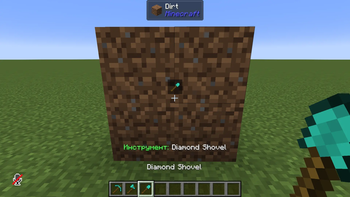
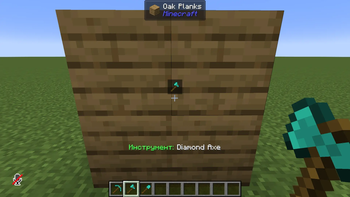
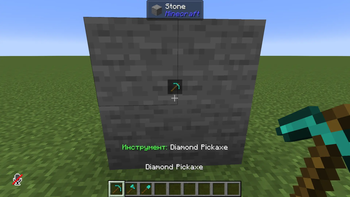
Point at a stone block — your best pickaxe jumps to hand. Point at a zombie — the mod picks the sword with the highest damage, accounting for Smite enchantments. Point at a spider from up close — Bane of Arthropods kicks in. Spot an enemy far away — it switches to your bow or crossbow automatically.
The mod searches your full inventory, not just the hotbar, and moves the best item to a free slot when needed. A small HUD icon above the crosshair shows you what will be selected before you even press the key. An optional auto mode switches tools without any input at all.
Everything is configurable: durability threshold, ranged switch distance, auto shield, smart enchantment detection, full inventory search, and HUD visibility — all in a simple JSON config file.
Русский
Tool Mapper — мод для удобства, который автоматически выбирает лучший инструмент или оружие из твоего инвентаря в зависимости от того, на что направлен прицел.
Навёлся на каменный блок — в руку прыгает лучшая кирка. Навёлся на зомби — мод выбирает меч с наибольшим уроном с учётом чар Smite. Навёлся на паука — в приоритете оружие с Bane of Arthropods. Заметил врага издалека — автоматически переключается на лук или арбалет.
Мод ищет не только в хотбаре, но и во всём инвентаре — и сам перекладывает нужный предмет в свободный слот. Маленькая иконка над прицелом показывает, что будет выбрано, ещё до нажатия кнопки. Есть авторежим — переключение без каких-либо нажатий.
Всё настраивается: порог прочности, дистанция переключения на дальнобой, авто-щит, умное определение чар, поиск по всему инвентарю и отображение HUD — всё в простом JSON-конфиге.
Available Versions
How to Install Tool Mapper on Your Server
Order Server
Order a Minecraft Java server with at least 3 GB RAM (4 GB recommended).
Set fabric Loader
In the panel under "Egg", select the fabric loader and matching Minecraft version (1.21.1).
Install Mod
Open the mod browser in the dashboard and search for "Tool Mapper". Click "Install" – done! Alternatively, upload the .jar via SFTP to the /mods folder.
Compatibility
Mod Loaders
Minecraft Versions
1.21.1
Server-side
✗ UnsupportedRecommended RAM
4 GB(min. 3 GB)Frequently Asked Questions
Tool Mapper server crashes on startup – what to do?
Most common cause: wrong fabric version or insufficient RAM. Check the server log (latest.log) for "OutOfMemoryError" or "Mixin" errors. With Mado Hosting: ensure at least 3 GB RAM is allocated and the loader matches the mod version (1.21.1). You can switch loaders with one click in the panel.
Is Tool Mapper compatible with fabric and neoforge?
Tool Mapper officially supports fabric, neoforge for Minecraft 1.21.1. The Mado dashboard automatically detects incompatible loader combinations.
Server lagging with Tool Mapper – how to optimize performance?
Recommended RAM: 4 GB (per 8 players). Use /spark profiler to check if Tool Mapper consumes the most tick time. Common fixes: reduce server view-distance to 8-10, install "performant" or "starlight" as supplementary mods on Forge. With Mado Hosting, your server runs on NVMe SSDs with dedicated CPU cores for minimal latency.
Similar Mods




![[TaCZ] Timeless and Classics Zero](https://cdn.modrinth.com/data/SzzJttH8/fd27766d2bb8390d284696b1dbd358f87e081439_96.webp)

Rent Modded Server
Install Tool Mapper with just one click on your server.