Tools for Survival
Adds new tools and weapons to be used in difficult survival situations
Screenshots
About this Mod
This mod introduces a few items that can be useful in the very early- to mid-game of Minecraft, especially if you're playing a more realistically balanced modpack.
Items this mod adds:
Plant Fiber and Plant String
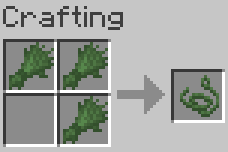
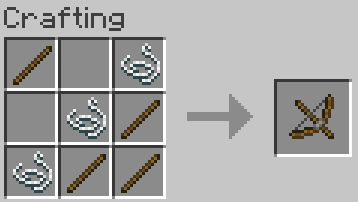
You can get Plant Fiber by breaking grass with a Sickle. It can then be crafted into plant string, which with sticks can be used to craft the Bow Drill. Plant String is also tagged with the Forge String tag, meaning it can be used in most recipes instead of Vanilla String.
Bow Drill
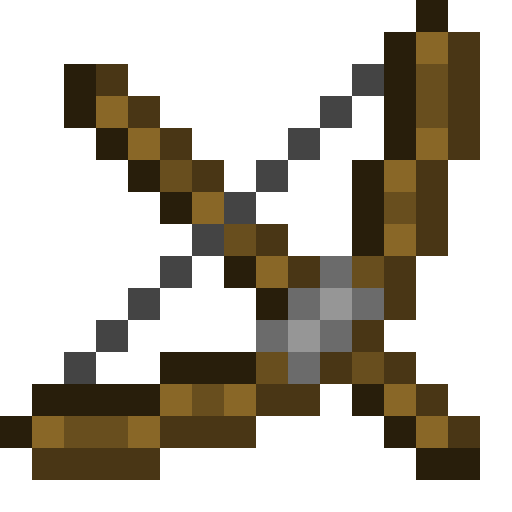
The Bow Drill acts very similarly to Flint and Steel, with the exception being that you need to hold right-click for a few seconds to start a fire. You can see smoke particles in the block you're aiming at to know that it's working. A simple and semi-realistic way to make a fire without iron or flint.
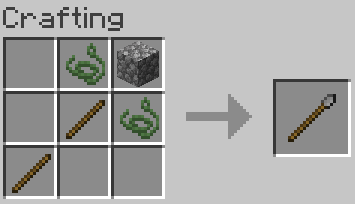
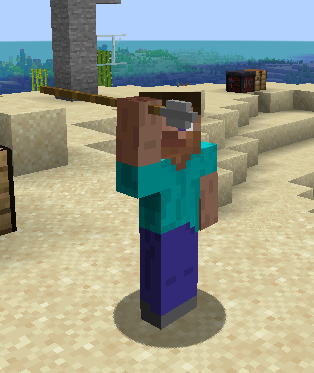
Javelin
The Javelin works similarly to a trident except it can't be enchanted and does less melee damage. It is very easy to craft and gives some ranged combat capabilities in the early game.
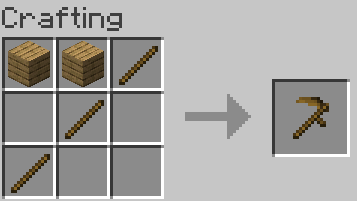
Sickle
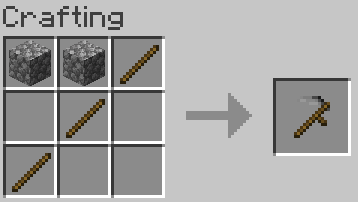
The main function of the Sickle is that when harvesting crops or bushes with it, any items that drop from them are stacked and given neatly and directly to the harvester so you don't have to go and pick those items up.
Versions from 1.20.1-1.0.5 onward now require ShadowizardLib.
Available Versions
How to Install Tools for Survival on Your Server
Order Server
Order a Minecraft Java server with at least 3 GB RAM (4 GB recommended).
Set forge Loader
In the panel under "Egg", select the forge loader and matching Minecraft version (1.21.1).
Install Mod
Open the mod browser in the dashboard and search for "Tools for Survival". Click "Install" – done! Alternatively, upload the .jar via SFTP to the /mods folder.
Compatibility
Mod Loaders
Minecraft Versions
1.21.1, 1.20.1, 1.19.2
Server-side
✓ RequiredRecommended RAM
4 GB(min. 3 GB)Frequently Asked Questions
Tools for Survival server crashes on startup – what to do?
Most common cause: wrong forge version or insufficient RAM. Check the server log (latest.log) for "OutOfMemoryError" or "Mixin" errors. With Mado Hosting: ensure at least 3 GB RAM is allocated and the loader matches the mod version (1.21.1). You can switch loaders with one click in the panel.
Is Tools for Survival compatible with forge and neoforge?
Tools for Survival officially supports forge, neoforge for Minecraft 1.21.1, 1.20.1, 1.19.2. The Mado dashboard automatically detects incompatible loader combinations.
Server lagging with Tools for Survival – how to optimize performance?
Recommended RAM: 4 GB (per 8 players). Use /spark profiler to check if Tools for Survival consumes the most tick time. Common fixes: reduce server view-distance to 8-10, install "performant" or "starlight" as supplementary mods on Forge. With Mado Hosting, your server runs on NVMe SSDs with dedicated CPU cores for minimal latency.
Similar Mods



![[TaCZ] Timeless and Classics Zero](https://cdn.modrinth.com/data/SzzJttH8/fd27766d2bb8390d284696b1dbd358f87e081439_96.webp)


Rent Modded Server
Install Tools for Survival with just one click on your server.