
Traveler's Journal
Part of the Traveler's Series; provide a player with a book upon joining, with its content dynamically managed and continuously updated by the admin from a markdown file.
Screenshots
About this Mod
Traveler's Journal
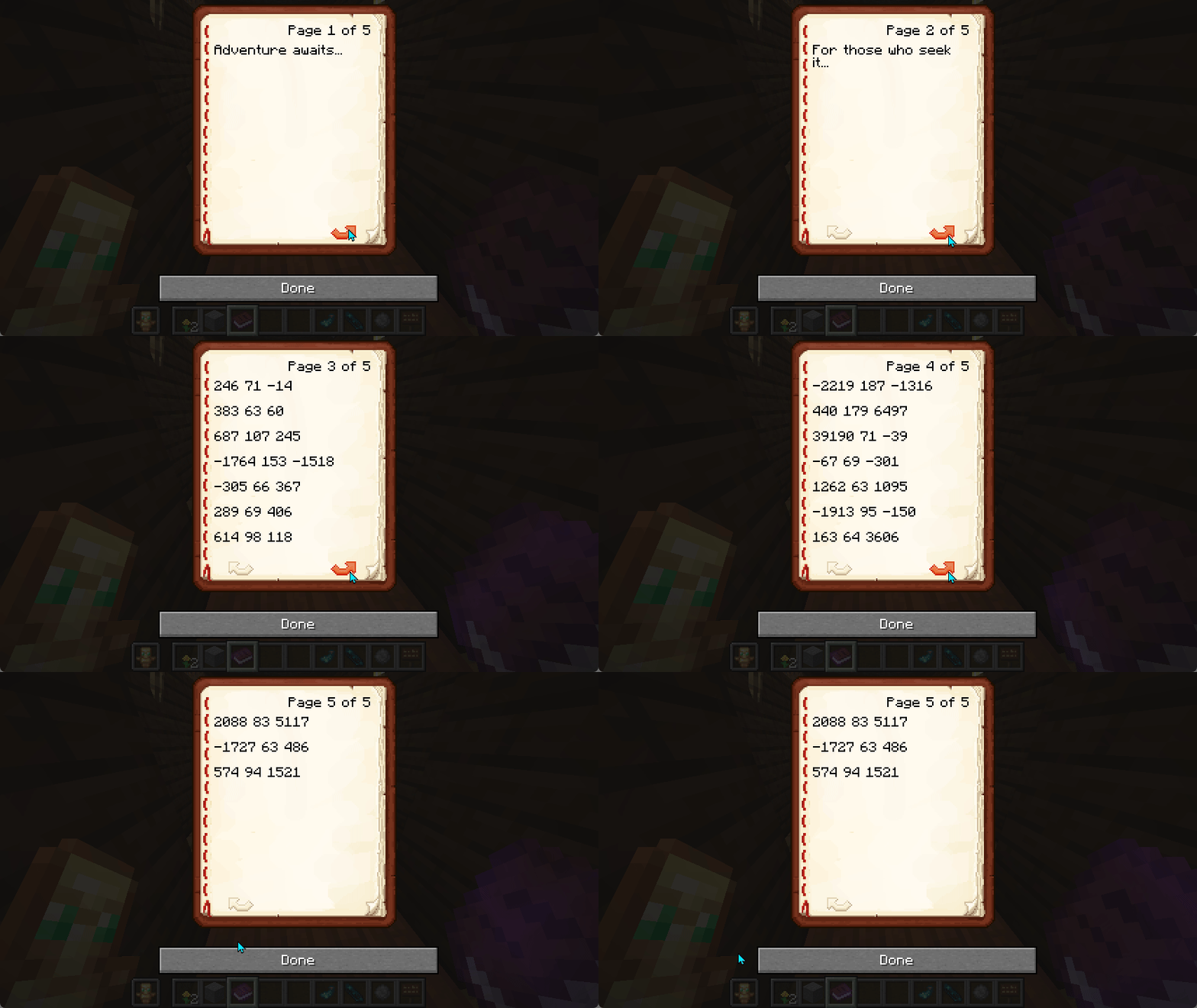
The Travelers Journal can be given to a player on join and its contents can be managed by the server admin. This allows for welcome instructions as well as avenues for setting up adventures for your new players.
Features
- Dynamic journal content that updates when used
- Automatic distribution to new players
- Server-side implementation for multiplayer compatibility
- Customizable content through configuration
- Real-time preview system for journal formatting
Configuration
The mod can be configured through files in the config/travelers-journal/ directory:
Basic Settings (config.txt)
title=Traveler's Journal
author=Server
give_at_spawn=true
debug_logging=false
legacy_titles=Traveller's Journal,Travelers Journal
Journal Content
Create or edit config/travelers-journal/travelers_journal.md to set your journal's content. The mod supports standard Minecraft text formatting:
- Markdown-style formatting:
- Bold:
**text** - Italic:
*text* - Underline:
_text_
- Bold:
- Color codes:
<color>text<>where color is one of:black,dark_blue,dark_green,dark_aquadark_red,dark_purple,gold,graydark_gray,blue,green,aquared,light_purple,yellow,white
- Page breaks: Use
[page]to start a new page
Preview Your Journal
After installing the mod, you can preview how your journal will look in-game:
- Navigate to
config/travelers-journal/preview/ - Open
index.htmlin your web browser - Edit your journal content in the left panel
- See a real-time preview on the right
This makes it easy to format and test your journal content before players see it in-game!
Support
Join the GBTI Network!
The GBTI Network is a membership community:
- Access to our private Minecraft server
- Exclusive development tools and resources
- Private repositories and code libraries
- Discord community for collaboration
- Member directory listing to showcase your work
- Co-op opportunities and project partnerships
- Early access to new features and tools
Support our work by becoming a GBTI Network member.
Other ways to Support:
- Star us on GitHub
- Report issues on our Issue Tracker
- Contribute through Pull Requests
- Heart us on Modrinth
License
This project is licensed under the GNU General Public License v3.0
Available Versions
How to Install Traveler's Journal on Your Server
Order Server
Order a Minecraft Java server with at least 3 GB RAM (4 GB recommended).
Set fabric Loader
In the panel under "Egg", select the fabric loader and matching Minecraft version (1.21.1).
Install Mod
Open the mod browser in the dashboard and search for "Traveler's Journal". Click "Install" – done! Alternatively, upload the .jar via SFTP to the /mods folder.
Compatibility
Mod Loaders
Minecraft Versions
1.21.1
Server-side
✓ RequiredRecommended RAM
4 GB(min. 3 GB)Frequently Asked Questions
Traveler's Journal server crashes on startup – what to do?
Most common cause: wrong fabric version or insufficient RAM. Check the server log (latest.log) for "OutOfMemoryError" or "Mixin" errors. With Mado Hosting: ensure at least 3 GB RAM is allocated and the loader matches the mod version (1.21.1). You can switch loaders with one click in the panel.
Is Traveler's Journal compatible with fabric?
Traveler's Journal officially supports fabric for Minecraft 1.21.1. The Mado dashboard automatically detects incompatible loader combinations.
Server lagging with Traveler's Journal – how to optimize performance?
Recommended RAM: 4 GB (per 8 players). Use /spark profiler to check if Traveler's Journal consumes the most tick time. Common fixes: reduce server view-distance to 8-10, install "performant" or "starlight" as supplementary mods on Forge. With Mado Hosting, your server runs on NVMe SSDs with dedicated CPU cores for minimal latency.
Similar Mods




Rent Modded Server
Install Traveler's Journal with just one click on your server.