
Traveler's Lectern
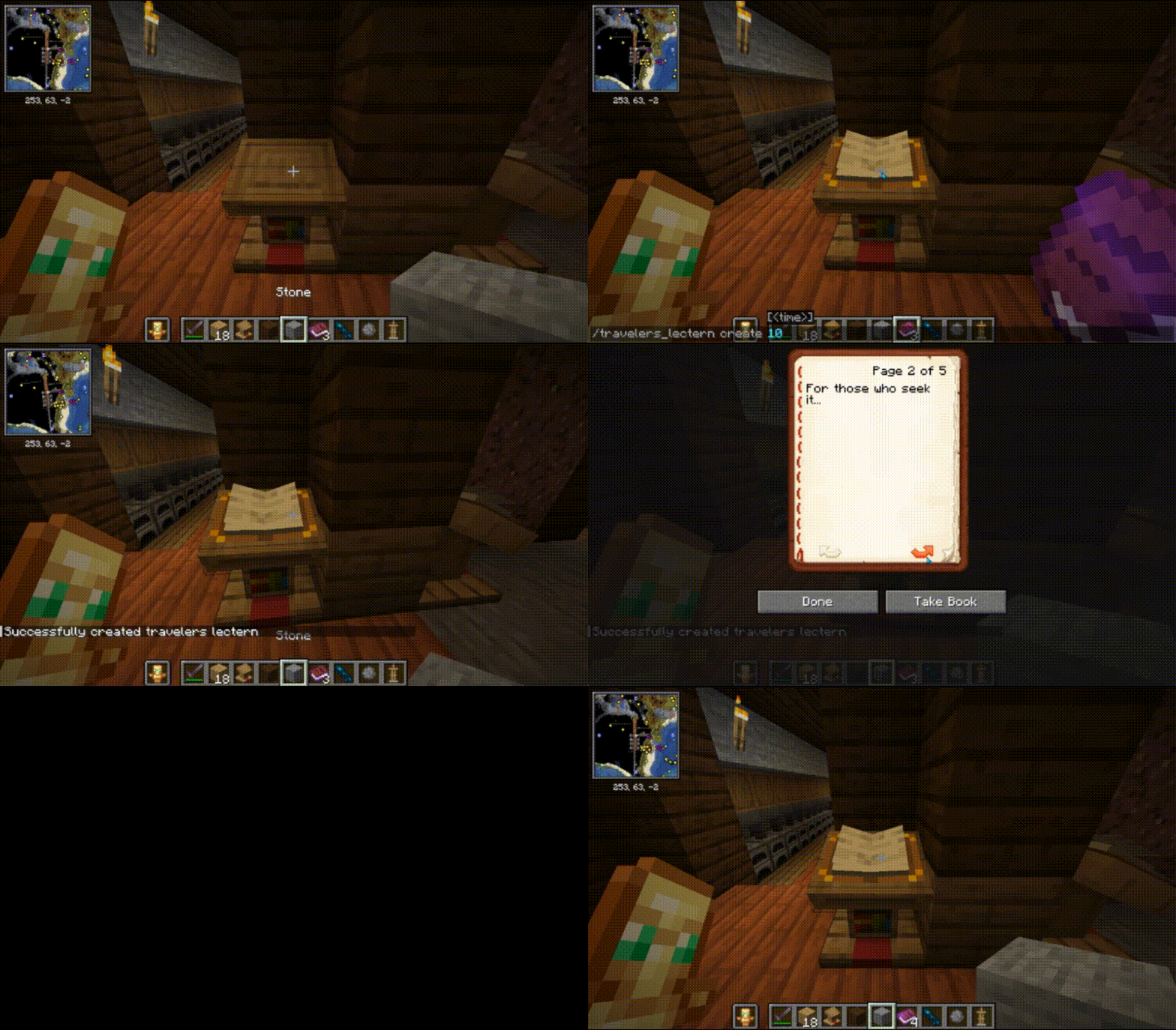
A lectern that respawns a book after an amount of time.
Screenshots
About this Mod
Traveler's Lectern
Part of the Traveler's Series. Travelers Lectern is a Minecraft mod that provides players with a unique lectern that can regenerate its book after a configurable cooldown period. Built with Fabric for Minecraft 1.21.1.
Features
- Automatically respawns books in lecterns after a cooldown
- Configurable cooldown and debug logging settings
- Server-side implementation for multiplayer compatibility
- Custom commands for creating, editing, and destroying Traveler's Lecterns
- Admin-protected lecterns with permission-based interaction
Configuration
The mod can be configured through files in the config/travelers-lectern/ directory:
Basic Settings (travelers_lectern_config.txt)
debug_logging=false
debug_logging: Enable or disable debug logging for detailed information in server logs.
Lectern Data
- Lectern data is saved in
travelers_lecterns.jsonwithin the configuration folder. This file is automatically managed by the mod and should not be manually edited.
Commands
When a player with ops permission level 4 (admin) is in the server, they can use the following commands when looking at a lectern with a book on it:
/travelers_lectern create [time]: Create a Traveler's Lectern with a cooldown in seconds (default: 1800 seconds)./travelers_lectern edit [time]: Edit an existing Traveler's Lectern to update its cooldown./travelers_lectern destroy: Remove a Traveler's Lectern.
Usage
- Place a lectern and a book in it.
- Use the
/travelers_lectern createcommand while facing the lectern to make it a Traveler's Lectern. - After the cooldown period, the book will automatically regenerate if taken out.
- Admin players (permission level 4) can edit or destroy Traveler's Lecterns using the respective commands.
🛠 Development
This mod was built using:
- Java 21
- Fabric API
- Gson for JSON parsing and serialization
Project Structure
src/main/java: Contains the main mod logic.src/main/resources: Includes assets, mixins, and configuration files.
Key Files
TravelersLectern.java: Initializes the mod and handles server events.FileManager.java: Manages reading and saving configuration files and lectern data.LecternObject.java: Represents a Traveler's Lectern with cooldown logic.LecternBlockMixin.java: Modifies vanilla lectern behavior.
Support
Join the GBTI Network!
The GBTI Network is a membership community:
- Access to our private Minecraft server
- Exclusive development tools and resources
- Private repositories and code libraries
- Discord community for collaboration
- Member directory listing to showcase your work
- Co-op opportunities and project partnerships
- Early access to new features and tools
Support our work by becoming a GBTI Network member.
Other ways to Support:
- Star us on GitHub
- Report issues on our Issue Tracker
- Contribute through Pull Requests
- Heart us on Modrinth
License
This project is licensed under the GNU General Public License v3.0
Available Versions
How to Install Traveler's Lectern on Your Server
Order Server
Order a Minecraft Java server with at least 3 GB RAM (4 GB recommended).
Set fabric Loader
In the panel under "Egg", select the fabric loader and matching Minecraft version (1.21.1).
Install Mod
Open the mod browser in the dashboard and search for "Traveler's Lectern". Click "Install" – done! Alternatively, upload the .jar via SFTP to the /mods folder.
Compatibility
Mod Loaders
Minecraft Versions
1.21.1
Server-side
✓ RequiredRecommended RAM
4 GB(min. 3 GB)Frequently Asked Questions
Traveler's Lectern server crashes on startup – what to do?
Most common cause: wrong fabric version or insufficient RAM. Check the server log (latest.log) for "OutOfMemoryError" or "Mixin" errors. With Mado Hosting: ensure at least 3 GB RAM is allocated and the loader matches the mod version (1.21.1). You can switch loaders with one click in the panel.
Is Traveler's Lectern compatible with fabric?
Traveler's Lectern officially supports fabric for Minecraft 1.21.1. The Mado dashboard automatically detects incompatible loader combinations.
Server lagging with Traveler's Lectern – how to optimize performance?
Recommended RAM: 4 GB (per 8 players). Use /spark profiler to check if Traveler's Lectern consumes the most tick time. Common fixes: reduce server view-distance to 8-10, install "performant" or "starlight" as supplementary mods on Forge. With Mado Hosting, your server runs on NVMe SSDs with dedicated CPU cores for minimal latency.
Similar Mods




Rent Modded Server
Install Traveler's Lectern with just one click on your server.