
TrulyRandom
Randomise the World
Screenshots


About this Mod
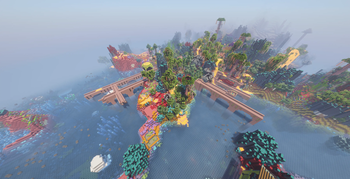
TrulyRandom – Randomise the World


Choose which modules should be randomised for the world through three main categories: Worldgen Modules, General Modules, and Client Modules. You can access the module configurations during world creation or in-game via the designated keybind (g) to open the Randomiser GUI.
Modules & Settings
- Block Models: Randomises the models of blocks that share the same shape and states.
- Settings allow you to force all instances of a block state to share the same model as the default state.
- You can also choose to ignore model occlusion and state properties, though this may cause rendering quirks or FPS lag.
- Item Models: Randomises the models of items.
- You can enable "Match Block Model Randomisation" to force the random item model to match its block counterpart.
- Loot Tables: Randomises the loot tables of blocks, entities, chests, and more.
- You can configure this to swap loot tables entirely (recommended for consistency) or to produce random items with random quantities.
- Recipes: Randomises the crafting recipes of items.
- Individual settings are available to toggle randomisation for Crafting, Smelting, Blasting, Smoking, Campfire Cooking, Stonecutting, and Smithing.
- Villager Trades: Randomises the traded items of villagers.
- This randomisation includes emeralds.
- Structures: Each structure will be replaced with a different structure where it would normally generate (excluding strongholds).
- The
/locatecommand will be unreliable with this enabled. - Settings include a toggle to use the legacy randomiser (which allows all structures to generate everywhere) and an option to nerf elytra durability to 0 in end cities.
- The
- Features: Each feature will be replaced with another feature where possible (e.g., placing an iceberg instead of a tree).
- Block Palette: Each type of block will be replaced with another type of block.
- Settings allow you to ignore state properties, collision shapes, and occlusion shapes.
- You can choose to "Keep Stone As Stone" to allow overworld surface rules to apply.
- Warning: This module may lead to unstable worlds and cannot be changed once set.
Note on Worldgen Modules:
- Worldgen modules like Structures, Features, and Block Palette cannot be changed once they are set during world creation.
/trulyrandom Playerwill configure the Minecraft modules forPlayer, allowing for per-player item/block model randomisation.
Loot Tracker
- Opened from the Red Book in the survival inventory.
- Displays entries of items you have triggered the loot tables for (even if they didn't drop).
- Entries open a graph showing their sources up to a depth of 20.
- Hovering a source displays the full path to get to the entry.
- Holding shift while hovering an item will show which loot tables you have discovered that drop said item.
- The tracker book now also supports tracking "Hero of the Village" gifts across all villager professions.
Available Versions
How to Install TrulyRandom on Your Server
Order Server
Order a Minecraft Java server with at least 3 GB RAM (4 GB recommended).
Set fabric Loader
In the panel under "Egg", select the fabric loader and matching Minecraft version (26.1).
Install Mod
Open the mod browser in the dashboard and search for "TrulyRandom". Click "Install" – done! Alternatively, upload the .jar via SFTP to the /mods folder.
Compatibility
Mod Loaders
Minecraft Versions
26.1, 1.21.8, 1.21.4 (+2 more)
Server-side
✓ RequiredRecommended RAM
4 GB(min. 3 GB)Frequently Asked Questions
TrulyRandom server crashes on startup – what to do?
Most common cause: wrong fabric version or insufficient RAM. Check the server log (latest.log) for "OutOfMemoryError" or "Mixin" errors. With Mado Hosting: ensure at least 3 GB RAM is allocated and the loader matches the mod version (26.1). You can switch loaders with one click in the panel.
Is TrulyRandom compatible with fabric?
TrulyRandom officially supports fabric for Minecraft 26.1, 1.21.8, 1.21.4. The Mado dashboard automatically detects incompatible loader combinations.
Server lagging with TrulyRandom – how to optimize performance?
Recommended RAM: 4 GB (per 8 players). Use /spark profiler to check if TrulyRandom consumes the most tick time. Common fixes: reduce server view-distance to 8-10, install "performant" or "starlight" as supplementary mods on Forge. With Mado Hosting, your server runs on NVMe SSDs with dedicated CPU cores for minimal latency.
Similar Mods





Rent Modded Server
Install TrulyRandom with just one click on your server.