
Try to Die
This mod makes it NEARLY impossible to die in Minecraft. Come try it out....
Screenshots
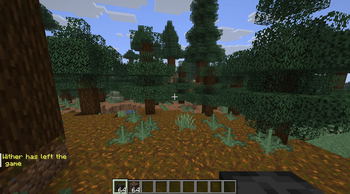
About this Mod
A chaotic Minecraft Fabric mod that turns dangerous things into weird, funny, and sometimes wholesome moments.
Designed for players who want a cursed survival experience where almost nothing behaves normally anymore.
Features
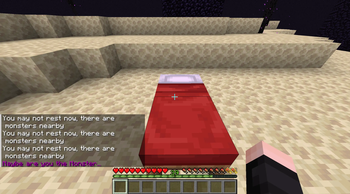
Beds no longer explode
Trying to sleep in the Nether or End will no longer kill you.
Instead:
sleeping is blocked
a mysterious message appears in chat
after multiple attempts, the messages become stranger...
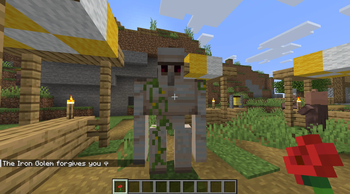
Iron Golems are peaceful
Iron Golems will never attack players.
If you hit one:
it forgives you
drops a poppy
sends a message in chat
Bees heal you
Bee stings no longer poison or damage you.
Instead:
you get healed
heart particles appear
a magical sound plays
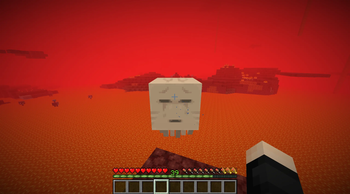
Ghast & Blaze fireballs removed
Fireballs get deleted before they can hurt you.
Includes:
splash particles
extinguish sounds
End Crystals disabled
End Crystals cannot explode anymore.
Instead:
they disappear instantly
smoke particles appear
Hostile mobs vanish near players
Most hostile mobs instantly disappear when approaching you.
Includes:
smoke particles
sound effects
TNT reversal
Primed TNT turns back into a normal TNT block before exploding.
Slow Falling forever
Players permanently receive Slow Falling effects.
Includes:
cloud particles while falling
Void protection
Falling into the void launches you back upward and heals you.
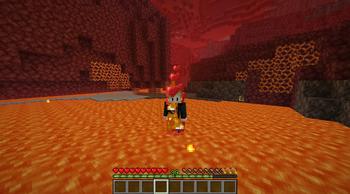
Fire heals you
Being on fire no longer hurts.
Instead:
flames are extinguished
you get healed
heart particles appear
Hunger protection
Losing hunger instantly restores your food bar.
A mysterious message from Herobrine appears in chat...
Cactus remover
Nearby cactus blocks instantly break themselves.
Sweet berries & Wither roses decay
Dangerous plants transform into dead bushes.
Arrow redirect system
Hostile arrows fly back toward the mob that shot them.
Requirements
Minecraft Fabric
Fabric API
Warning
This mod heavily changes survival gameplay and is intentionally absurd.
Not recommended for serious balancing.
The Creator:
Available Versions
How to Install Try to Die on Your Server
Order Server
Order a Minecraft Java server with at least 3 GB RAM (4 GB recommended).
Set fabric Loader
In the panel under "Egg", select the fabric loader and matching Minecraft version (1.21.11).
Install Mod
Open the mod browser in the dashboard and search for "Try to Die". Click "Install" – done! Alternatively, upload the .jar via SFTP to the /mods folder.
Compatibility
Mod Loaders
Minecraft Versions
1.21.11
Server-side
✓ RequiredRecommended RAM
4 GB(min. 3 GB)Frequently Asked Questions
Try to Die server crashes on startup – what to do?
Most common cause: wrong fabric version or insufficient RAM. Check the server log (latest.log) for "OutOfMemoryError" or "Mixin" errors. With Mado Hosting: ensure at least 3 GB RAM is allocated and the loader matches the mod version (1.21.11). You can switch loaders with one click in the panel.
Is Try to Die compatible with fabric?
Try to Die officially supports fabric for Minecraft 1.21.11. The Mado dashboard automatically detects incompatible loader combinations.
Server lagging with Try to Die – how to optimize performance?
Recommended RAM: 4 GB (per 8 players). Use /spark profiler to check if Try to Die consumes the most tick time. Common fixes: reduce server view-distance to 8-10, install "performant" or "starlight" as supplementary mods on Forge. With Mado Hosting, your server runs on NVMe SSDs with dedicated CPU cores for minimal latency.
Similar Mods




Rent Modded Server
Install Try to Die with just one click on your server.