
Try2NotUpgrade
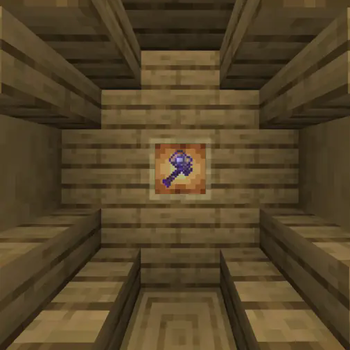
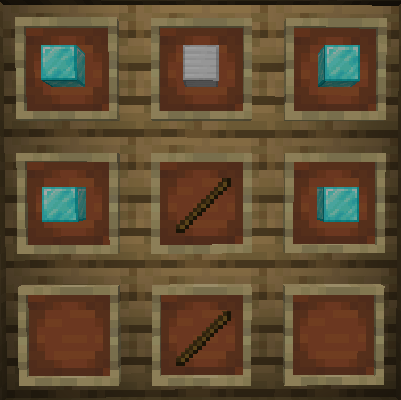
An unbreakable hammer that evolves with your mining journey!
Screenshots

About this Mod
The Hammer - Try2NotUpgrade
An unbreakable hammer that evolves with your mining journey!
🌟 UPGRADE SYSTEM:
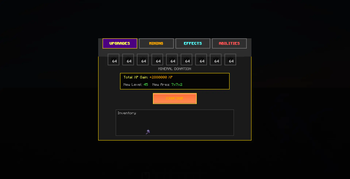
- Feed mineral blocks to instantly gain XP and level up
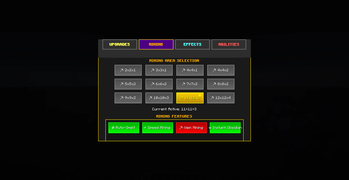
- Unlock larger 3D mining areas (up to 12x12x4!)
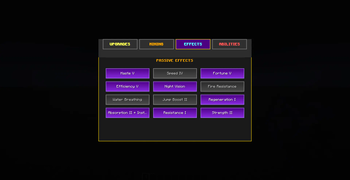
- Discover powerful passive effects and special abilities
⚡ SMART FEATURES:
- Auto-Smelt ores directly as you mine
- Customizable mining dimensions for perfect control
- Toggle effects like Fortune, Efficiency, and more
🎮 ABILITY SYSTEM:
- Charge special attacks by holding right-click
- Unleash devastating area effects when fully charged
- Choose from Thunder Strike, Earth Shaker, and Magnetic Pulse
🔧 EASY CUSTOMIZATION:
- Press G to open the sleek upgrade GUI
- Four intuitive tabs: Upgrades, Mining, Effects, Abilities
- Real-time previews and instant configuration
Watch your hammer transform from basic tool to legendary artifact as you mine! Every block brings new power.
Available Versions
How to Install Try2NotUpgrade on Your Server
Order Server
Order a Minecraft Java server with at least 3 GB RAM (4 GB recommended).
Set fabric Loader
In the panel under "Egg", select the fabric loader and matching Minecraft version (1.21.5).
Install Mod
Open the mod browser in the dashboard and search for "Try2NotUpgrade". Click "Install" – done! Alternatively, upload the .jar via SFTP to the /mods folder.
Compatibility
Mod Loaders
Minecraft Versions
1.21.5
Server-side
✓ RequiredRecommended RAM
4 GB(min. 3 GB)Frequently Asked Questions
Try2NotUpgrade server crashes on startup – what to do?
Most common cause: wrong fabric version or insufficient RAM. Check the server log (latest.log) for "OutOfMemoryError" or "Mixin" errors. With Mado Hosting: ensure at least 3 GB RAM is allocated and the loader matches the mod version (1.21.5). You can switch loaders with one click in the panel.
Is Try2NotUpgrade compatible with fabric?
Try2NotUpgrade officially supports fabric for Minecraft 1.21.5. The Mado dashboard automatically detects incompatible loader combinations.
Server lagging with Try2NotUpgrade – how to optimize performance?
Recommended RAM: 4 GB (per 8 players). Use /spark profiler to check if Try2NotUpgrade consumes the most tick time. Common fixes: reduce server view-distance to 8-10, install "performant" or "starlight" as supplementary mods on Forge. With Mado Hosting, your server runs on NVMe SSDs with dedicated CPU cores for minimal latency.
Similar Mods




![[TaCZ] Timeless and Classics Zero](https://cdn.modrinth.com/data/SzzJttH8/fd27766d2bb8390d284696b1dbd358f87e081439_96.webp)

Rent Modded Server
Install Try2NotUpgrade with just one click on your server.