
Tsuki Chat
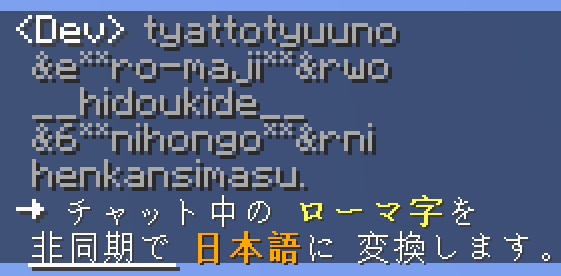
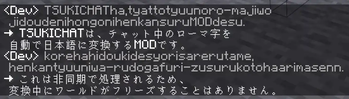
Converts Romaji to Japanese in chat. Highly inspired by the LunaChat plugin.
Screenshots


About this Mod
Modrinth | CurseForge | GitHub
Tsuki Chat
A server-side MOD that converts Romaji to Japanese in chat. Highly inspired by the LunaChat plugin.
チャットに送信されたローマ字を自動的に日本語に変換するサーバーサイドのMOD。LunaChatに強く影響されています。
Features
en_us
- Converts Romaji sent in chat to Hiragana and transliterate to Japanese using Google CGI API.
- Replaces
&with§. Interpret basic markdown. - Ignore messages that already contain Japanese or begin with a configurable prefix.
- Use
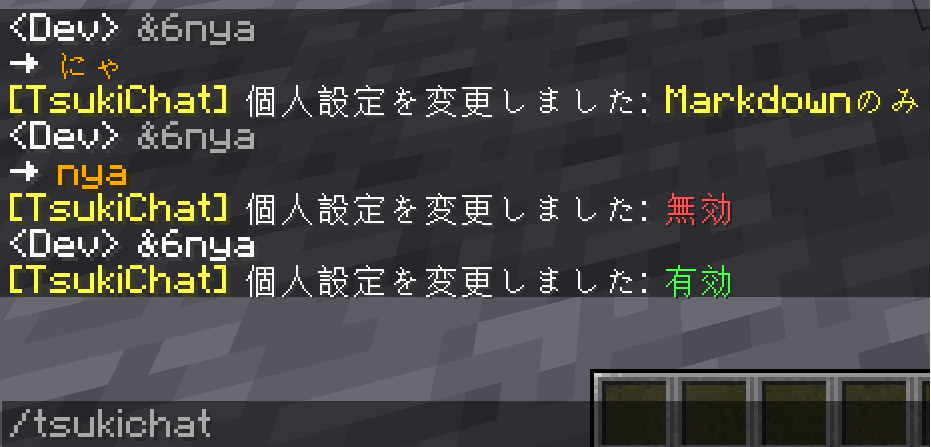
/tsukichatto toggle personal settings. - Edit config to fine-tune the features.
ja_jp
- 送信されたローマ字をひらがなに変換し、Google CGI APIを用いて非同期で日本語に変換します。
&を§に置き換えます。また、簡単なMarkdownを解釈します。- 既に日本語を含むメッセージや、設定したプレフィックスで始まるメッセージを無視します。
/tsukichatで個人設定を切り替えます。- コンフィグで機能を微調整できます。
Images
Mohist Compatibility
See: https://github.com/Meatwo310/tsuki-chat/blob/main/mohist-compat.md
Technical Information
This is a server-side mod, so you only need to put this on the server.
This mod will work in the single player world if you put this in the client.
This project is released under the MIT License.
You are free to add this mod to your Modrinth/CurseForge modpack.
You can also use the jar file directly if you give credit.
The project is split into branches.
The main branch has some metafiles.
The ${MODLOADER}-${VERSION} branch contains the source code of this mod.
Available Versions
How to Install Tsuki Chat on Your Server
Order Server
Order a Minecraft Java server with at least 3 GB RAM (4 GB recommended).
Set fabric Loader
In the panel under "Egg", select the fabric loader and matching Minecraft version (1.20.1).
Install Mod
Open the mod browser in the dashboard and search for "Tsuki Chat". Click "Install" – done! Alternatively, upload the .jar via SFTP to the /mods folder.
Compatibility
Mod Loaders
Minecraft Versions
1.20.1, 1.18.2
Server-side
✓ RequiredRecommended RAM
4 GB(min. 3 GB)Frequently Asked Questions
Tsuki Chat server crashes on startup – what to do?
Most common cause: wrong fabric version or insufficient RAM. Check the server log (latest.log) for "OutOfMemoryError" or "Mixin" errors. With Mado Hosting: ensure at least 3 GB RAM is allocated and the loader matches the mod version (1.20.1). You can switch loaders with one click in the panel.
Is Tsuki Chat compatible with fabric and forge and neoforge?
Tsuki Chat officially supports fabric, forge, neoforge for Minecraft 1.20.1, 1.18.2. Note: Forge and Fabric mods are NOT cross-compatible – pick one loader and stick with it. The Mado dashboard automatically detects incompatible loader combinations.
Server lagging with Tsuki Chat – how to optimize performance?
Recommended RAM: 4 GB (per 8 players). Use /spark profiler to check if Tsuki Chat consumes the most tick time. Common fixes: reduce server view-distance to 8-10, install "performant" or "starlight" as supplementary mods on Forge. With Mado Hosting, your server runs on NVMe SSDs with dedicated CPU cores for minimal latency.
Similar Mods






Rent Modded Server
Install Tsuki Chat with just one click on your server.