
Tunneler & Machines
Automatic programmable machines that create different types of tunnels and more
Screenshots
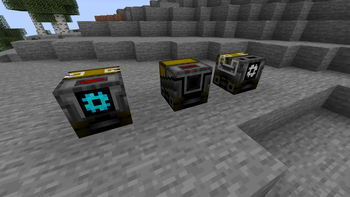
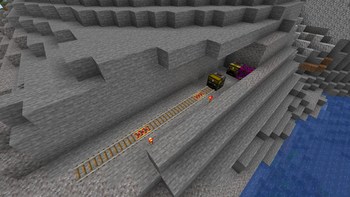
About this Mod
This mode adds few practical machines that help you to dig long underground tunnels.
Every mychine is in-game programmable with very simple language that consists only of numbers.
For exmaple: 5;1;5;2;10;3;12;5;2
Explanation: MOVE 5, turn left, MOVE 5, turn right, MOVE 10, go down, MOVE 12, continue forward, MOVE 2
First and last position must be MOVE call.
Every second position is direction change, 1 stands for LEFT, 2 stands for RIGHT, 3 stands for DOWN, 4 stands for UP and 5 is CONTINUE FORWARD.
In between calls place ";" symbol.
You can create seemingly endless routes with this, but make sure to have enough resources.
When you are done with designing your custom route sign it with name "route.code".
You can now RMB it on every machine in this mod before starting it.
New blocks:
-Obtainable
Iron Tunneler
Diamond Tunneler
Railer
-Unobtainable
Torch Marker
Railer Marker
New items:
Starter Key
Tunneler Upgrade MK1
Tunneler Upgrade MK2
Iron Drill
Diamond Drill
Track
Miner Core
Builder Core
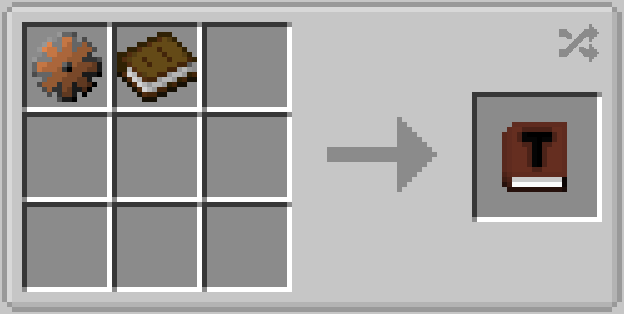
Machine Manual
Available Versions
How to Install Tunneler & Machines on Your Server
Order Server
Order a Minecraft Java server with at least 3 GB RAM (4 GB recommended).
Set forge Loader
In the panel under "Egg", select the forge loader and matching Minecraft version (1.20.1).
Install Mod
Open the mod browser in the dashboard and search for "Tunneler & Machines". Click "Install" – done! Alternatively, upload the .jar via SFTP to the /mods folder.
Compatibility
Mod Loaders
Minecraft Versions
1.20.1
Server-side
✓ RequiredRecommended RAM
4 GB(min. 3 GB)Frequently Asked Questions
Tunneler & Machines server crashes on startup – what to do?
Most common cause: wrong forge version or insufficient RAM. Check the server log (latest.log) for "OutOfMemoryError" or "Mixin" errors. With Mado Hosting: ensure at least 3 GB RAM is allocated and the loader matches the mod version (1.20.1). You can switch loaders with one click in the panel.
Is Tunneler & Machines compatible with forge?
Tunneler & Machines officially supports forge for Minecraft 1.20.1. The Mado dashboard automatically detects incompatible loader combinations.
Server lagging with Tunneler & Machines – how to optimize performance?
Recommended RAM: 4 GB (per 8 players). Use /spark profiler to check if Tunneler & Machines consumes the most tick time. Common fixes: reduce server view-distance to 8-10, install "performant" or "starlight" as supplementary mods on Forge. With Mado Hosting, your server runs on NVMe SSDs with dedicated CPU cores for minimal latency.
Similar Mods


Rent Modded Server
Install Tunneler & Machines with just one click on your server.