
Tutorial Worlds Legacy Console Edition
Adds a “Tutorial Worlds” button with a built-in browser for Legacy Console Edition tutorial worlds.
Screenshots
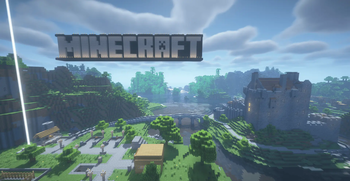
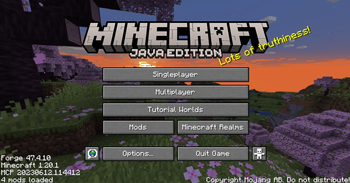
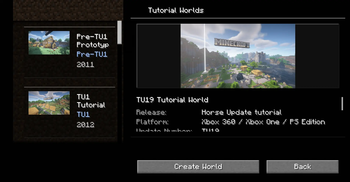
About this Mod
🌍 Tutorial Worlds Legacy Console Edition
Relive the nostalgia of Minecraft Legacy Console Edition directly inside Java Edition!
Tutorial Worlds Legacy Console Edition is a client-side Minecraft mod by Team SmartStreamLabs that adds a fully integrated Tutorial Worlds Browser to the Minecraft main menu, allowing players to browse, explore, and create playable copies of classic Legacy Console Edition tutorial worlds.
Whether you want to revisit the iconic tutorial maps from Xbox 360, PlayStation 3, Wii U, Xbox One, or PlayStation 4, this mod provides an easy and polished way to experience these worlds again in modern Minecraft.

✨ Features
🏠 Built-In Tutorial Worlds Browser
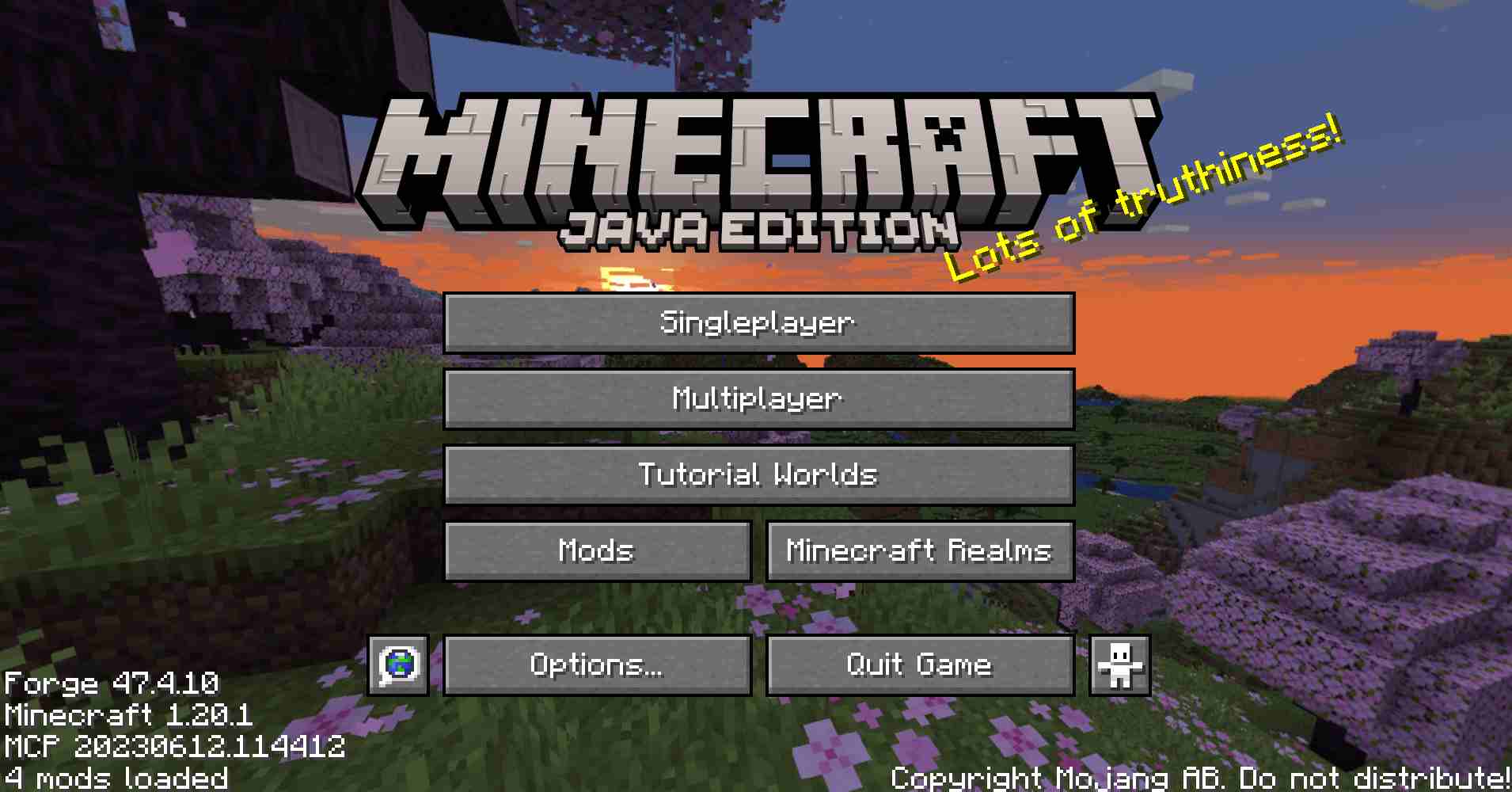
A new "Tutorial Worlds" button is added directly to the Minecraft main menu beneath Multiplayer, maintaining a clean vanilla-style layout.
The browser includes:
- Large preview screenshots
- World descriptions
- Legacy Console Edition version information
- Platform information
- Release year
- Update number (TU)
- World size information
- Additional metadata for each tutorial world
The interface is inspired by the original Legacy Console Edition world selection screens for an authentic nostalgic experience.
📚 Included Tutorial Worlds
The mod currently includes multiple classic tutorial worlds, including:
- Pre-TU1
- TU1
- TU3
- TU5
- TU7
- TU9
- TU12
- TU14
- TU19
- TU31
- TU46
- TU69
Each world contains its own preview image and detailed information.
⚠️ First-Time Disclaimer Screen
Before accessing the Tutorial Worlds Browser for the first time, players are presented with a disclaimer explaining ownership and project information.
Players must accept the disclaimer before continuing.
🌎 One-Click World Creation
Creating a tutorial world is simple:
- Open the Tutorial Worlds Browser.
- Select a tutorial world.
- Click Create World.
The mod automatically:
- Extracts the selected world archive
- Creates a unique save folder
- Prevents overwriting existing worlds
- Places the world into your Minecraft saves folder
- Launches the newly created world automatically
🛡️ Safe World Handling
Tutorial Worlds Legacy Console Edition includes multiple safety systems:
- Never modifies the original world archives
- Never overwrites existing worlds
- Handles missing files safely
- Logs loading and copy errors
- Supports development archives from
.minecraft/tutorial_worlds/ - Includes compatibility and migration logic for older tutorial world formats
Migration support includes:
- Legacy world data updates
- Legacy dimension folder fixes
- Old item stack conversion
- Chunk preparation
- Entity data preparation
- Point-of-interest data preparation
This helps older tutorial worlds load more reliably in modern Minecraft versions.
📦 Client-Side Only
This mod is completely client-side.
✔ No server installation required
✔ No multiplayer features
✔ No new blocks or items
✔ No gameplay changes
✔ No commands or progression systems
The sole purpose of this mod is to provide a polished browser for Legacy Console Edition tutorial worlds and allow players to create playable singleplayer copies.
❤️ Made for Nostalgia & Preservation
Tutorial Worlds Legacy Console Edition was created to help preserve and celebrate the iconic tutorial worlds that introduced millions of players to Minecraft.
Whether you're revisiting childhood memories or exploring these maps for the first time, this mod makes the experience simple and accessible within modern Java Edition.
Disclaimer
This project is an unofficial fan-made mod.
Minecraft®, Mojang®, Microsoft®, and the original Legacy Console Edition tutorial world maps are the property of Mojang Studios and Microsoft.
This mod is not affiliated with, endorsed by, sponsored by, or approved by Mojang Studios or Microsoft.
The mod code created by Team SmartStreamLabs is released into the Public Domain.
The included tutorial world maps and their associated assets remain the property of Mojang Studios and Microsoft.
Available Versions
How to Install Tutorial Worlds Legacy Console Edition on Your Server
Order Server
Order a Minecraft Java server with at least 3 GB RAM (4 GB recommended).
Set fabric Loader
In the panel under "Egg", select the fabric loader and matching Minecraft version (26.1.2).
Install Mod
Open the mod browser in the dashboard and search for "Tutorial Worlds Legacy Console Edition". Click "Install" – done! Alternatively, upload the .jar via SFTP to the /mods folder.
Compatibility
Mod Loaders
Minecraft Versions
26.1.2, 26.1.1, 26.1 (+3 more)
Server-side
✓ RequiredRecommended RAM
4 GB(min. 3 GB)Frequently Asked Questions
Tutorial Worlds Legacy Console Edition server crashes on startup – what to do?
Most common cause: wrong fabric version or insufficient RAM. Check the server log (latest.log) for "OutOfMemoryError" or "Mixin" errors. With Mado Hosting: ensure at least 3 GB RAM is allocated and the loader matches the mod version (26.1.2). You can switch loaders with one click in the panel.
Is Tutorial Worlds Legacy Console Edition compatible with fabric and forge and neoforge?
Tutorial Worlds Legacy Console Edition officially supports fabric, forge, neoforge for Minecraft 26.1.2, 26.1.1, 26.1. Note: Forge and Fabric mods are NOT cross-compatible – pick one loader and stick with it. The Mado dashboard automatically detects incompatible loader combinations.
Server lagging with Tutorial Worlds Legacy Console Edition – how to optimize performance?
Recommended RAM: 4 GB (per 8 players). Use /spark profiler to check if Tutorial Worlds Legacy Console Edition consumes the most tick time. Common fixes: reduce server view-distance to 8-10, install "performant" or "starlight" as supplementary mods on Forge. With Mado Hosting, your server runs on NVMe SSDs with dedicated CPU cores for minimal latency.
Similar Mods




Rent Modded Server
Install Tutorial Worlds Legacy Console Edition with just one click on your server.