
TweaksNotFound
Make minor tweaks to chat, including collapse repeated messages, timestamps
Screenshots

About this Mod

TweaksNotFound
Inspired by a comment jokingly made by a member of the Zedcraft community, I've created this mod in order to keep chat readable while people were constantly dying in minigames. Currently TweaksNotFound has a focus on small tweaks to the chat, though other small tweaks to the client are an option for the future.
Goals
The main goals for this mod are:
- Minor tweaks to the way existing information is shown to the player
- All tweaks should have an option to disable it
Screenshots
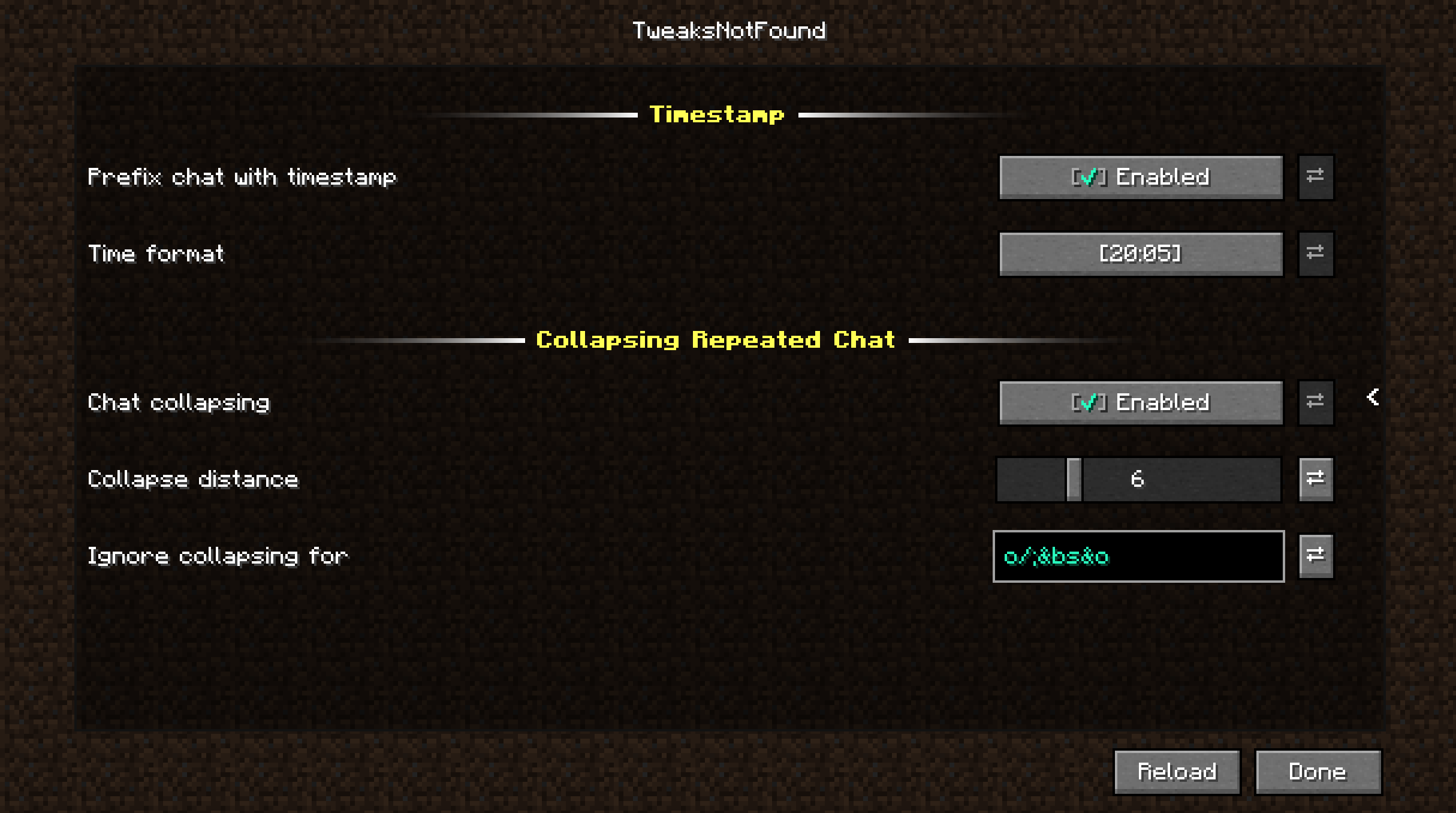
Config:
Sample:
FAQ
Can you make a Forge version?
I probably could, but this mod was made mainly for myself and a few friends. I won't be making a Forge port myself, but feel free to make a port yourself.
Will you update it to Minecraft version 1.20.1?
Yes, it's on the planning, but I can't say when it will be released yet.
Can you update it to Minecraft version x?
I can, and I will when I'm in need for it. I'm open to Pull Requests for support for different versions.
Can you implement feature y?
If the feature can be implemented according to the goals for this mod, please open an issue with the suggestion (one suggestion per issue)
This mod doesn't work in combination with mod z, can you make it work?
I can do my best, but it won't be my top priority unless I run into it myself. Please open an issue with the version of this mod and the other mod that don't work together. I'll pick it up when I've got time or somebody else might pick it up.
Available Versions
How to Install TweaksNotFound on Your Server
Order Server
Order a Minecraft Java server with at least 3 GB RAM (4 GB recommended).
Set fabric Loader
In the panel under "Egg", select the fabric loader and matching Minecraft version (1.19).
Install Mod
Open the mod browser in the dashboard and search for "TweaksNotFound". Click "Install" – done! Alternatively, upload the .jar via SFTP to the /mods folder.
Compatibility
Mod Loaders
Minecraft Versions
1.19
Server-side
✗ UnsupportedRecommended RAM
4 GB(min. 3 GB)Frequently Asked Questions
TweaksNotFound server crashes on startup – what to do?
Most common cause: wrong fabric version or insufficient RAM. Check the server log (latest.log) for "OutOfMemoryError" or "Mixin" errors. With Mado Hosting: ensure at least 3 GB RAM is allocated and the loader matches the mod version (1.19). You can switch loaders with one click in the panel.
Is TweaksNotFound compatible with fabric?
TweaksNotFound officially supports fabric for Minecraft 1.19. The Mado dashboard automatically detects incompatible loader combinations.
Server lagging with TweaksNotFound – how to optimize performance?
Recommended RAM: 4 GB (per 8 players). Use /spark profiler to check if TweaksNotFound consumes the most tick time. Common fixes: reduce server view-distance to 8-10, install "performant" or "starlight" as supplementary mods on Forge. With Mado Hosting, your server runs on NVMe SSDs with dedicated CPU cores for minimal latency.
Similar Mods






Rent Modded Server
Install TweaksNotFound with just one click on your server.