
Ultimate Map Atlases
Atlases can be crafted and store Maps, making exploration easier and more fun! Works in tandem with a Compass.
Screenshots
About this Mod
Thanks to MapAtlases for the original idea & project structure!
🌍 Features
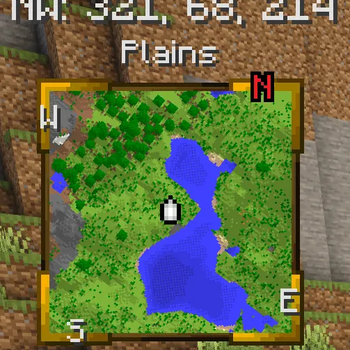
Atlas is a new item that can be crafted with a slimeball / honey bottle, a map / empty map and a book. It will render a minimap when open in the inventory or hotbar!
- You can add more maps with more sticky material, or for free using a cartography table.
- You can also merge and clone atlases on the cartography table.
- You can remove maps with shears at the cartography table.
Other than that, atlases will work exactly like normal maps do.
🧭 DYNAMIC COMPASS
- The Minimap HUD now requires a Compass somewhere in your inventory (excluding containers like bundles) to rotate with the player. This replaces the old config by giving a diegetic option!
- The cardinals also depend on the presence of a compass.
- These changes pair really well with Serilum's GUI Compass. :)
📕 OPEN/CLOSE MECHANIC:
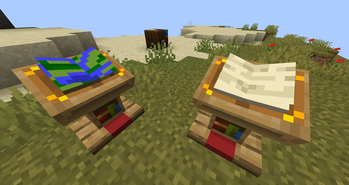
- Replacing the "Lock" mechanic, Atlases will now change texture when you shift+right click!
- When open, they will show the Minimap HUD, when closed the HUD will be hidden. This again gives a diegetic way to configure what you see from this mod :)
🗺️ CARTOGRAPHY TABLE OVERHAUL
- Shift-clicking Atlases, Maps, Paper and even Shears now works correctly on the cartography table. This allows to use it more efficiently!
- Improvement on the shears menu as well.
- For consistency and balance, adding maps to your atlas without the cartography table requires one sticky item (Slimeball or Honey Bottle) per Map. Meaning you can "only" put 4 maps at a time on a crafting table, at a minor cost.
📍 EXTRAS
- Cardinals UI do not render in the Nether, to match vanilla compass behaviour.
- Changed the colour of the north cardinal to red to hint compass use.
- Added compatibility with Fancy World Animations.
- Improved texture for the Atlas Minimap HUD!
- Maps in your atlas now update when you open the atlas rather than at a given amount of ticks.
📖 About

An Atlas can be crafted by combining a:
- Filled Map (the source map)
- Book
- And something sticky (Slimeball or Honey Bottle by default)
The source map determines the Atlas' scale. Who knew this whole time, all you had to do to get a mini-map was slap a map onto a book?

- You can put both Filled Maps and Empty Maps with an Atlas in a crafting inventory to insert either Map type into the Atlas.
- A Cartography Table can be used to add Filled Maps and Empty Maps as well.
- Filled Maps which are added must be of same Scale.
- There's a maximum of 512 Maps in each Atlas (configurable/togglable).
- You can use your Atlas and Shears in the Crafting Grid to remove Maps from the Atlas.

- When the Atlas is active (on your hot-bar or off-hand by default), it will render your current-position Map on the HUD if a such Map exists inside the Atlas.
- Filled Maps inside the Atlas will continue updating your location & world-state.
- Empty Maps are consumed when you enter an un-mapped region to generate a new Map of the corresponding Scale.
- If the player is in Creative, un-mapped regions will generate new Maps even if there's no Empty Maps in the Atlas.
- If specified, the requirement for having Empty Maps to create new regions can be disabled.
- Atlases do work inter-dimensionally. They create new Maps in new Dimensions as you'd expect.
- The mini-map supports the ability to display your current X, Y, & Z coordinates as well as your current Biome
- Optional Trinkets support:
- When Trinkets is installed, there will be a new Slot for an Atlas
- The Atlas will continue to function as normal inside the Trinkets slot

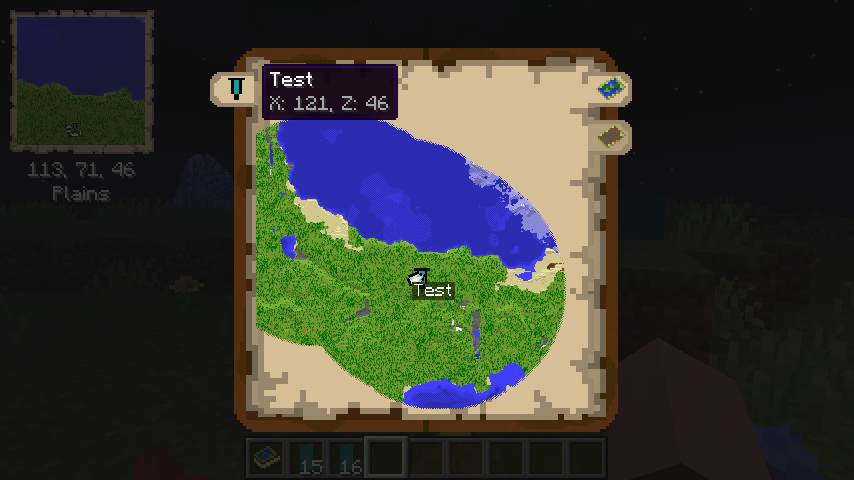
- The Atlas has a world map view as well. To access this, right-click the Atlas or press "m" while the Atlas is on your hot-bar.
- The world map has selectable tabs for each Dimension you've explored and created Map entries for.
- It also has selectable tabs for each Banner you've added in each Dimension. Clicking these will snap the center of your view to the map containing the Banner.
- The world map will display the active X & Z coordinates of the point your mouse is hovering over.
- The Atlas world view has zoom support & scales by odd numbers 1x1, 3x3, 5x5, 7x7, etc using your mouse scroll wheel.
- The Atlas world view has full pan support as well, using your mouse to drag the world map.
- Atlases also support right-clicking Banners to add "waypoints", which display in both the mini-map & world-view map.

- Atlases can be merged with a Cartography Table - simply put an Atlas in the top & bottom slots and the Atlases will combine their mapped regions with one-another!
- Atlases support Lecterns - Show off your world by putting an Atlas in a Lectern!
- Simply right click a Lectern while holding an Atlas to display the Lectern
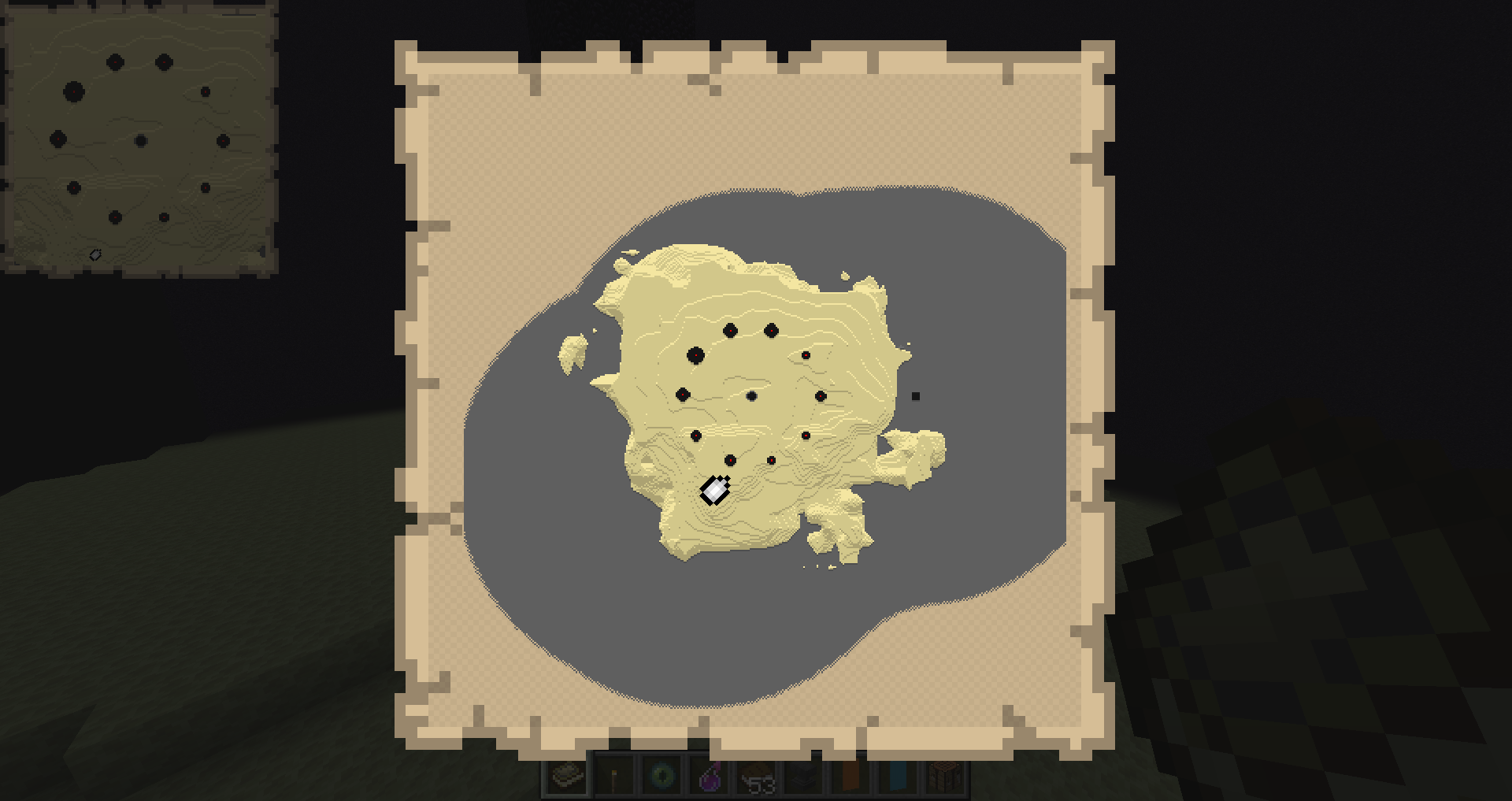
- The Atlas will appear visually different depending on the Dimension its displayed in - there's a unique texture for the Overworld, Nether, End and "Other".
📸 Media
Crafting an Atlas


Maps inside the Atlas will render if the Atlas is on your hot-bar

Adding more Maps to an Atlas

Current Map is rendered when you move locations

Custom Tooltip

World Map View


Merging 2 Atlases

Mass adding Empty Maps to Atlas

End Atlas Mini-Map

End Atlas World-Map
New as of 2.2.0

Available Versions
How to Install Ultimate Map Atlases on Your Server
Order Server
Order a Minecraft Java server with at least 3 GB RAM (4 GB recommended).
Set fabric Loader
In the panel under "Egg", select the fabric loader and matching Minecraft version (26.1.2).
Install Mod
Open the mod browser in the dashboard and search for "Ultimate Map Atlases". Click "Install" – done! Alternatively, upload the .jar via SFTP to the /mods folder.
Compatibility
Mod Loaders
Minecraft Versions
26.1.2, 26.1.1, 26.1
Server-side
✓ RequiredRecommended RAM
4 GB(min. 3 GB)Frequently Asked Questions
Ultimate Map Atlases server crashes on startup – what to do?
Most common cause: wrong fabric version or insufficient RAM. Check the server log (latest.log) for "OutOfMemoryError" or "Mixin" errors. With Mado Hosting: ensure at least 3 GB RAM is allocated and the loader matches the mod version (26.1.2). You can switch loaders with one click in the panel.
Is Ultimate Map Atlases compatible with fabric?
Ultimate Map Atlases officially supports fabric for Minecraft 26.1.2, 26.1.1, 26.1. The Mado dashboard automatically detects incompatible loader combinations.
Server lagging with Ultimate Map Atlases – how to optimize performance?
Recommended RAM: 4 GB (per 8 players). Use /spark profiler to check if Ultimate Map Atlases consumes the most tick time. Common fixes: reduce server view-distance to 8-10, install "performant" or "starlight" as supplementary mods on Forge. With Mado Hosting, your server runs on NVMe SSDs with dedicated CPU cores for minimal latency.
Similar Mods




Rent Modded Server
Install Ultimate Map Atlases with just one click on your server.