
Unconfusion
A mod to make intuitive in-game tutorials for modpacks and mod players.
Screenshots
About this Mod
Unconfusion
A mod to make intuitive in-game tutorials for modpacks and mod players, inspired by Ponder from Creators of Create.
Features:
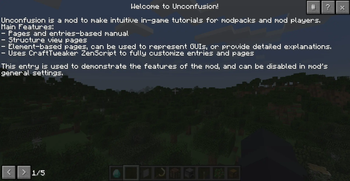
- Paged manual entries
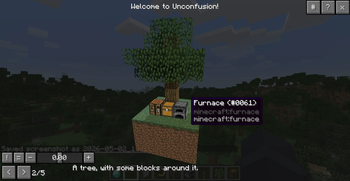
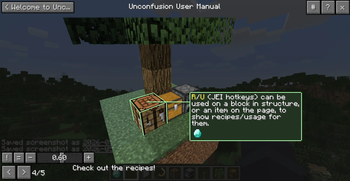
- Structure view pages
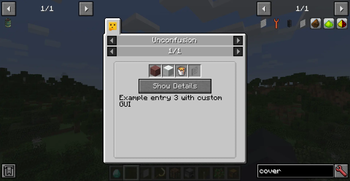
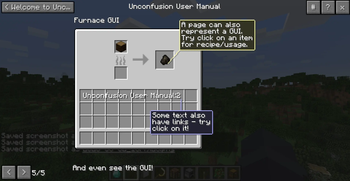
- Element-based pages, can be used to represent GUIs, or provide detailed explanations.
- Uses CraftTweaker ZenScript to create entries and pages
- Support ZenUtils' hot reload feature (note that JEI entries needs restart to take effect)
Notes:
- In structure view, certain special blocks from some mods may not render properly.
- This is because the structure is loaded in a single dummy world that doesn't have normal client-server structure, so some blocks with custom render relying on it can break.
- This mod has a few compatibility modules built-in, to fix/optimize some known ones.
Builtin compatibility fixes:
- IC2 TileEntities (render fix)
- EnderIO cable (render fix)
- BuildCraft TileEntities (savedata optimization)
- ForgeMultiPart CBE Microblocks (render fix)
Available Versions
How to Install Unconfusion on Your Server
Order Server
Order a Minecraft Java server with at least 3 GB RAM (4 GB recommended).
Set forge Loader
In the panel under "Egg", select the forge loader and matching Minecraft version (1.12.2).
Install Mod
Open the mod browser in the dashboard and search for "Unconfusion". Click "Install" – done! Alternatively, upload the .jar via SFTP to the /mods folder.
Compatibility
Mod Loaders
Minecraft Versions
1.12.2
Server-side
✗ UnsupportedRecommended RAM
4 GB(min. 3 GB)Frequently Asked Questions
Unconfusion server crashes on startup – what to do?
Most common cause: wrong forge version or insufficient RAM. Check the server log (latest.log) for "OutOfMemoryError" or "Mixin" errors. With Mado Hosting: ensure at least 3 GB RAM is allocated and the loader matches the mod version (1.12.2). You can switch loaders with one click in the panel.
Is Unconfusion compatible with forge?
Unconfusion officially supports forge for Minecraft 1.12.2. The Mado dashboard automatically detects incompatible loader combinations.
Server lagging with Unconfusion – how to optimize performance?
Recommended RAM: 4 GB (per 8 players). Use /spark profiler to check if Unconfusion consumes the most tick time. Common fixes: reduce server view-distance to 8-10, install "performant" or "starlight" as supplementary mods on Forge. With Mado Hosting, your server runs on NVMe SSDs with dedicated CPU cores for minimal latency.
Rent Modded Server
Install Unconfusion with just one click on your server.