
Underworld penguin
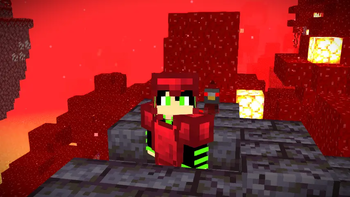
The Underworld Penguin gives you a powerful shield that is resistant to lava, creeper blasts, and TNT.
Screenshots
About this Mod
🔥 Underworld Penguin
Underworld Penguin introduces a formidable new challenge to the depths of the Nether. This mod adds a powerful, small, and aggressive creature that guards the fiery biomes, offering players the chance to obtain rare materials for the ultimate protective gear.
🐧 The Underworld Penguin (New Mob)
Don't let its size fool you! The Underworld Penguin is a dangerous inhabitant of the Nether that demands respect.
Location: Spawns in all Nether biomes.
Stats: It boasts a massive 150 Health points and a movement speed of 0.25.
Abilities: It attacks from a distance by shooting projectiles from its mouth, making it a deadly threat in the open lava fields.
Drops: Upon defeat, it drops 1 to 2 Underworld Horns, the core material for crafting legendary armor.

🛡️ Underworld Armor Set
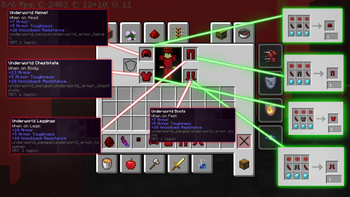
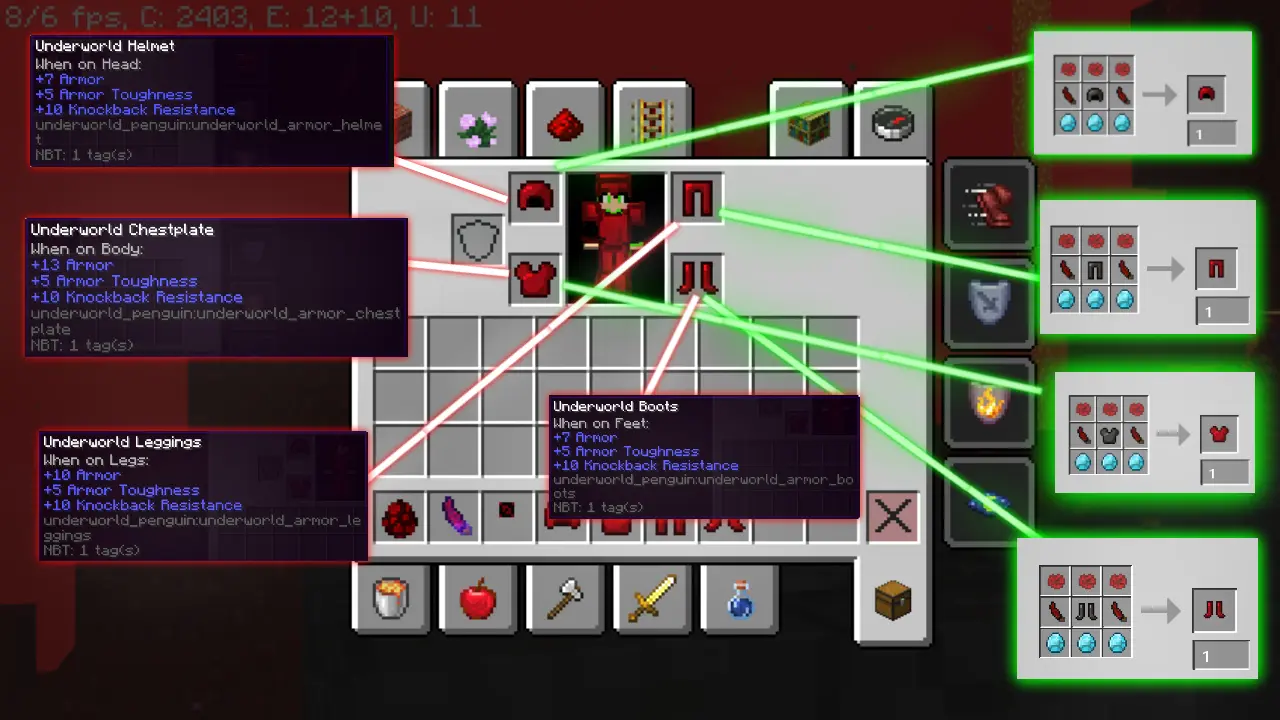
By harvesting Underworld Horns, players can craft the Underworld Armor, a tier of equipment specifically designed for Nether exploration and combat.Superior Protection: This armor set provides exceptional resistance to Explosions (Creeper blasts, TNT) and Lava.Knockback Resistance: Each piece provides a +10 Knockback Resistance, ensuring you stay on your feet during intense battles.High Durability: With significantly higher Armor and Armor Toughness stats, this set is built to last.
📊 Armor Stats
| Piece | Armor | Armor Toughness | Knockback Resistance |
|---|---|---|---|
| Helmet | +7 | +5 | +10 |
| Chestplate | +13 | +5 | +10 |
| Leggings | +10 | +5 | +10 |
| Boots | +7 | +5 | +10 |
⚒️ Crafting & Maintenance
To craft this powerful armor, you will need to combine Underworld Horns, Diamonds, and existing armor pieces (as shown in the crafting recipes).Recipe: Use 3 Underworld Horns + 3 Diamonds + 1 Base Armor Piece.Repair: Can be repaired using Underworld Horns at an anvil.
🛠️ Technical Specifications
Supported Versions: 1.14.4, 1.17.1, 1.18.2, 1.19.2, 1.19.4, 1.20.1, 1.20.4, 1.20.6, 1.21.1, 1.21.4, 1.21.8.
Platforms: Supports Forge, Fabric, and NeoForge.
Environment: Client-side.
📜 Credits & Permissions
Developer: FLASH_ZIO.
Modpacks: Feel free to include this mod in any modpack! Credit to the original page is appreciated.
Available Versions
How to Install Underworld penguin on Your Server
Order Server
Order a Minecraft Java server with at least 3 GB RAM (4 GB recommended).
Set fabric Loader
In the panel under "Egg", select the fabric loader and matching Minecraft version (1.21.8).
Install Mod
Open the mod browser in the dashboard and search for "Underworld penguin". Click "Install" – done! Alternatively, upload the .jar via SFTP to the /mods folder.
Compatibility
Mod Loaders
Minecraft Versions
1.21.8, 1.21.4, 1.21.1 (+8 more)
Server-side
✓ RequiredRecommended RAM
4 GB(min. 3 GB)Frequently Asked Questions
Underworld penguin server crashes on startup – what to do?
Most common cause: wrong fabric version or insufficient RAM. Check the server log (latest.log) for "OutOfMemoryError" or "Mixin" errors. With Mado Hosting: ensure at least 3 GB RAM is allocated and the loader matches the mod version (1.21.8). You can switch loaders with one click in the panel.
Is Underworld penguin compatible with fabric and forge and neoforge?
Underworld penguin officially supports fabric, forge, neoforge for Minecraft 1.21.8, 1.21.4, 1.21.1. Note: Forge and Fabric mods are NOT cross-compatible – pick one loader and stick with it. The Mado dashboard automatically detects incompatible loader combinations.
Server lagging with Underworld penguin – how to optimize performance?
Recommended RAM: 4 GB (per 8 players). Use /spark profiler to check if Underworld penguin consumes the most tick time. Common fixes: reduce server view-distance to 8-10, install "performant" or "starlight" as supplementary mods on Forge. With Mado Hosting, your server runs on NVMe SSDs with dedicated CPU cores for minimal latency.
Similar Mods




Rent Modded Server
Install Underworld penguin with just one click on your server.