Unhealthy Dying
Reduces your max health every time you die.
About this Mod
If you ever wanted dying to have more consequences than just you losing your items/experience than this is the mod for you.
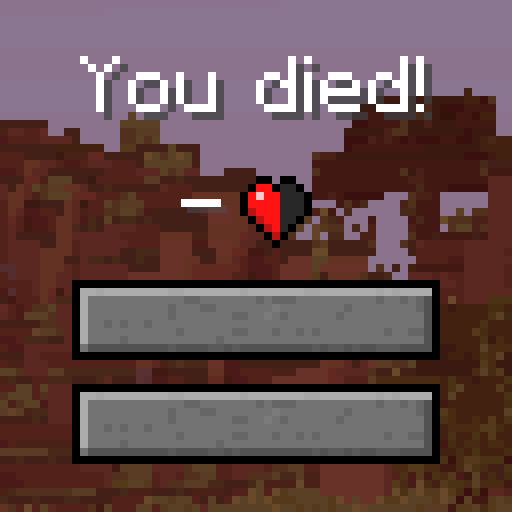
This mod reduces the players maximum health every time they die.
In the config you have the following settings:
- minimumHealth: Minimum amount of health the player can end up with.
- healthPerDeath: The amount of health taken from the player upon death.
- reducedHealthMessage: When set to true it notifies the player about their new max health when they respawn.
- HealthSetting: Decides if the reduced health is per player, for everybody, per team or per FTB Team (Only works when FTB Utilities is installed)
The following settings can be changed for regeneration:
- regenHealth: When set to true allows you to gain back health upon killing set target(s).
- maxRegenned: The amount of max health the player can get from killing the target(s).
- regennedHealthMessage: When set to true it notifies the player about their new max health when they respawn.
- regenTargets: Adding lines / removing lines specifies which mobs will cause the players to regen max health. Syntax: modid:mobname,healthRegenned,amount, For wildcards use *. For instance [*:*,1,20] would mean every 20 kills regain half a heart", While [minecraft:*,1,10] would mean every 10 kills of vanilla mobs regains half a heart
You can use the following command to manually set the health of a player. ``` /unhealthydying sethearts [player]
This mod was made thanks to an idea from a MinecraftForum user by the name of rubisnosetti.

For questions feel free to join my Discord.
Want to support us?
 -Mrbysco
Available Versions
How to Install Unhealthy Dying on Your Server
Order Server
Order a Minecraft Java server with at least 3 GB RAM (4 GB recommended).
Set fabric Loader
In the panel under "Egg", select the fabric loader and matching Minecraft version (26.1.2).
Install Mod
Open the mod browser in the dashboard and search for "Unhealthy Dying". Click "Install" – done! Alternatively, upload the .jar via SFTP to the /mods folder.
Compatibility
Mod Loaders
Minecraft Versions
26.1.2, 1.21.11, 1.21.8 (+18 more)
Server-side
✓ RequiredRecommended RAM
4 GB(min. 3 GB)Frequently Asked Questions
Unhealthy Dying server crashes on startup – what to do?
Most common cause: wrong fabric version or insufficient RAM. Check the server log (latest.log) for "OutOfMemoryError" or "Mixin" errors. With Mado Hosting: ensure at least 3 GB RAM is allocated and the loader matches the mod version (26.1.2). You can switch loaders with one click in the panel.
Is Unhealthy Dying compatible with fabric and forge and neoforge?
Unhealthy Dying officially supports fabric, forge, neoforge for Minecraft 26.1.2, 1.21.11, 1.21.8. Note: Forge and Fabric mods are NOT cross-compatible – pick one loader and stick with it. The Mado dashboard automatically detects incompatible loader combinations.
Server lagging with Unhealthy Dying – how to optimize performance?
Recommended RAM: 4 GB (per 8 players). Use /spark profiler to check if Unhealthy Dying consumes the most tick time. Common fixes: reduce server view-distance to 8-10, install "performant" or "starlight" as supplementary mods on Forge. With Mado Hosting, your server runs on NVMe SSDs with dedicated CPU cores for minimal latency.
Similar Mods




Rent Modded Server
Install Unhealthy Dying with just one click on your server.