
Universal Portals (Portals to anywhere)
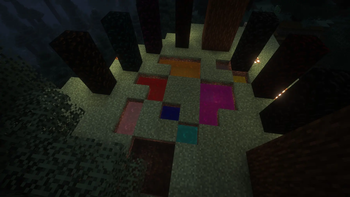
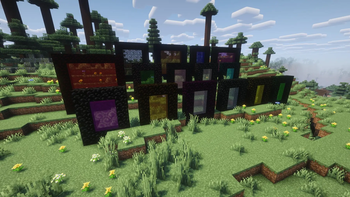
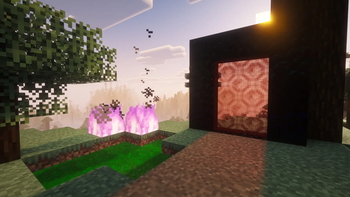
Universal Portals adds 16 new colored portals to Minecraft. These portals can stand up (vertical) or lie down on the ground (horizontal).
Screenshots
About this Mod




FEATURES
- Colors: 16 different colors
- Orientation: Vertical or horizontal
- Activation Keys: Set portal color, ID, and exit name
- Universal Key: Copy portal ID and change name
- Hub Function: Connects 3+ portals, including different colors (toggle in config)
- Portal Bucket: Create portals on the ground
- Colored Obsidian: Blocks matching portal colors
- Cross-Color Linking: Link portals of different colors for flexible teleportation
INSTRUCTIONS: HOW TO LINK PORTALS
Activate the portal using the magic flint
Have two activation keys (any color)
- Right-click the portal → if you crafted an activation key, you'll receive two
- Do the same on the second portal
To link a portal of a different color
- Craft an activation key of the new color
- Right-click the already activated portal (this copies its ID)
- Repeat step 2 on the second portal
HUB option (3+ portals per ID)
- Enabled by default
- Can be disabled in the config
- Allows multiple portals to share a single ID
When you enter a portal and wait a moment, a selection menu will appear
Optional: teleportation can cost XP (config setting)
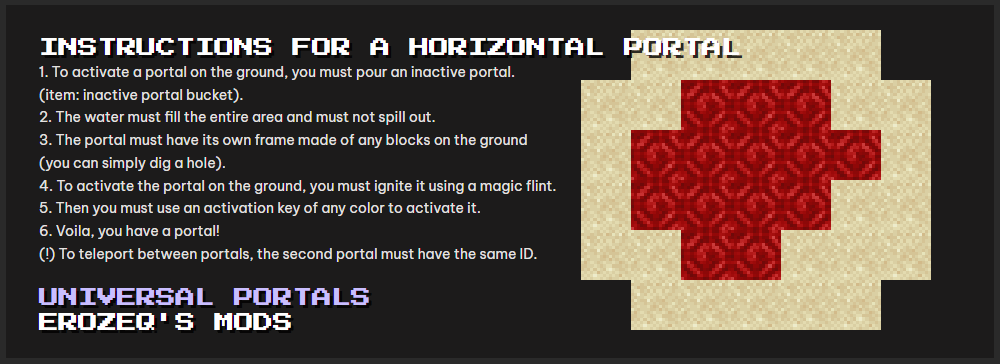
INSTRUCTIONS FOR A HORIZONTAL PORTAL
Pour an inactive portal using:
inactive portal bucketThe liquid must
- Fill the entire area
- Not spill outside
The portal needs a frame made of any blocks on the ground
- (you can simply dig a hole)
Ignite the portal using a magic flint
Use an activation key (any color)
Done — you have a portal
IMPORTANT
- To teleport between portals, the second portal must have the same ID
Available Versions
How to Install Universal Portals (Portals to anywhere) on Your Server
Order Server
Order a Minecraft Java server with at least 3 GB RAM (4 GB recommended).
Set forge Loader
In the panel under "Egg", select the forge loader and matching Minecraft version (26.1).
Install Mod
Open the mod browser in the dashboard and search for "Universal Portals (Portals to anywhere)". Click "Install" – done! Alternatively, upload the .jar via SFTP to the /mods folder.
Compatibility
Mod Loaders
Minecraft Versions
26.1, 1.21.1, 1.20.4 (+1 more)
Server-side
✓ RequiredRecommended RAM
4 GB(min. 3 GB)Frequently Asked Questions
Universal Portals (Portals to anywhere) server crashes on startup – what to do?
Most common cause: wrong forge version or insufficient RAM. Check the server log (latest.log) for "OutOfMemoryError" or "Mixin" errors. With Mado Hosting: ensure at least 3 GB RAM is allocated and the loader matches the mod version (26.1). You can switch loaders with one click in the panel.
Is Universal Portals (Portals to anywhere) compatible with forge and neoforge?
Universal Portals (Portals to anywhere) officially supports forge, neoforge for Minecraft 26.1, 1.21.1, 1.20.4. The Mado dashboard automatically detects incompatible loader combinations.
Server lagging with Universal Portals (Portals to anywhere) – how to optimize performance?
Recommended RAM: 4 GB (per 8 players). Use /spark profiler to check if Universal Portals (Portals to anywhere) consumes the most tick time. Common fixes: reduce server view-distance to 8-10, install "performant" or "starlight" as supplementary mods on Forge. With Mado Hosting, your server runs on NVMe SSDs with dedicated CPU cores for minimal latency.
Similar Mods


Rent Modded Server
Install Universal Portals (Portals to anywhere) with just one click on your server.