
Unsuspicious Block
This mod adds allows players to inspect the hidden loot inside Suspicious Blocks without using a brush.
About this Mod
Unsuspicious Block is a lightweight mod that lets you quickly reveal the loot hidden inside suspicious blocks without long brushing sessions, while recording every excavation in the Archaeology Journal.
Features
Archaeology Journal
The Archaeology Journal is the core feature of this mod. It automatically records all of your archaeology discoveries.
Recipe
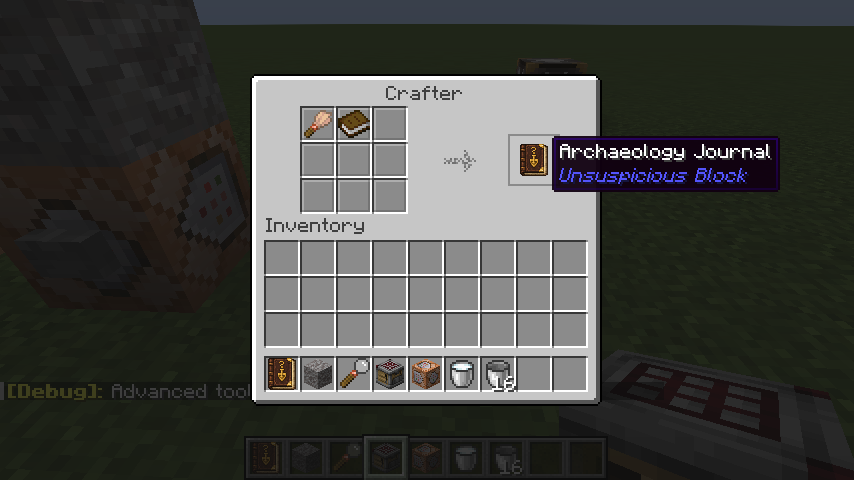 |
|---|
| Archaeology Journal recipe |
Interface Preview
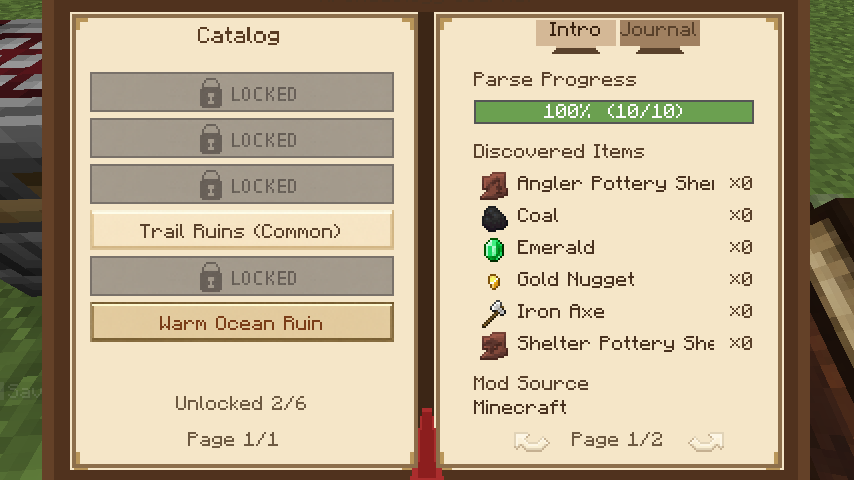
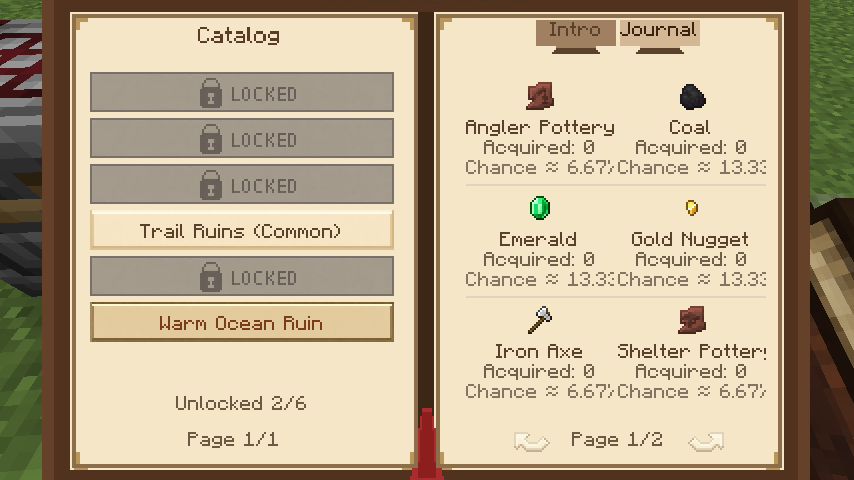
The Archaeology Journal automatically scans all archaeology loot tables in the game, displays them by structure name, and is also compatible with loot tables added by other mods.
 |
 |
|---|---|
| Loot table catalog | Item details page |
Unlock Status
Each time you brush out a new item, the Archaeology Journal automatically unlocks the corresponding entry and records it.
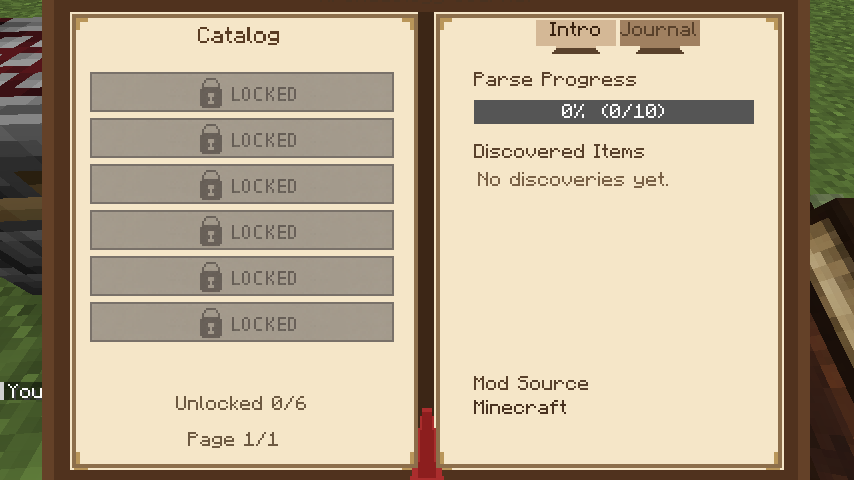
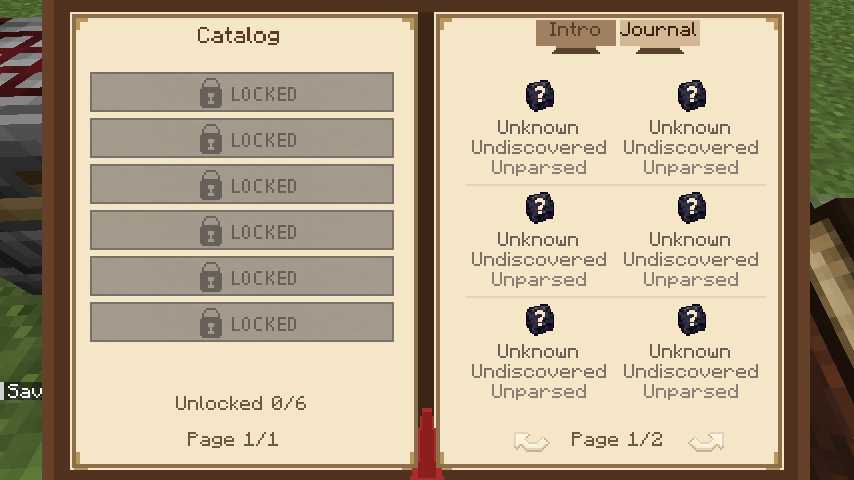
When no entries have been unlocked yet, the interface looks like this:
 |
 |
|---|---|
| No loot tables unlocked | No items unlocked |
Suspicious Reader
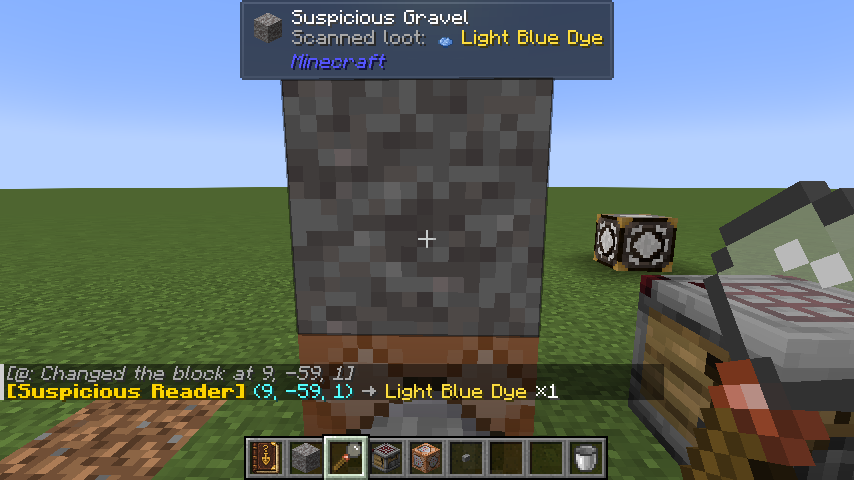
The Suspicious Reader reveals the hidden loot inside any suspicious block with a right-click.
 |
|---|
| Jade integration preview |
- Right-click to immediately reveal the contained item
- Automatically sync the result to the Archaeology Journal
- Compatible with all block entities derived from
BrushableBlockEntity, including suspicious blocks added by other mods - When used with Jade, the scanned item information can be shown directly in the HUD
Note: In survival mode, displaying full block details in Jade requires setting
builtinCamouflagetofalsein<version_file>/config/jade.json(default istrue).
📄 License
This project is licensed under the MIT License.
You are free to use, modify, and distribute this mod.
Available Versions
How to Install Unsuspicious Block on Your Server
Order Server
Order a Minecraft Java server with at least 3 GB RAM (4 GB recommended).
Set fabric Loader
In the panel under "Egg", select the fabric loader and matching Minecraft version (1.21.1).
Install Mod
Open the mod browser in the dashboard and search for "Unsuspicious Block". Click "Install" – done! Alternatively, upload the .jar via SFTP to the /mods folder.
Compatibility
Mod Loaders
Minecraft Versions
1.21.1
Server-side
✓ RequiredRecommended RAM
4 GB(min. 3 GB)Frequently Asked Questions
Unsuspicious Block server crashes on startup – what to do?
Most common cause: wrong fabric version or insufficient RAM. Check the server log (latest.log) for "OutOfMemoryError" or "Mixin" errors. With Mado Hosting: ensure at least 3 GB RAM is allocated and the loader matches the mod version (1.21.1). You can switch loaders with one click in the panel.
Is Unsuspicious Block compatible with fabric and neoforge?
Unsuspicious Block officially supports fabric, neoforge for Minecraft 1.21.1. The Mado dashboard automatically detects incompatible loader combinations.
Server lagging with Unsuspicious Block – how to optimize performance?
Recommended RAM: 4 GB (per 8 players). Use /spark profiler to check if Unsuspicious Block consumes the most tick time. Common fixes: reduce server view-distance to 8-10, install "performant" or "starlight" as supplementary mods on Forge. With Mado Hosting, your server runs on NVMe SSDs with dedicated CPU cores for minimal latency.
Similar Mods




Rent Modded Server
Install Unsuspicious Block with just one click on your server.