
Uranium
Uranium - Simple quality of life improvements the community actually wants. No bloat, just better gameplay.
Screenshots

About this Mod
*Uranium Mod - Official Description
*Uranium - Quality of Life, Simplified
A carefully crafted collection of features that the Minecraft community has been asking for. Uranium focuses on removing the tedious parts of gameplay while keeping the core experience intact.
✨ What's Inside
*🎯 Auto Pickup Filter
Items automatically go to your inventory — but only the ones you choose
Press F to toggle the filter on/off
Perfect for mining or farming without cluttering your inventory
Default whitelist includes ores, crops, and common resources
Customize which items get auto-picked up
Use /uranium help for starters
*🌾 Smart Farming
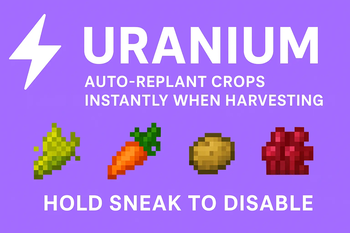
Crops replant themselves when harvested
Works with wheat, carrots, potatoes, beetroot, and nether wart
Toggle on/off by sneaking while harvesting
Automatically uses seeds from your inventory
Never manually replant again
*🪓 Instant Tree Chop
Break one log with a gold axe, and the entire tree falls
Gold axe breaks after one use - a fair trade for instant chopping
Only works with gold axes (no other axes have this ability)
Perfect for quick tree clearing when you need it
Chops all logs and leaves in one go
*🛡️ Tool Protection
Your tools stop working before they break
Never lose that perfect enchanted gear again
Works with all damageable items
Audio cues keep you informed
Stops at 1 durability remaining
*🪜 Fast Ladder Climb
Climb ladders and vines 2.5x faster
Works for both ascending and descending
No keybinds needed - just climb normally
Makes vertical builds much more enjoyable
*🚪 Auto Door Close
Doors close automatically after 3 seconds
Works with all door types (wood, iron, etc.)
Smart detection - won't close if you're nearby
Keeps your base secure without extra effort
*⛏️ Smelter's Pickaxe
Netherite pickaxes automatically smelt ores when mined
Get ingots directly instead of raw ore
Works with iron, gold, copper, and ancient debris
Also smelts sand to glass, logs to charcoal, and more
The ultimate endgame mining tool
🎯 Design Philosophy
Uranium is built on simple principles:
Respect your time - Remove repetitive tasks
Protect your progress - Don't lose what you've earned
Stay vanilla-friendly - No gameplay mechanics changed
Keep it optional - Features can be toggled when needed
Every feature is something players have requested countless times. No complicated configs, no bloat, just the improvements everyone wants.
📋 Requirements
Fabric Loader & Fabric API (Required)
Java 21+
⚖️ License
All Rights Reserved - Proprietary software by Lewis Fulspam.
🌟 Who Is This For?
Everyone. Seriously.
Whether you're building massive farms, mining deep underground, clearing forests, or just playing casually - Uranium removes the annoying parts while keeping Minecraft feeling like Minecraft.
Stop fighting the game. Start enjoying it.
🎮 Quick Start
Install Fabric Loader and Fabric API
Drop Uranium into your mods folder
Launch Minecraft
Type /uranium help in-game
Press F to toggle Auto Pickup Filter
Enjoy your improved gameplay!
🔥 Feature Highlights
Gold Axe = Instant tree chopping (breaks after use)
Netherite Pickaxe = Auto-smelting ores
F Key = Toggle item pickup filter
Sneak = Disable auto-replant temporarily
All Tools = Protected at 1 durability
Uranium - Because Minecraft should be fun, not frustrating.
Available Versions
How to Install Uranium on Your Server
Order Server
Order a Minecraft Java server with at least 3 GB RAM (4 GB recommended).
Set fabric Loader
In the panel under "Egg", select the fabric loader and matching Minecraft version (1.21.1).
Install Mod
Open the mod browser in the dashboard and search for "Uranium". Click "Install" – done! Alternatively, upload the .jar via SFTP to the /mods folder.
Compatibility
Mod Loaders
Minecraft Versions
1.21.1, 1.21
Server-side
✓ RequiredRecommended RAM
4 GB(min. 3 GB)Frequently Asked Questions
Uranium server crashes on startup – what to do?
Most common cause: wrong fabric version or insufficient RAM. Check the server log (latest.log) for "OutOfMemoryError" or "Mixin" errors. With Mado Hosting: ensure at least 3 GB RAM is allocated and the loader matches the mod version (1.21.1). You can switch loaders with one click in the panel.
Is Uranium compatible with fabric?
Uranium officially supports fabric for Minecraft 1.21.1, 1.21. The Mado dashboard automatically detects incompatible loader combinations.
Server lagging with Uranium – how to optimize performance?
Recommended RAM: 4 GB (per 8 players). Use /spark profiler to check if Uranium consumes the most tick time. Common fixes: reduce server view-distance to 8-10, install "performant" or "starlight" as supplementary mods on Forge. With Mado Hosting, your server runs on NVMe SSDs with dedicated CPU cores for minimal latency.
Similar Mods



Rent Modded Server
Install Uranium with just one click on your server.